
Claude Motion vs Claude Code: Every Prompt I Used
TL;DR
It is a tie. Claude Motion is best for quick graphics (Team and Enterprise plans only), and a Claude Code system is best for full videos with your face and voice. Every prompt from the test is below, copied exactly, starting with the trick: ask Claude to write your Motion prompt for you.
Every prompt I used in my video comparing Claude Motion and Claude Code is on this page, copied exactly as I used it. Paste them in as they are, then swap in your own words, logo and screenshots. There are 14 in total: the ask that writes the Motion prompts for you, the Motion prompts behind the four styles, the three title cards, and the head to head rounds.
The result: a tie, and which one to use
I gave both tools the same prompts for an explainer and a promo, then tested the one thing most people actually post: a reel with your own face and voice. The honest answer is a tie, and it depends on the job.
- Claude Motion for quick graphics. Title cards, explainers and promos with nothing to set up. It only works on Team and Enterprise plans right now, so check your plan before you plan around it.
- A Claude Code system for full videos with your face and voice. Claude Motion plays clips with no sound, so a talking reel needs a system you control.
How to use these prompts
- 1Start with the trick below. Do not write Motion prompts from scratch. Ask a normal Claude chat to write them.
- 2Copy a prompt with the button on its code panel and paste it in as it is.
- 3Where a prompt says to attach something (a reference screenshot, a cutout of you, your logo), attach your own.
- 4Swap the words on screen for yours. Keep the structure, because the timing and layout are what make it work.
The trick
Do not write the Motion prompt yourself. Open a normal Claude chat, tell it what you want to make, and ask it to write the prompt for you. Then paste that prompt into Claude Motion.
For the best result, drop in a screenshot of a style you like and say what to copy from it. Here is the exact ask I used (the last line is the screenshot part):
I want to use Claude Motion to make a title card for my YouTube video. The title card should say "Claude Motion vs Claude Code". Write me the full prompt I should paste into Claude Motion. Make it beautiful, dynamic and unique, not a generic template. Describe each beat with timing, the colours, the typefaces, how every element moves in and out, and the camera or depth. Keep it to about 6 seconds, 16:9. Just give me the prompt in one code block.

Use the attached image as the style reference: match its energy, its huge type, and the way 3D objects loop and float around the words in the midground.
1. Vox style graphic
What it made: An 8 second paper-collage graphic with a cut-out photo, torn paper and yellow highlighter. Give Claude Motion the reference board and the cut-out photo too.
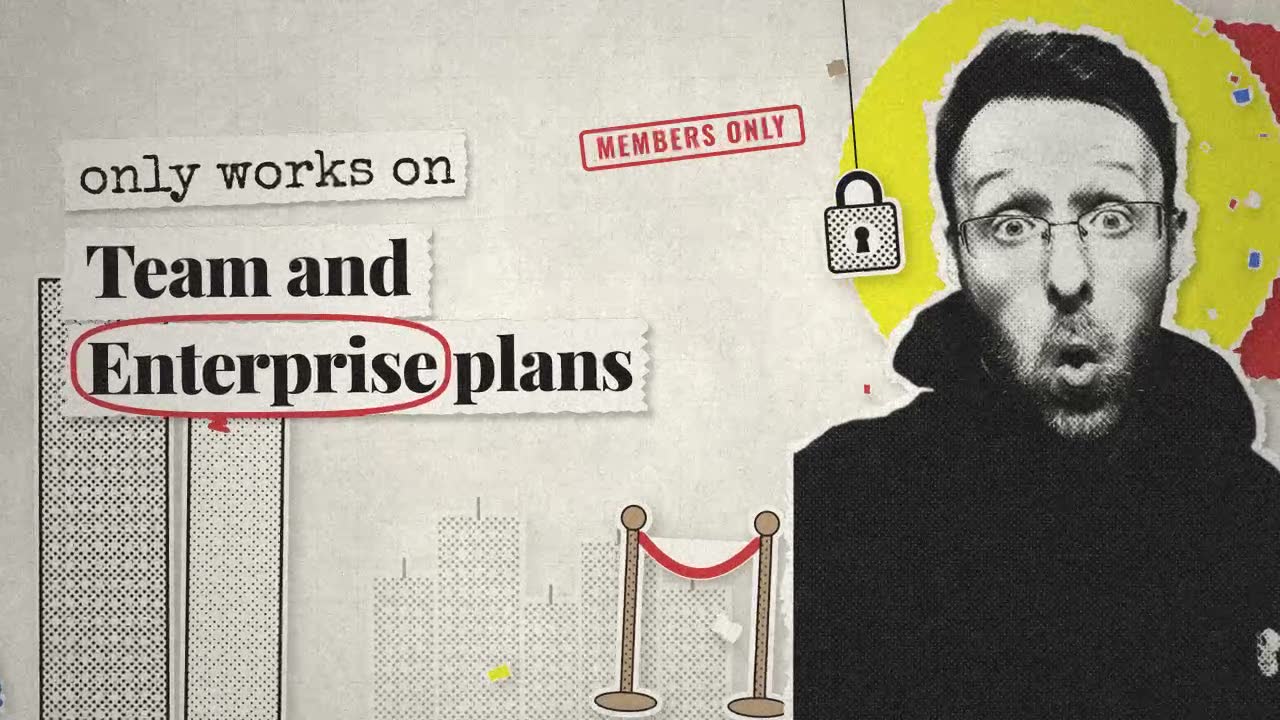
Step 1, the ask (normal Claude chat, with the reference board and the cut-out photo attached):
I want to use Claude Motion to make a Vox-style animated graphic for my YouTube video. The first image is my style reference: a board of Vox-style motion graphics (paper collage, cut-out black-and-white photos, halftone texture, torn paper edges, yellow highlighter marks, bold serif type, film grain). The second image is a cutout of me that Motion can use. The graphic should say: Claude Motion only works on Team and Enterprise plans, so I bought a Team plan just to test it. Write me the full prompt I should paste into Claude Motion. It should use my cutout as the hero, match the Vox style of the reference, and have a busy, living midground of paper scraps and props that move. Never let objects cover the words. Describe each beat with timing, colours, typefaces, how every element moves in and out, and the depth. About 8 seconds, 16:9. Just give me the prompt in one code block.Step 2, the prompt Claude wrote back (paste into Claude Motion):
Create an 8-second, 16:9 (1920×1080, 30 fps) animated title graphic in the style of a Vox-style explainer: layered paper collage, cut-out black-and-white photos, halftone dot texture, torn paper edges, yellow highlighter strokes, bold serif headlines, masking tape, and subtle film grain. The overall feel is a hand-made scrapbook that has come to life: tactile, a little jittery, editorial, and playful.

HERO ASSET
Use the uploaded cutout photo of me (man with glasses, beard, black hoodie, shocked "ooh" expression) as the hero. Convert it to high-contrast black-and-white with a coarse halftone dot pattern, slightly crushed blacks and a soft paper texture multiplied over it. Give it a 12–16 px off-white torn-paper border around the whole silhouette, like it was cut out of a magazine with scissors and then torn, plus a soft drop shadow (black, 25% opacity, 8 px offset down-right, 12 px blur) so it sits on the page. Keep the face sharp and readable. He stays on the RIGHT third of the frame for the whole piece, cropped at mid-chest by the bottom edge.

ON-SCREEN TEXT (exact wording, split across beats)
Beat 1: "Claude Motion"
Beat 2: "only works on Team and Enterprise plans"
Beat 3: "so I bought a Team plan"
Beat 4: "just to test it."

COLOUR PALETTE
- Aged paper background: #EDE7DA, with darker fibres and creases
- Ink black: #141414
- Highlighter yellow: #F4E21C (semi-transparent, multiply blend, rough marker edges)
- Accent red: #D6402F (stamps, circles, underlines)
- Accent blue: #3B6FD1 (used sparingly on one or two paper shapes)
- Kraft brown: #B89770 (tape and cardboard scraps)
No gradients. Everything should look printed or painted on paper.

TYPOGRAPHY
- Headlines: a heavy, high-contrast editorial serif (Playfair Display Black or similar), ink black, tight tracking, sentence case.
- Small labels and stamps: a condensed bold sans (Oswald Bold or similar), all caps.
- Annotations and receipt text: a typewriter face (Special Elite or Courier Prime).
Headline text is printed on its own torn paper strips (off-white #F7F3EA) so it reads like words cut from a newspaper.

DEPTH LAYERS (back to front)
1. Background: aged paper texture filling the frame, a faint blueprint grid (#141414 at 6% opacity), and a very slow 2% push-in over all 8 seconds.
2. Back-midground: large torn paper shapes (a yellow circle behind the hero's head, a red torn rectangle, a blue half-circle bottom-left), a few faded halftone city/office-building cutouts, all with gentle parallax.
3. Midground: busy, constantly moving props (described per beat). This layer should feel alive at all times: small rotations of ±2–4°, 1–3 px stop-motion jitter at 12 fps, scraps fluttering, tape strips peeling slightly.
4. Hero: my cutout.
5. Text layer: headline strips and highlighter strokes. Always the topmost layer except for the grain.
6. Overlay: film grain (8–10% opacity), light dust and scratches, slight vignette, and occasional 1-frame gate weave.

TEXT SAFETY RULE (IMPORTANT)
No object, prop, scrap, tape, shadow, or the hero cutout may ever overlap, pass in front of, or partially cover any on-screen words. Reserve the LEFT ~60% of the frame for text, and around every text strip keep a clear padding zone of at least 40 px. Midground props must route around these zones, sit behind them on a lower layer, or live in the margins and the space around the hero. If a prop's motion path would cross a text zone, change the path rather than covering the text.

MOTION LANGUAGE
Stop-motion feel: elements move on 2s (12 fps feel) with snappy ease-out arrivals, small overshoot (5–8%), and a settle wobble. Paper slides in from off-frame like it's being placed by hand, sometimes with a quick rotate-in. Exits are fast tears, slides, or flips off-frame. Highlighter strokes "draw on" left to right with a slightly uneven marker edge. Cuts between beats use a quick torn-paper wipe.

BEAT-BY-BEAT

BEAT 1 — 0.0s to 1.8s: "Claude Motion"
- 0.0–0.3s: Paper background fades up from black with a film-flicker. Blueprint grid draws in faintly.
- 0.2–0.6s: Large yellow torn circle scales in behind where the hero's head will be (scale 0→105%→100%, rotate −6°→0°).
- 0.4–0.8s: Hero cutout slides up from below frame on the right third with a slight rotation (−4°→0°), overshooting by 20 px and settling. Small comic "pop" squash on landing.
- 0.6–1.0s: Headline strip "Claude Motion" slaps in from the left on the upper-left, rotated −2°, in the heavy serif at about 140 px. Two small kraft tape pieces snap onto its corners.
- 0.9–1.3s: Yellow highlighter swipes behind "Motion".
- Midground: a vintage film camera cutout drifts in bottom-left (clear of the text zone), a film-strip ribbon curls along the bottom edge, three small paper star bursts twitch near the hero's shoulder, a pencil rotates slowly in the top-right corner above the hero.
- 1.6–1.8s: The headline strip tears away to the left, exiting the frame.

BEAT 2 — 1.8s to 4.0s: "only works on Team and Enterprise plans"
- 1.8–2.0s: Torn-paper wipe left to right across the left half only (the hero stays).
- 2.0–2.4s: Text arrives as two stacked strips on the left: "only works on" (smaller, ~80 px, typewriter-stamped feel) then "Team and Enterprise plans" (heavy serif, ~110 px), each sliding in from the left 4 frames apart.
- 2.5–2.9s: Yellow highlighter draws under "Team"; a red hand-drawn circle loops around "Enterprise" with a scribbled ending.
- 2.6s: A small red rubber-stamp label reading "MEMBERS ONLY" (condensed sans) thunks onto the paper beside, never on top of, the text with a 2-frame shake.
- Midground: a halftone padlock cutout swings on a string from the top edge between the text and the hero; two office-tower cutouts rise from the bottom-left corner behind the text strips (lower layer, and never visible through or over the words); a velvet-rope stanchion cutout slides in near the hero's elbow; paper confetti scraps flutter in the right margin.
- Hero reaction: the cutout does a quick 3% scale punch and a 2° tilt, like a double take.
- 3.8–4.0s: Strips flip off upward one by one; the padlock swings out of frame.

BEAT 3 — 4.0s to 6.0s: "so I bought a Team plan"
- 4.0–4.2s: Torn-paper wipe; the blue half-circle slides in bottom-left behind the text zone.
- 4.2–4.6s: Strip "so I bought" slides in (~90 px serif), followed by "a Team plan" (~130 px serif) with a yellow highlighter bar behind "Team plan".
- 4.6–5.0s: A halftone credit-card cutout slides out from behind the hero's shoulder and taps twice (small bounce), staying in the right/centre gap and clear of the text.
- 4.8–5.4s: A long paper receipt unrolls downward from the top-right edge beside the hero, typewriter text printing line by line ("1× TEAM PLAN", "SUBTOTAL ___", "THANK YOU"), with a red "PAID" stamp hitting at 5.2s.
- Midground: coins (halftone) roll across the bottom edge and topple; a price tag on string spins slowly; small paper arrows point from the margin toward the text without touching it.
- Hero: tiny 1° side-to-side "gulp" wobble.
- 5.8–6.0s: Text strips tear away down; the receipt rolls back up.

BEAT 4 — 6.0s to 8.0s: "just to test it."
- 6.0–6.2s: Torn-paper wipe; the yellow circle behind the hero pulses (100%→108%→100%).
- 6.2–6.6s: Single large strip "just to test it." in heavy serif (~150 px), slapping in with a stronger overshoot and a −3° tilt.
- 6.6–7.0s: Yellow highlighter scribble under "test it."; a small red hand-drawn arrow from the margin points at the word "test".
- Midground: a magnifying-glass cutout slides in and hovers over empty paper next to the hero (never over the words), a beaker or test-tube cutout bubbles with little paper circles, a clipboard with a typewritten checklist ticks one box with a red check, and loose scraps keep fluttering.
- Hero: final reaction—cutout scales up 4% with a small "pop", plus a ring of tiny paper motion lines around the head.
- 7.4–8.0s: Everything holds with ambient jitter and grain; the last 6 frames do a slight film-flicker and a quick fade to paper (not black), ending clean for an edit cut.

SOUND-READY TIMING NOTES (no audio needed, just leave clean hits)
Strong visual hits at 0.6s (hero lands), 2.6s (stamp), 5.2s (PAID stamp), 6.2s (final headline slap).

GENERAL QUALITY NOTES
- Keep it busy but readable: the midground is always moving, yet the words are never covered and always have the highest contrast in the frame.
- Every element should look like physical paper: torn edges, slight curl shadows, halftone dots, imperfect alignment.
- Do not use any real brand logos or wordmarks (no Vox logo); the style is inspired by, not copied from, the reference.
- Keep the hero's face clear of props at all times.
2. Flat illustration
What it made: A 6 second flat-shape graphic that reads "You describe it. Claude builds it." Attach your reference screenshot.
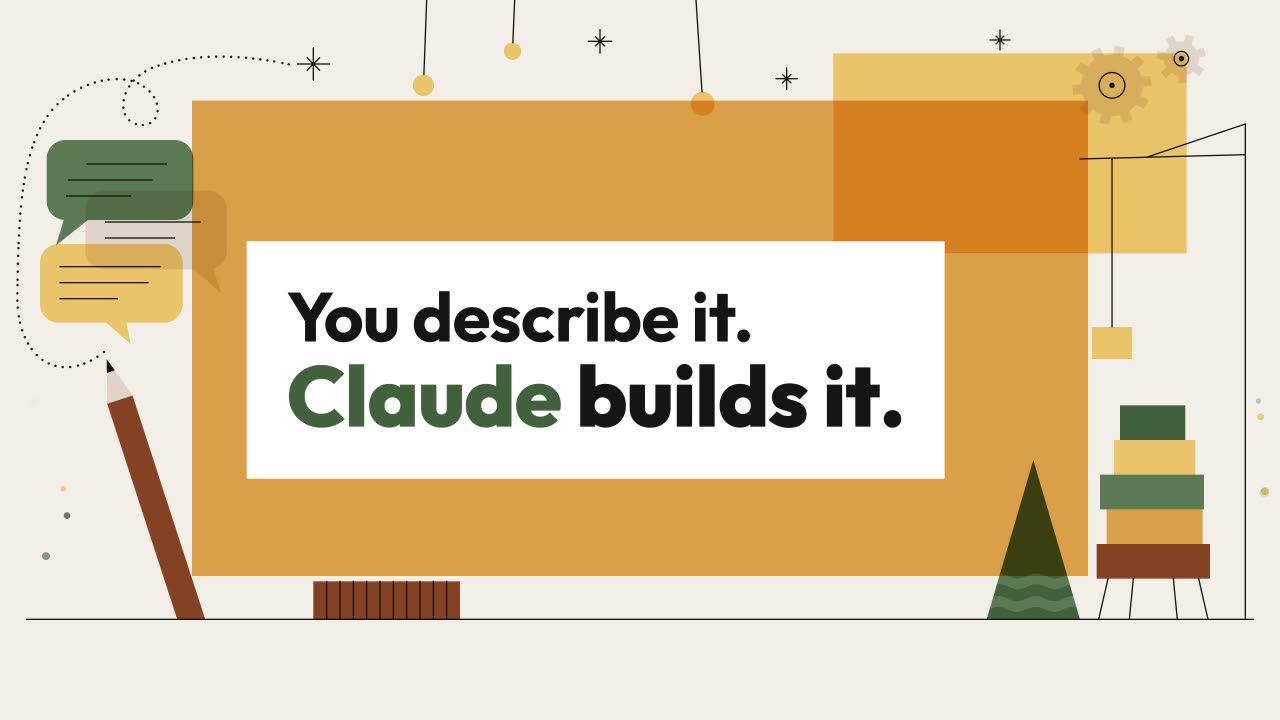
Tool: Claude Motion
Create a 6-second, 16:9 (1920×1080, 30 fps) animated title graphic that reads "You describe it. Claude builds it."

STYLE
Flat vector illustration made from simple geometric shapes: rectangles, triangles, circles, semicircles, and gentle wave bands. Use a warm, limited palette and thin black hairline details (2px strokes, no fills) for sparkles, strings, legs, and grid patterns. Where shapes overlap, they should read as translucent: the intersection becomes a slightly deeper or lighter tint of the two colours, like flat multiply at about 80%. Don't use gradients, shadows, glows, textures, blur, 3D, or outlines around filled shapes. Everything should feel calm, cosy, and mid-century, with crisp edges and generous negative space. All artwork must be original, with no logos, brand marks, or recognisable existing scenes.

PALETTE (use only these)
- Cream background: #F3EEE8
- Ochre: #E09F42
- Butter yellow: #F0C266
- Forest green: #3F5B3C
- Sage green: #5A7553
- Rust brown: #8B4520
- Warm taupe: #E0D4C8
- White: #FFFFFF
- Ink black: #141414 (text, hairlines, small solid accents)

TYPOGRAPHY
- Line 1, "You describe it.": a bold geometric sans (Outfit Bold or Futura PT Bold, falling back to any geometric sans), cap height about 90px, ink black, tight but even letter spacing.
- Line 2, "Claude builds it.": the same family in Extra Bold, about 110px. "Claude" is set in forest green #3F5B3C and "builds it." in ink black.
- Both lines are left-aligned to the same edge and stacked with roughly 30px between them.

LAYOUT AND TEXT SAFE ZONE
The text block sits slightly left of centre, spanning roughly x 22%–68% and y 34%–66% of the frame. It rests on a white #FFFFFF rectangular text plate that extends 60px beyond the text on every side. This plate is a protected zone: no shape, line, particle, or moving element may ever enter it, pass in front of it, or overlap any letter, at any frame. All midground motion happens around it, along the left edge, the right third, the top band, and the floor line at the bottom.

DEPTH (back to front)
1. The cream background, flat and static.
2. Back planes: a large ochre rectangle (x 15%–85%, y 14%–80%), plus a butter-yellow rectangle offset up and to the right that overlaps the ochre's top-right corner so the overlap reads as a translucent tint.
3. Midground: all supporting elements and motion (listed below), always outside the safe zone.
4. The white text plate.
5. The text, which is always the topmost layer and is never covered.

MIDGROUND ELEMENTS (original and busy, but tidy)
Left side, the "describe" ideas:
- Three rounded speech-bubble shapes in sage, taupe, and butter yellow, stacked and overlapping. Each has a small triangle tail, and inside each are 2–3 thin black hairline "text" dashes.
- A tall rust-brown pencil made of a rectangle body, a taupe triangle tip, and a black point. It stands diagonally beside the bubbles.
- A dotted hairline arc that loops from the pencil tip toward the top band.

Right side, the "build" ideas:
- A stack of five flat blocks (rust, ochre, sage, butter, forest) forming a little tower.
- A simple crane: a black hairline mast with a thin horizontal jib, plus a hairline string holding one butter-yellow block.
- A forest-green triangle "tree" with two sage wave bands across it, overlapping the back planes so their intersection tints.
- Two small taupe gears, one large and one small, made from circles with square teeth.

Top band:
- Four thin black hairline sparkles (eight-point asterisks).
- Three small butter-yellow circles hanging on hairline strings, like ornaments.

Floor line:
- A single thin black horizontal hairline at y 86%.
- Thin black splayed hairline legs under the block tower.
- A low rust rectangle box with vertical hairline stripes.

BEATS AND TIMING

0.00s: The frame is completely empty, just flat cream #F3EEE8. Nothing else is visible.

0.00–0.60s (back planes build on):
- The ochre rectangle wipes in from left to right with a hard edge, using ease-out cubic over 0.5s.
- At 0.20s, the butter-yellow rectangle slides down 40px into place and scales from 96% to 100% over 0.4s. Its overlap with the ochre resolves into the translucent tint as it lands.

0.30–0.90s (floor and text plate):
- The floor hairline draws on from centre outward over 0.4s.
- The white text plate scales up vertically from a 2px line to full height, anchored at its centre, over 0.35s with ease-out back (slight 3% overshoot).

0.50–1.60s (midground builds on, staggered every 0.08s):
- The speech bubbles pop in one by one from 0% to 105% to 100% scale, each anchored at its tail. Their hairline dashes then draw on left to right.
- The pencil slides up from below the floor line, rising 120px with ease-out.
- The dotted arc draws on along its path, starting from the pencil tip.
- The block tower builds from the bottom up. Each block drops 80px from above with a quick ease-in and lands with a 2-frame squash (to 94% height) before settling.
- The crane mast draws upward, then the jib draws outward, then the string draws down, then the hanging block scales in.
- The tree triangle grows upward from its base. Its wave bands wipe across left to right.
- The gears scale in and begin rotating.
- The sparkles scale from 0 to 100% while rotating 45°.
- Each ornament string draws down, then its circle pops on.
- The splayed legs and striped box draw on last.

1.20–2.40s ("You describe it." builds on):
- The words appear one at a time, 0.18s apart.
- Each word rises 24px into place through a hard-edged mask, fading from 0 to 100% opacity, with ease-out quint over 0.35s.
- As "describe" lands, the topmost speech bubble does a tiny 4% bounce in sympathy.

2.40–3.60s ("Claude builds it." builds on):
- Each word assembles block by block: its letters drop in individually from 30px above, staggered 0.03s apart, each landing with a 1-frame 2% squash.
- "Claude" lands first in forest green, then "builds", then "it.".
- When the final full stop lands at about 3.50s, the crane's hanging block dips 10px and settles, as if it had just delivered the word.

3.60–5.30s (hold with a living midground; the text stays perfectly still):
- The gears rotate continuously in opposite directions at 30° per second.
- The sparkles twinkle by scaling between 80% and 110%, out of phase, on a 0.9s cycle.
- The ornaments sway ±4° on their strings.
- The dashes inside the speech bubbles redraw in a slow loop.
- The pencil bobs 6px up and down on a 1.2s sine.
- The crane jib swings gently ±3°.
- The tree's wave bands drift horizontally by 10px.
- Small butter-yellow and sage circles (8–14px) float upward along the left and right edges, fading in and out. They never cross into the safe zone.
- All motion is smooth and looping, with nothing jarring.

5.30–6.00s (everything moves out, reverse order):
- Midground elements exit in reverse build order, staggered 0.03s apart. Each scales down to 0 toward its anchor point with ease-in, and hairlines un-draw.
- At 5.55s, the text lines slide up 20px through their masks and vanish, line 2 first and then line 1.
- At 5.70s, the text plate collapses back to a horizontal line and disappears.
- At 5.80s, the back planes wipe off to the right.
- The final frame is clean cream again.

RULES
- Frame 0 must be empty cream, so every shape and word animates on.
- No element may ever overlap or cover any letter or the text plate.
- Keep the palette, hairline weight, and flat translucent overlaps consistent throughout.
- Easing should feel snappy on entrances and soft on loops.
- Use no gradients, shadows, or textures.
3. Retro type
What it made: A 6 second poster-type graphic that reads "Months of building. Or one button?" Attach your two reference screenshots.
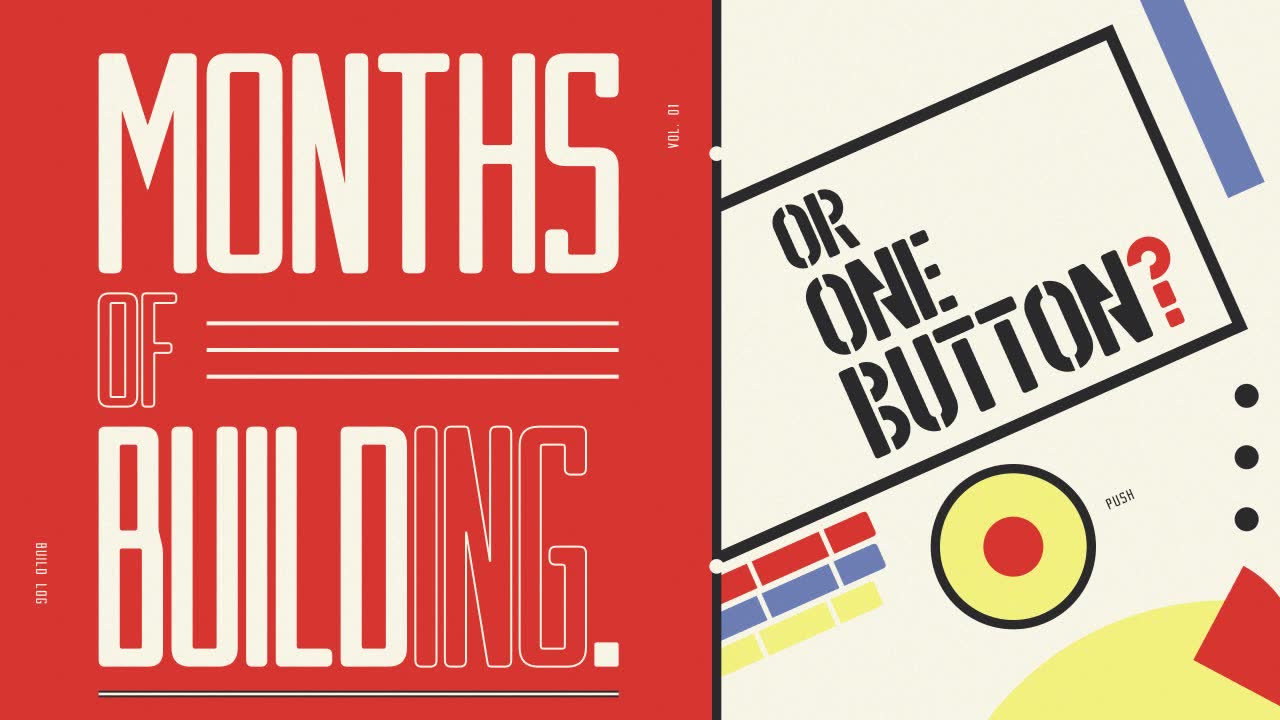
Tool: Claude Motion
Create a 6-second, 16:9 (1920×1080, 30 fps) kinetic typography graphic for a YouTube video that reads: "MONTHS OF BUILDING. OR ONE BUTTON?"

STYLE
Retro modernist poster typography, a cross between a tall ultra-condensed type-stack poster and a 1920s Bauhaus poster. The artwork must be original: do not recreate any existing poster layout, words or lettering. Everything is flat vector with hard edges, no gradients, no blur, no drop shadows, no 3D. Add a very subtle paper grain over the whole frame at 4% opacity, and make it static.

PALETTE (use only these colours)
- Poster red #E8442E
- Cream #FAF6E8
- Bauhaus yellow #F6EC7A
- Muted blue #6A7FB9
- Ink black #2B2A2C

TYPEFACES
- Line 1 ("MONTHS OF BUILDING."): an ultra-condensed, all-caps display sans with very tall, narrow letters, straight vertical stems and tight rounded corners (e.g. Six Caps or League Gothic, condensed further with horizontal scale ~70%). It is used in two treatments: SOLID (cream fill) and OUTLINE (no fill, 3px cream stroke).
- Line 2 ("OR ONE BUTTON?"): a heavy geometric stencil display face with circular counters split by visible stencil bridges and blunt rounded terminals (e.g. Big Shoulders Stencil Display Black, or a similar geometric stencil). All caps, black or cream depending on the ground.
- Micro labels: the same condensed face at 22px, letter-spaced +12%.

LAYOUT & DEPTH (back to front)
- L0 Ground: a flat cream field.
- L1 Back shapes: large slow shapes (half-circles, big rectangles). They move with slow parallax, 10–20px of drift over the whole piece.
- L2 Midground: busy, living geometry (bars, rules, dots, quarter-circles) that slides, rotates and pulses continuously.
- L3 Type: the hero. It is always fully visible.
- L4 Micro labels: tiny rotated text on the frame edges.
- KEEP-OUT RULE: every word has an invisible keep-out box with 24px of padding around it. No shape on any layer may ever enter, cross or sit on top of a keep-out box, at any frame. Shapes can go behind the panel the type sits on, but never over the letters. Text must be 100% legible at all times.

COMPOSITION
The frame is split. The LEFT panel is a flat red rectangle covering the left 56% of the frame, and line 1 lives on it as a vertical stack of tall condensed type. The RIGHT 44% is the cream Bauhaus zone, where line 2 sits on a tilted black-bordered cream band rotated −24°. The midground geometry lives in the gaps: the margins, the corners, the spaces around the band, and the strip between the two halves.

FRAME 0
Completely empty: only the flat cream ground. No type, no shapes, no grain movement. Everything after this builds on.

BEAT 1: THE RED PANEL (0.00–0.60s)
- 0.00–0.35s: The red panel wipes in from the left edge to 56% width with a fast ease-out (cubic-bezier 0.2, 0.9, 0.1, 1). Its right edge is a hard vertical line.
- 0.20–0.55s: A 14px black vertical rule draws top-to-bottom along the panel's right edge.
- 0.30–0.60s: On L1, a huge yellow half-circle (diameter ~900px) rises from below the frame's bottom-right corner and stops with only its top arc visible in the cream zone. It sits well clear of where line 2 will land.

BEAT 2: "MONTHS OF BUILDING." (0.50–2.40s)
The type is stacked to fill the red panel's height with 80px top and bottom margins, centred in the panel, and each row is justified to the same width (~780px).
- Row 1, "MONTHS": SOLID cream, cap height ~330px. At 0.50s each letter shoots up from below its own baseline, clipped by a mask at the baseline, staggered left to right at 40ms per letter. Each letter has a slight overshoot (5%) and settles by 1.00s.
- Row 2, "OF": OUTLINE cream, cap height ~170px, set flush left. The space to its right holds a stack of three thin cream horizontal rules, all inside the row but outside the "OF" keep-out. At 0.95s the outline strokes draw on (a stroke-dashoffset animation, 0.35s per letter). The rules then slide in from the right edge of the panel one after another, 60ms apart.
- Row 3, "BUILDING.": the biggest row, cap height ~360px. "BUILD" is SOLID cream and "ING." is OUTLINE cream, set tighter so the full word fits the row width. At 1.30s the letters drop down from above their own cap line through a mask, staggered right to left at 35ms. The full stop lands last at 1.85s as a solid cream square that pops in (scale 0 → 115% → 100%).
- Micro labels: a vertical label "BUILD LOG" (rotated 90°) slides up along the red panel's far-left margin at 1.60s. A second label "VOL. 01" (rotated −90°) appears on the panel's inner margin at 1.70s. Both are cream, 22px.
- Idle (1.90–2.40s): The type holds dead still. The outline rows shimmer by animating stroke width 3px → 4px → 3px once.

MIDGROUND LIFE DURING BEAT 2 (0.60–2.60s, cream zone and edges only)
- A blue bar (60px × 420px) slides in from the top edge and parks diagonally at −24° in the upper-right corner, then drifts 12px back and forth.
- Three black dots (36px) pop on in a vertical rhythm near the right frame edge, one every 120ms, and bounce gently.
- A red quarter-circle (radius 160px) rotates a slow 90° in the bottom-right corner.
- A cream-on-black thin rule ticks across the bottom margin like a progress bar, filling 0 → 60% of its length by 2.40s. This is a subtle nod to "months" passing.

BEAT 3: THE BAUHAUS BAND, "OR ONE BUTTON?" (2.40–4.40s)
- 2.40–2.75s: A thick black band border (18px) draws in along the diagonal (−24°), starting at the lower-left of the cream zone and racing up-right. The cream fill of the band follows 80ms behind, as a mask wipe in the same direction. The band sits between the yellow half-circle and the top-right blue bar, without overlapping either one's final position. Those shapes ease aside 30–60px to make room for it.
- Line 2 is set inside the band in black stencil type, rotated −24° to match, in three short stacked rows aligned left:
  - "OR" (cap height ~120px) slams in at 2.75s. It scales from 140% to 100% with a hard ease-out, landing in 0.18s with a 1-frame scale-down squash (98%) on impact.
  - "ONE" (cap height ~150px) slams in the same way at 3.00s.
  - "BUTTON?" (cap height ~170px) builds piece by piece at 3.25s: every stencil fragment of every letter slides in separately from 40px along the band direction, staggered 15ms per fragment. The fragments lock together by 3.75s. The "?" is set in red #E8442E. Every other letter is black.
- THE BUTTON (3.80–4.40s): In its own clear zone in the cream area below the band (never touching any keep-out box), a yellow circle (diameter 220px) with a 14px black ring scales up from 0 with a springy overshoot. Its centre is a smaller red circle (90px). At 4.10s the red centre "presses": it scales to 85% and back, the yellow ring flashes to cream for 2 frames, and four short black tick lines burst outward from the ring and fade.
- Micro label: "PUSH" in 22px black, rotated −24°, slides out from behind the button at 4.15s.

MIDGROUND LIFE DURING BEAT 3 (2.75–5.20s)
- The progress rule in the bottom margin snaps instantly from 60% to 100% at the button press (4.10s). This is the "one button" payoff.
- A stack of three stencil-style bars (red, blue, yellow; 40px thick each, rotated −24°, parallel to the band) slides in one after another at 3.10s along the lower-left of the cream zone, beneath the band, never overlapping the type. They keep sliding back and forth 20px out of phase with each other, like pistons.
- The yellow half-circle rotates 6° and back on a 2s loop.
- Two small cream circles ride along the black edge rule of the red panel, moving up and down in opposite directions on a slow loop. They stay outside the line 1 keep-out boxes.

HOLD (4.40–5.30s)
Everything is fully built. The type is completely still and crisp. Only the midground keeps breathing: the pistons, the dots, the slow rotations, and a single second press of the button at 4.90s (subtler, at 90% scale).

EXIT (5.30–6.00s)
Exit in reverse order of build, fast and graphic:
- 5.30s: The button scales to 0 and the "PUSH" label slides back behind it.
- 5.38s: Line 2 stencil fragments fly out along the band direction (up-right), staggered 10ms. The band border and fill wipe off up-right.
- 5.50s: Line 1 rows drop out downward through their baseline masks, Row 3 first, then Row 2, then Row 1, with a 50ms stagger. The micro labels slide off their edges.
- 5.60s: The midground shapes exit off the nearest frame edge, each one in the direction it entered.
- 5.70–5.95s: The black rule retracts upward, and the red panel wipes back out to the left.
- 6.00s: The final frame is the empty cream ground, matching frame 0, so the clip cuts cleanly.

MOTION FEEL
Snappy and mechanical, like a printing press: hard ease-outs on entrances, quick ease-ins on exits, tiny overshoots only on impacts. No floaty fades. Opacity fades are allowed only on the button burst ticks. All motion is pixel-crisp, with no motion blur.
4. Futuristic
What it made: A 6 second sci-fi graphic with a melting chrome blob and glitchy type. Attach your reference screenshot.
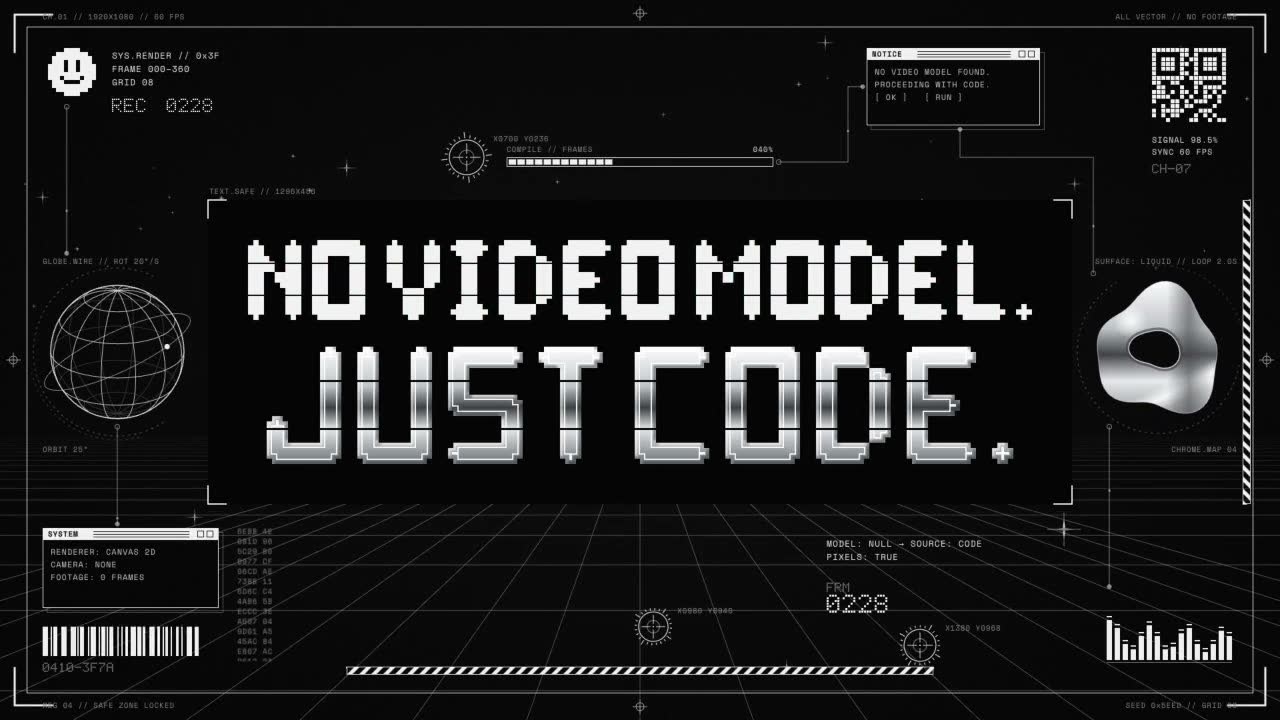
Tool: Claude Motion
Create a 6-second animated title graphic, 16:9, 1920×1080, 60 fps, for a YouTube video. It reads: "NO VIDEO MODEL. JUST CODE."

STYLE
Futuristic Y2K and retro-futurist sci-fi, like a dense sticker sheet of HUD and cyber elements brought to life. Strictly monochrome: black ground, white line work, and liquid chrome. All artwork must be original: no logos, real brands, existing characters, stock-collage pieces, or recognisable typefaces from known products. Draw every element yourself with vector shapes, SVG, or canvas.

COLOUR
- Ground: near-black #050505, with a very faint radial lift to #0E0E0E at centre and fine film grain (2–3% opacity, animated).
- Primary line and text white: #F2F2F2. Secondary lines: #F2F2F2 at 35–60% opacity. Tertiary micro-text: #8A8A8A.
- Chrome: a vertical gradient #FFFFFF → #BFC3C8 → #3A3D42 → #E6E8EB → #6B6F75, with a moving specular highlight band.
- No other colours, except a 1-frame RGB-split on glitch hits (red/cyan offset of 3–6 px, under 10% opacity).

TYPOGRAPHY
- Headline "NO VIDEO MODEL.": custom blocky, wide display lettering built from rectangles and squared pixel modules on an 8-px grid, with notched corners, horizontal cut-lines through the strokes, and slightly extended widths. Pure white, flat. Cap height about 120 px.
- Headline "JUST CODE.": the same blocky construction, but larger (cap height about 170 px) and rendered in liquid chrome with a thin 2 px white inline stroke and a soft bevel. This is the hero line.
- HUD micro-text: a monospaced font (Space Mono or JetBrains Mono, with a monospace fallback), 11–16 px, uppercase, letter-spacing +8%. Use invented readouts such as "SYS.RENDER // 0x3F", "FRAME 000–360", "MODEL: NULL", "SOURCE: CODE", "SIGNAL 98.4%", "GRID 08", "PIXELS: TRUE".
- Small square pixel-font labels (5×7 dot matrix, built from squares) for counters and tags.

LAYOUT AND THE TEXT SAFE ZONE (critical)
- The two headline lines are centred and stacked: "NO VIDEO MODEL." above, "JUST CODE." below, with a 40 px gap. The text block sits at the optical centre.
- Define a protected rectangle around the full text block plus 60 px padding on every side. Fill it with a solid black plate (#050505, 100% opacity) with thin white corner brackets.
- No midground or background element may ever enter, overlap, or pass behind this rectangle where it would show through. Every moving element must have its paths and bounds clipped or routed to stay outside it at all times. Nothing ever covers or touches a letter.

DEPTH (back to front)
1. Background (z −3): a perspective wireframe floor grid receding to a vanishing point just below centre, plus a sparse starfield of 4-point sparkles. Slow parallax drift: grid scrolls toward camera at about 40 px/s, at 30–40% opacity.
2. Midground (z −2 to −1): the living HUD layer. All elements animate continuously and stay outside the safe zone. Slight scale differences (0.85–1.0) and faint blur on the farthest pieces give depth.
3. Text plate and headline (z 0): sharp, never blurred.
4. Foreground frame (z +1): thin screen-edge brackets, corner registration marks, and a 1 px border inset 40 px from the frame edge. Sits only at the outer edges.

MIDGROUND ELEMENTS (all original, all moving)
- Wireframe globe (left third, about 260 px): latitude/longitude lines in white, rotating on the Y axis at 20°/s, with a thin orbit ring tilted 25° and a small dot travelling along it.
- Warped chrome blob (right third, about 280 px): a liquid metaball/torus shape that continuously morphs (noise-driven vertices, 2 s loop), with its chrome highlight sliding across it.
- Crosshair reticles (three of them): circles with tick marks and a centre cross. They glide between target points in the corners in eased hops, snapping with a 2-frame overshoot, and the tick ring rotates.
- Pixel smiley: a chunky 12×12 pixel face in white, upper left. It blinks every 1.5 s (eyes collapse to one row for 3 frames).
- Barcode strip (bottom left) and an original QR-style dot block (top right, a random pattern that is not a scannable code). Barcode bars re-shuffle widths every 0.25 s; the dot block flickers 10% of its cells per tick.
- Caution stripes: two thin diagonal black/white hazard bands, along the bottom edge and down the right edge, marching at 60 px/s.
- Data readouts: corner text blocks that type on and update numbers, a horizontal loading bar filling and resetting, equaliser-style vertical bars bouncing, and a tiny scrolling hex column.
- Thin technical lines: hairline leader lines with circle endpoints connecting the HUD clusters (never crossing the safe zone), and dashed arcs rotating slowly.
- Chrome 4-point sparkle stars (5–7 of them): twinkling (scale 0 → 1 → 0.6) at staggered times.
- Small pop-up OS-style windows (two of them, retro, white outline, with a tiny title bar reading "SYSTEM" and "NOTICE"), sitting in the left-bottom and right-top clusters.

TIMELINE

0.00 s: First frame is completely empty, pure #050505 only. No grain on frame 0.

0.00–0.40 s, power-on: a single white pixel appears at centre and blinks twice. A 1 px horizontal scan line expands from it to full width (ease-out, 0.2 s), then fades to 0. Grain fades in.

0.30–1.10 s, structure builds:
- The floor grid draws on from the vanishing point outward (lines extend with stroke-dashoffset, staggered 20 ms each), fading to 35% opacity.
- The foreground border and corner brackets draw on clockwise from the top-left corner (0.5 s).
- The text-zone black plate fades in invisibly (black on black). Only its four white corner brackets snap in, each with a 2-frame overshoot.
- Sparkle stars pop in at random staggered times.

0.70–1.80 s, HUD midground builds (each element at a staggered time, 60–90 ms apart, working outward from the corners toward the centre):
- The globe draws on as wireframe line by line, then starts rotating.
- The chrome blob scales from 0 with an elastic ease (0.4 s), then begins morphing.
- Crosshairs flash in (scale 1.4 → 1, opacity 0 → 1, 0.15 s), then start hopping.
- Barcode bars slide up from the baseline. The dot block resolves from noise.
- Hazard stripes wipe in along their edges.
- Readouts type on character by character (25 ms per character) with a blinking block cursor.
- Pop-up windows open with a quick vertical scale (0 → 1, 0.12 s, stepped in 3 frames like an old OS).
- The pixel smiley builds pixel by pixel in a random order (0.3 s).

1.40–2.40 s, "NO VIDEO MODEL." builds:
- Each letter assembles from its pixel modules, which fly in from 30–60 px away along the grid axes (stepped easing, 4 frames per letter, staggered 50 ms left to right).
- On completion, a 2-frame glitch hit: horizontal slice displacement of ±12 px on 3 random bands, plus the faint RGB split, then it settles clean.
- The period lands last with a tiny flash.

2.30–3.40 s, "JUST CODE." builds (hero):
- Vertical white bars wipe up through each letter's footprint (staggered 40 ms), leaving the chrome letterform behind.
- A chrome specular band sweeps left to right across the whole line (0.6 s, ease-in-out).
- On landing, a single white shockwave ring expands from behind the plate's edges outward into the midground (opacity 40% → 0, 0.5 s). It only travels outside the safe zone. All HUD elements nudge outward 6 px and settle, as if pushed.
- A readout updates to "MODEL: NULL → SOURCE: CODE".

3.40–5.20 s, living hold:
- The headline is perfectly still and sharp, except for a slow chrome highlight drift across "JUST CODE." (one pass every 1.6 s).
- The midground stays continuously busy: globe spinning, blob morphing, crosshairs hopping between targets, barcodes shuffling, stripes marching, counters ticking, equaliser bouncing, smiley blinking, sparkles twinkling, grid scrolling.
- One brief micro-glitch at 4.30 s on the HUD only (never on the text).

5.20–6.00 s, power-down:
- 5.20–5.60: midground elements exit in reverse stagger, centre outward. Lines retract (reverse stroke-dashoffset), the globe collapses to its equator line and then to a dot, the blob shrinks with an elastic ease, readouts delete backward, windows close with the stepped vertical scale, and crosshairs flash out.
- 5.45–5.75: "NO VIDEO MODEL." breaks back into pixel modules that scatter and vanish. "JUST CODE." holds a moment longer, then a hard glitch slice and a horizontal squash to a single 1 px white line (CRT-off style).
- 5.75–6.00: the line collapses to a centre pixel, which blinks once and disappears. The grid and frame brackets fade out. The final frame is empty black.

MOTION FEEL
Mechanical and precise: stepped and snappy easing for HUD and pixel elements (cubic-bezier(0.7,0,0.2,1) and steps()), smooth easing only for the chrome highlights and blob morphing. Small overshoots on arrivals. Nothing floaty. Keep line weights at 1–2 px for the HUD and 3 px for the major frame lines. The overall composition should feel dense and alive at the edges, with calm, clean, untouched negative space around the words.
5. Title card, one line
What it made: A plain 5 second title card. Motion asks you three quick questions first (style, colours, length).
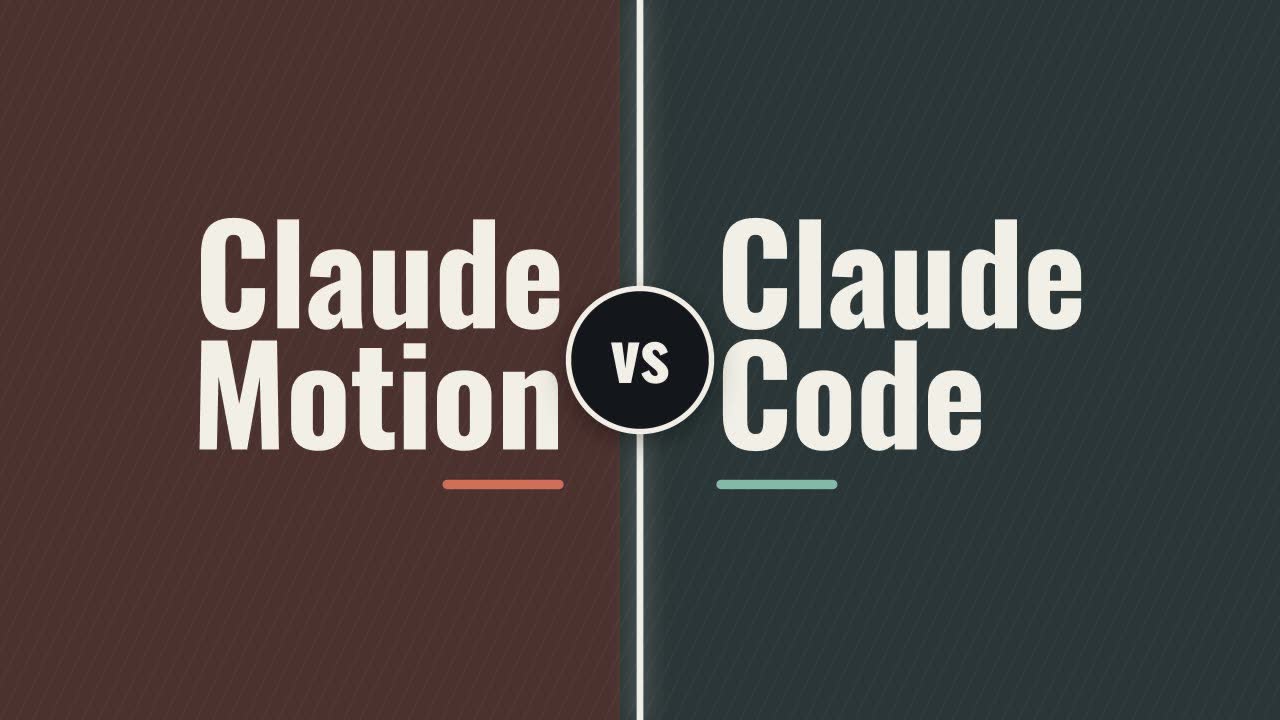
Tool: Claude Motion
make a title card that says Claude Motion vs Claude Code6. Title card, Claude writes the prompt
What it made: The Motion prompt below came from asking Claude in a normal chat (the ask is first, the prompt Claude wrote is second). A livelier 6 second title card, and Motion skips its questions.
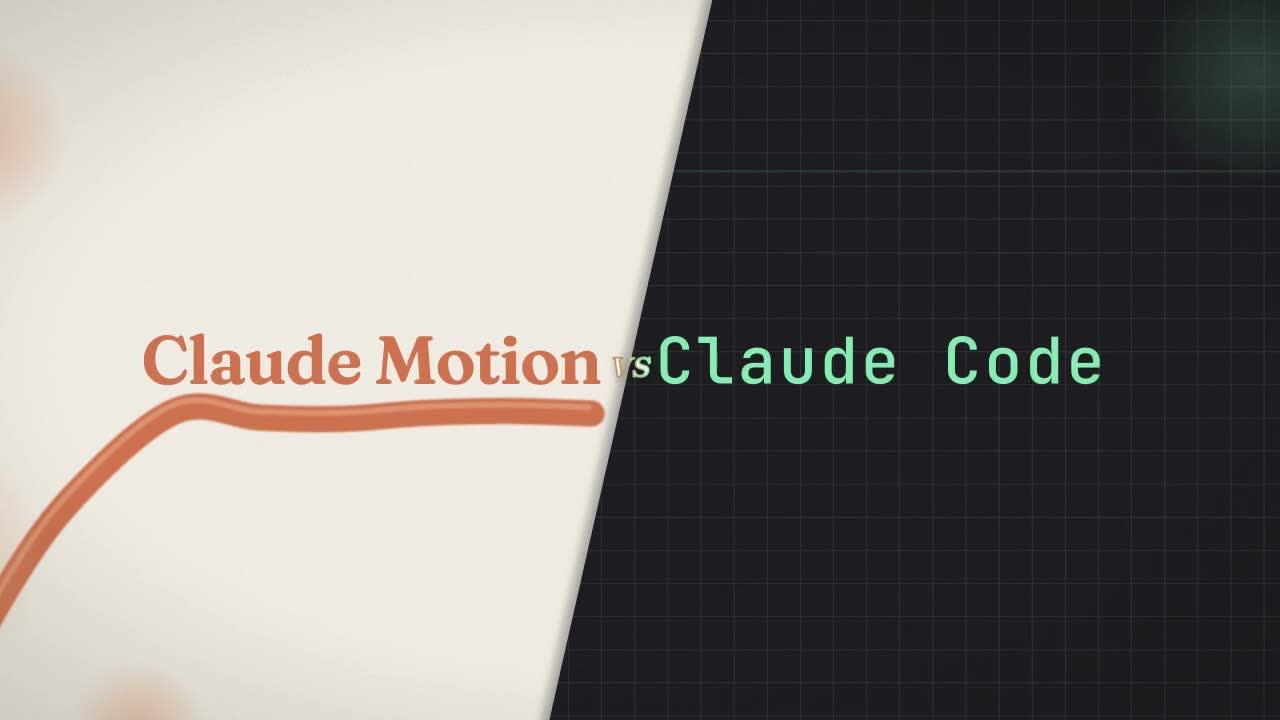
Tool: Claude Motion (the ask goes to Claude in a normal chat)
I want to use Claude Motion to make a title card for my YouTube video. The title card should say "Claude Motion vs Claude Code". Write me the full prompt I should paste into Claude Motion. Make it beautiful, dynamic and unique, not a generic template. Describe each beat with timing, the colours, the typefaces, how every element moves in and out, and the camera or depth. Keep it to about 6 seconds, 16:9. Just give me the prompt in one code block.Create a 6-second, 16:9 (1920×1080, 30fps) animated title card for a YouTube video. The final title reads: "Claude Motion vs Claude Code". The concept is a collision of two personalities: "Claude Motion" is fluid, organic and warm, built from curves and soft physics; "Claude Code" is precise, mechanical and typed, built from a grid and a blinking cursor. The two halves meet in the middle at the word "vs", which acts as the hinge of the whole piece. Avoid stock templates, lens flares, generic particle bursts, glitch presets and logo stings. Do not use any logos or brand marks; the piece is typography and abstract shape only.
PALETTE
- Background: warm paper off-white #F4EFE6 on the left half, deep ink charcoal #1A1A1E on the right half, divided by a soft diagonal seam that moves during the animation.
- Motion accent: terracotta #D9774B, with a lighter peach #F2B48C for highlights.
- Code accent: phosphor mint #7FE3B5, with a dim slate #3A3D45 for grid lines and secondary text.
- "vs": cream #FFF6E8 with a thin terracotta-to-mint gradient stroke.
- Add a very subtle film grain (2–3% opacity) across the whole frame and a gentle vignette.
TYPEFACES
- "Claude Motion": a high-contrast variable serif such as Fraunces, set large (about 150px), using the soft/wonk axis so letters can stretch and settle organically.
- "Claude Code": a monospaced face such as JetBrains Mono or IBM Plex Mono, medium weight, same visual height as the serif.
- "vs": the same serif in italic, about 60% the size of the titles, lowercase, slightly raised from the baseline.
- Kerning tight on the serif, generous tracking (+40) on the mono.
LAYOUT (final frame)
"Claude Motion" sits left of centre on the paper side, "Claude Code" right of centre on the ink side, both on one shared baseline across the middle of the frame. "vs" sits exactly on the diagonal seam between them. Keep 10% safe margins on all edges.
CAMERA AND DEPTH
Treat the scene as a 2.5D space with three layers: a far background layer (texture, grid, ribbon), a mid layer (titles), and a near foreground layer (a few soft out-of-focus shapes). Use a virtual camera with a slow continuous push-in of about 8% across the full 6 seconds, plus a slight parallax drift from left to right. Foreground elements carry a shallow depth-of-field blur; titles stay crisp.
BEAT-BY-BEAT
0.00–0.80s — The split.
Open on a full-frame warm paper background. A single terracotta ribbon (a thick, soft-edged brushstroke curve) sweeps in from the bottom-left corner, arcing upward through the frame with an ease-out-back motion. Simultaneously, from the right edge, the ink background slides in as a hard diagonal panel, stopping with a crisp ease-out-expo so the frame is now split at roughly 15° off vertical. A faint mint grid (1px slate lines, 48px spacing) fades in only on the ink side, with lines drawing on from top to bottom in a quick stagger.
0.80–2.20s — "Claude Motion" flows in.
The terracotta ribbon slows and appears to "pour" itself into letterforms: "Claude Motion" draws on stroke by stroke, left to right, as though written by the ribbon's leading edge, then fills with solid terracotta. Each letter overshoots slightly in scale (to 104%) and settles back with a springy, damped wobble, staggered 40ms per letter. The serif's soft axis animates from exaggerated and rounded to its final crisp setting as letters land. Two or three peach blurred circles drift slowly in the foreground near the left edge for depth.
1.40–2.80s — "Claude Code" is typed in (overlapping the previous beat).
On the ink side, a mint block cursor blinks twice, then "Claude Code" types out character by character at an even mechanical rhythm (about 70ms per character), each character snapping in with no easing and a 1-frame mint glow that decays immediately. As each character lands, the grid cell behind it briefly brightens. After the last character, the cursor blinks once more and stays parked after the "e".
2.80–3.80s — The collision and "vs".
Both titles nudge toward the centre by about 20px, as if attracted. The diagonal seam ripples like a membrane, with an organic wave on the paper side and a stepped, pixelated wave on the ink side, meeting in the middle. At 3.20s, "vs" scales up from 0% to 100% exactly on the seam with a strong ease-out-back, and its gradient stroke draws on around the letters. At the moment "vs" lands, a single soft shockwave ring expands outward from it at low opacity (10%), pushing the foreground blur shapes slightly outward and nudging both titles back to their final positions.
3.80–5.20s — Hold and breathe.
Everything settles. The camera push-in continues. Subtle life only: the terracotta ribbon behind "Claude Motion" undulates very gently like fabric in a slow breeze; the mint cursor after "Claude Code" blinks at a steady 1Hz; a thin scanline drifts slowly down the ink side once. "vs" has a barely perceptible float (2px up and down). This is the readable hero moment, so keep all motion calm and the type completely legible.
5.20–6.00s — Exit.
The two worlds pull apart. "Claude Motion" dissolves from right to left back into the ribbon, which sweeps out through the top-left corner with an ease-in curve. "Claude Code" is deleted backward character by character by the cursor, faster than it was typed (about 40ms per character), then the cursor itself winks out. "vs" is the last element on screen; it shrinks to a single cream dot at the seam, which holds for 4 frames and then fades. End on the split background, cleanly, so it can cut straight into the video.
MOTION PRINCIPLES
- Motion side: springs, overshoot, organic curves, nothing linear.
- Code side: linear timing, hard cuts, frame-precise snaps, no easing on characters.
- The contrast between the two motion languages is the whole idea; keep each side faithful to its own rules.
- No sound required, but time key hits (ribbon landing at 0.8s, last typed character at about 2.6s, "vs" impact at 3.2s) so music or SFX can be synced later.7. Title card, from a screenshot
What it made: The best of the three. Same ask as number 6, plus one extra line about the screenshot (Slush website hero). Claude wrote the prompt below.
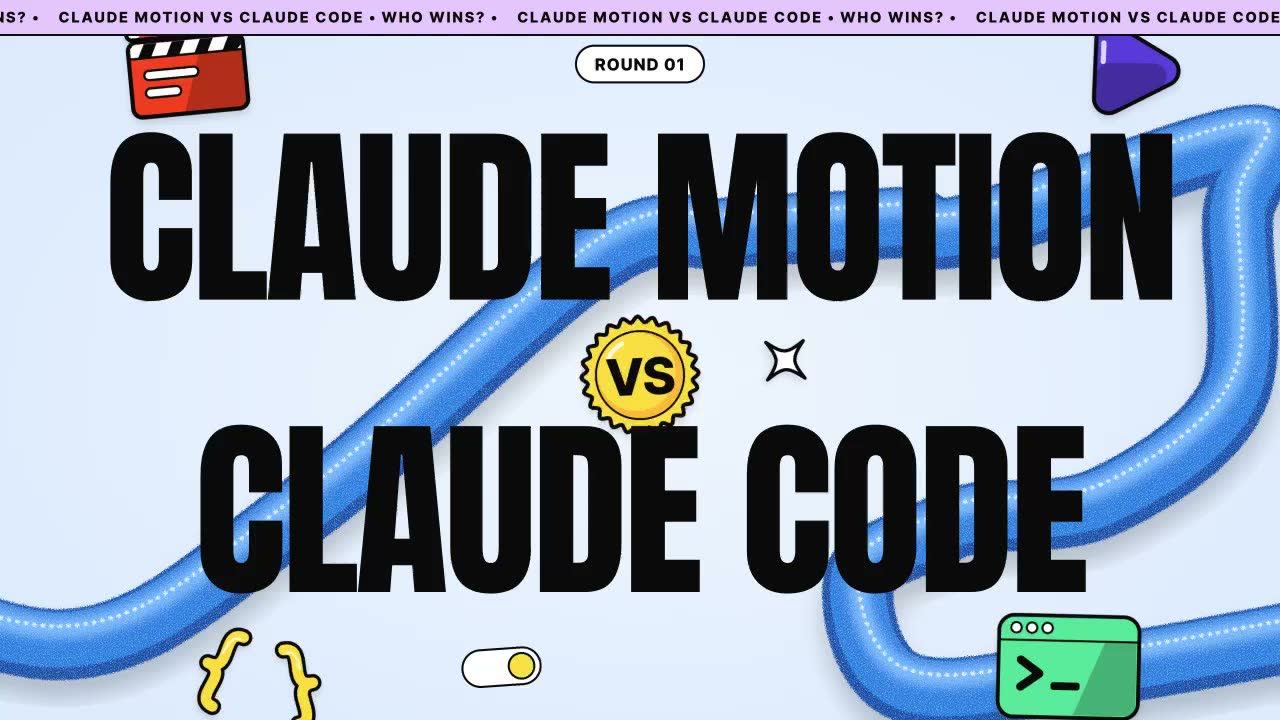
Tool: Claude Motion (the ask goes to Claude in a normal chat)
I want to use Claude Motion to make a title card for my YouTube video. The title card should say "Claude Motion vs Claude Code". Write me the full prompt I should paste into Claude Motion. Make it beautiful, dynamic and unique, not a generic template. Describe each beat with timing, the colours, the typefaces, how every element moves in and out, and the camera or depth. Keep it to about 6 seconds, 16:9. Just give me the prompt in one code block. Use the attached image as the style reference: match its energy, its huge type, and the way 3D objects loop and float around the words in the midground.Create a 6-second, 16:9 (1920×1080, 30fps) animated YouTube title card that reads "CLAUDE MOTION vs CLAUDE CODE". Make it bold, playful and tactile, like a premium product-launch hero. Avoid a generic template look. Use only original artwork with no real logos, brand marks or existing mascots.
OVERALL STYLE
- Huge, ultra-condensed, ultra-heavy black display type that fills most of the frame and is the hero of the composition.
- A single glossy-but-fuzzy 3D tube (think a thick cobalt-blue foam pipe with a fine flocked, sugar-crystal surface texture and soft subsurface highlights) snakes in big S-curves through the whole frame. It passes BEHIND some letters and IN FRONT of others, creating a layered depth sandwich: background tube, then type, then foreground tube, then floating stickers.
- Small chunky 3D "sticker" objects with thick black outlines and flat cel-shading float around the words in the midground, bobbing and rotating gently. They feel like collectible vinyl toys.
- Rounded pill shapes with 3px black outlines on white are used for UI-style accents.
- Lots of bounce and squash-and-stretch. Nothing moves linearly.
COLOUR PALETTE
- Background: pale sky blue #DCEBFF, with a very subtle radial lift to #EEF5FF in the centre.
- Tube: saturated cobalt #1E7BE6 with highlights #6FB4FF and shadows #0B4FB0.
- Type: pure black #0A0A0A.
- Top ticker strip: lilac #E7CCFF with black text.
- Sticker accents: tomato orange #FF4A1C, sunshine yellow #FFD83A, mint #4FD99A, electric violet #5B45E0, and white #FFFFFF.
TYPOGRAPHY
- Main words: an ultra-condensed heavy grotesk (Anton, or similar extra-bold compressed sans), all caps, tight tracking (−2%), with line height so tight that the two lines nearly touch.
- "vs" and small labels: a friendly geometric sans (Inter Tight Bold or Manrope ExtraBold).
- Ticker text: the same geometric sans, all caps, small, bold.
LAYOUT (final resting frame)
- Line 1: "CLAUDE MOTION", spanning about 85% of the frame width, upper half.
- Line 2: "CLAUDE CODE", spanning about 75% of the width, lower half and centred.
- Between them, overlapping both lines at centre: a tilted (−8°) circular yellow sticker badge with a thick black outline and "VS" in black, like a bottle cap.
- A thin lilac ticker strip runs along the very top edge, scrolling left: "CLAUDE MOTION VS CLAUDE CODE • WHO WINS? •" on repeat.
- Floating stickers, all original designs:
1. An orange-and-white 3D film clapperboard, top-left, overlapping the "C" of MOTION.
2. A mint-green rounded terminal window with a blinking ">_" prompt, bottom-right, tucked against the "E" of CODE.
3. A violet chunky play-button triangle in a soft rounded shape, right of "MOTION".
4. A white four-point sparkle with a black outline, small, near the VS badge.
5. A pair of yellow curly-bracket "{ }" toy pieces, bottom-left, tumbling slowly.
BEATS AND TIMING
0.00–0.60s: OPEN
- Start on the empty pale-blue background. The cobalt tube draws itself on from off-screen left, sweeping in a fast S-curve across the frame (path animation with ease-out-expo), its fuzzy texture catching light as it moves.
- The camera begins slightly pushed in (110%) with a gentle 2° roll.
0.60–1.40s: "CLAUDE MOTION" SLAMS IN
- Each letter pops up from below the baseline in a fast stagger (40ms apart), overshooting upward by 12% and settling with a springy squash (scaleY 0.85, then 1.05, then 1.0).
- As the letters land, the tube's front segment slides in front of the "O" and "T" while its back segment sits behind "M" and "I", so the depth sandwich is established.
- The clapperboard sticker flips in from top-left with a 360° spin and a little snap shut on landing (clap at 1.30s).
1.40–2.20s: "CLAUDE CODE" SLAMS IN
- The letters rise from below in the same staggered spring, slightly faster (30ms apart).
- The tube's second loop wraps around the "D" of CODE, passing behind its bowl and in front of its stem.
- The mint terminal sticker bounces up from the bottom-right edge, and its ">_" cursor starts blinking at 2 Hz.
2.20–2.80s: VS BADGE DROP
- The yellow VS badge drops from above with a heavy bounce (two diminishing bounces) and lands overlapping both lines.
- On impact, the whole type block does a tiny 6px camera shake, and a white sparkle bursts out from the badge in 6 short radial lines that fade within 0.3s.
- The lilac ticker strip slides down from above the frame and begins scrolling.
2.80–4.80s: HOLD / ALIVE STATE
- Everything settles but stays alive.
- The camera does a slow parallax dolly (push in from 100% to 104%). Background, tube, type and stickers each move at different rates (0.6x, 0.8x, 1x and 1.3x) for real depth.
- The tube's surface texture subtly shimmers, and the tube undulates slightly as if breathing.
- The stickers each bob on their own sine loops (6–12px, 2–3s periods, offset phases) and slowly rotate ±6°.
- The bracket pieces tumble lazily, and the play button gently pulses (scale 1.0 to 1.04).
- The VS badge wobbles back and forth once at 3.8s.
4.80–6.00s: OUT
- At 4.80s the stickers zip outward off-frame in their own directions with ease-in-back (a slight wind-up, then a fast exit), staggered 50ms apart.
- At 5.10s the tube pulls itself through the frame and exits right like a ribbon yanked out, unwrapping from the letters.
- At 5.30s the letters of both lines drop down below the baseline in a reverse stagger.
- The VS badge spins once, shrinks to a dot, and pops.
- Final 0.2s: the pale-blue background is held clean, ready for a cut.
CAMERA AND DEPTH
- Use a virtual 3D camera with a shallow-feeling depth. Give the foreground tube segments a very soft blur (2px) and keep the type tack-sharp.
- Use soft ambient-occlusion contact shadows where the tube passes close to the letters, and a subtle drop shadow (black at 12% opacity, offset 8px down) under each sticker.
- Keep the type perfectly flat and graphic, which contrasts with the soft, tactile 3D tube.
MOTION FEEL
- Use snappy springs (high stiffness, low damping) for entrances, and slow sine drifts for the hold.
- Keep the energy confident, joyful and slightly cheeky. It should feel like a tech-launch hero banner come to life.8. Round 1: the explainer
What it made: A 30 second explainer on what a Claude Code skill is. Same prompt, word for word, in both tools.
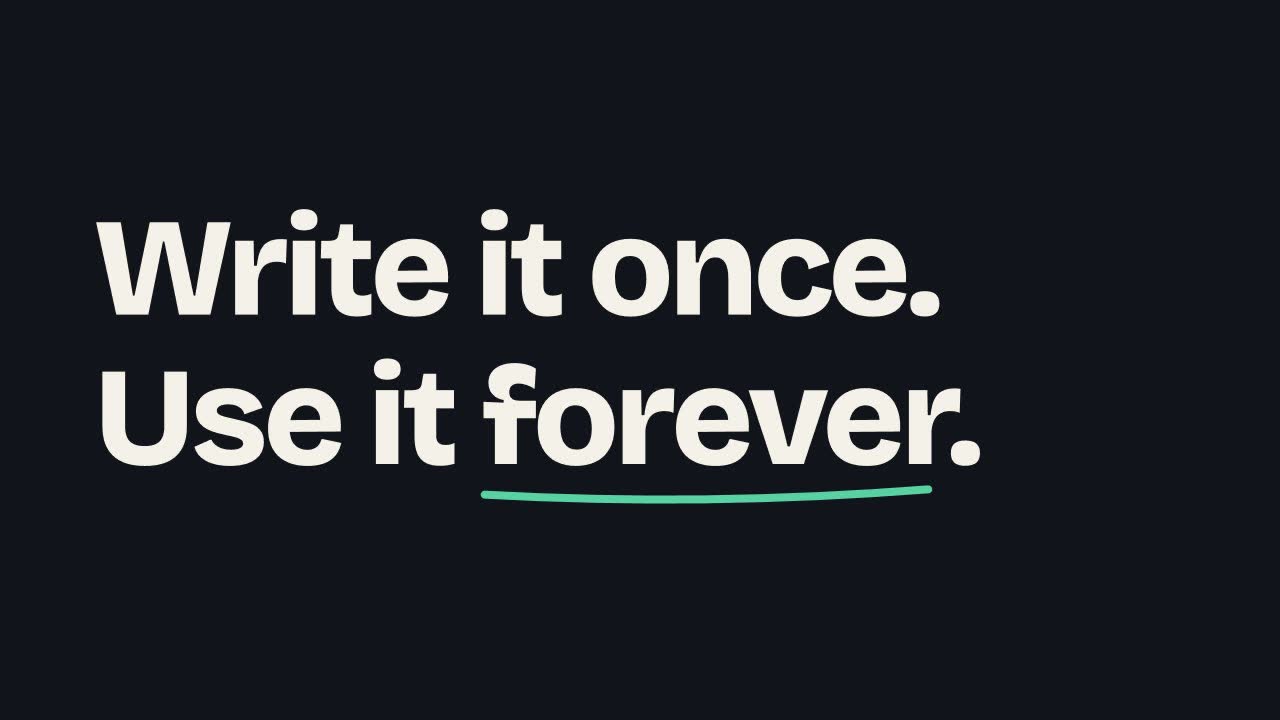
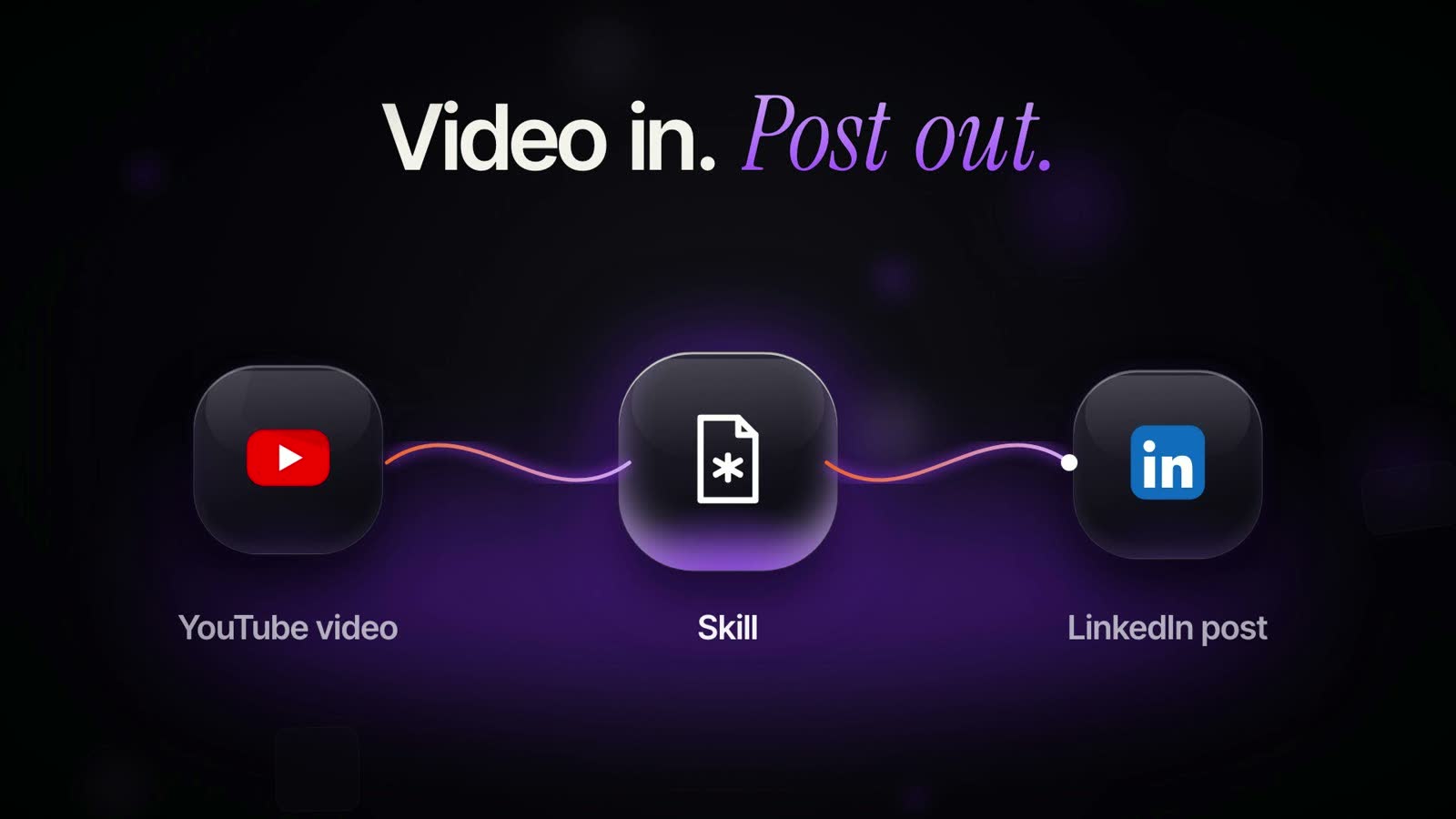
Tool: Claude Motion and Claude Code
Make a 30-second 16:9 explainer video that teaches beginners what a Claude Code skill is. A skill is a saved set of instructions that teaches Claude how to do one job, so you don't have to explain it every time. Show one example: a skill that turns a YouTube video into a LinkedIn post. Use simple words and big text. End on the line "Write it once. Use it forever."9. Round 2: the promo
What it made: A 20 second promo for the Claude Code Club. Same prompt in both tools. Attach your logo and a website screenshot. After it builds, I made three edits in Claude Motion. The Tweaks panel needs no prompt (you type over the words). The other two are below.
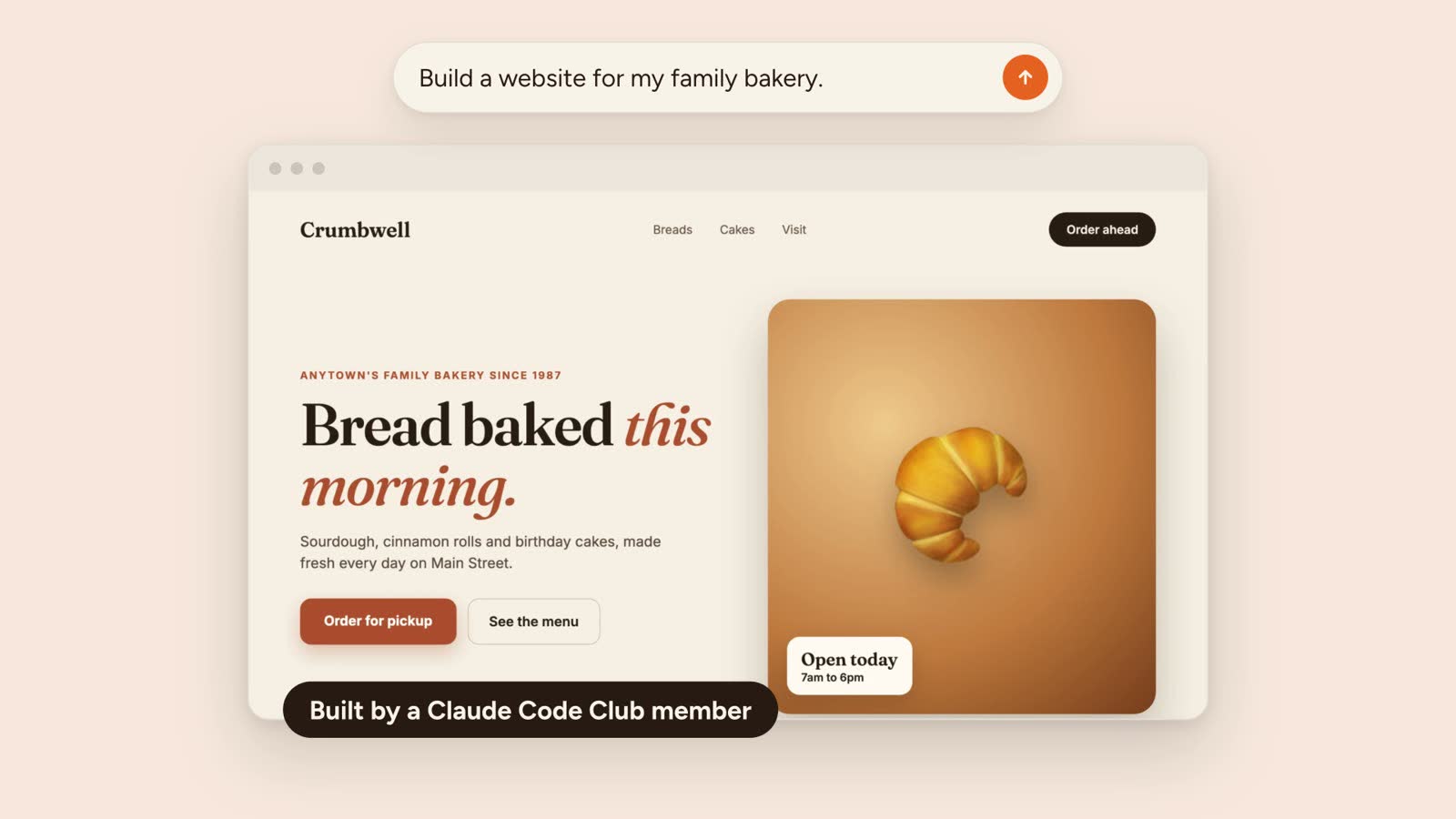
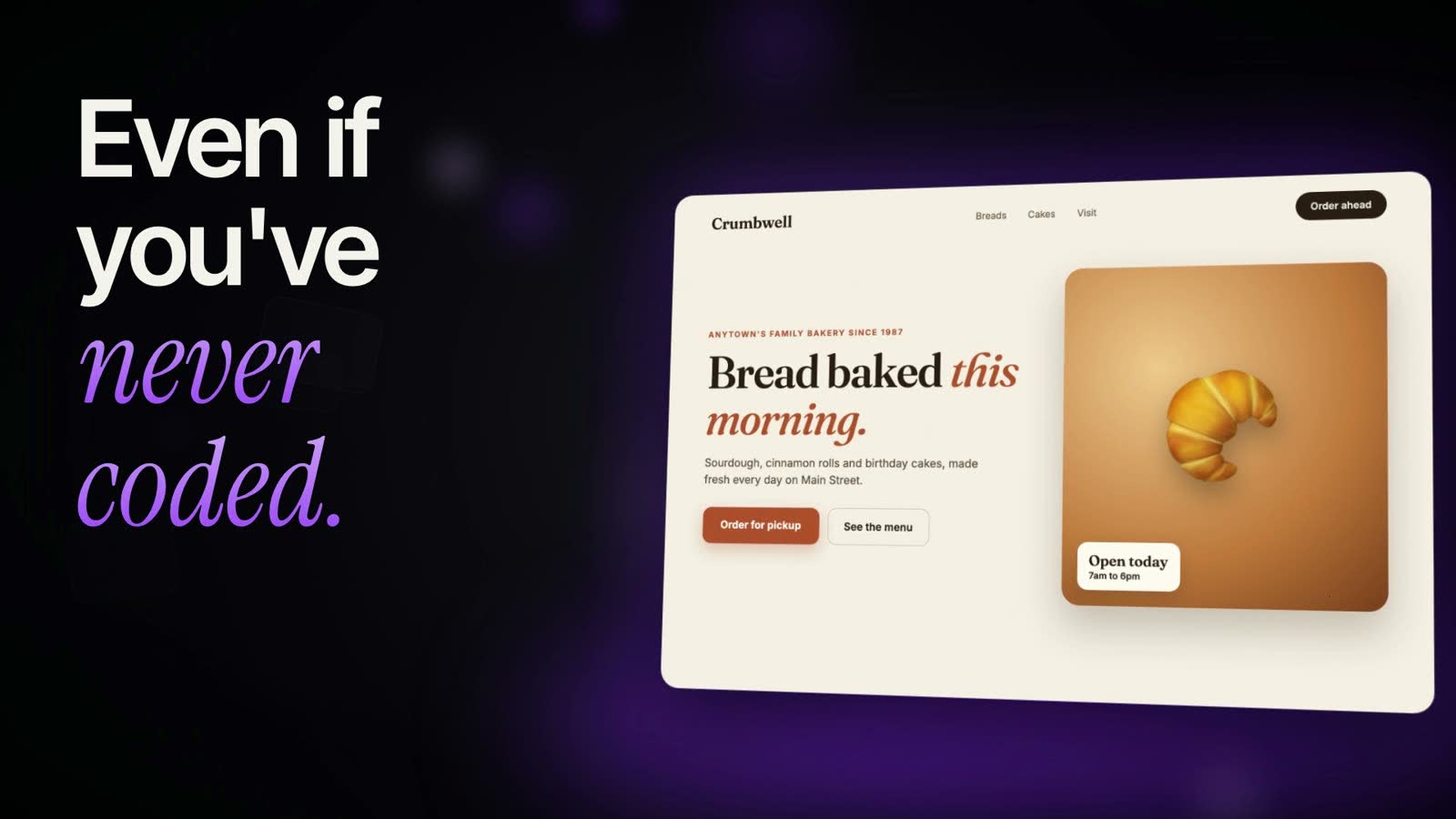
Tool: Claude Motion and Claude Code
Make a 20-second 16:9 promo video for the Claude Code Club. It's an online community where people learn to build real things with Claude Code, even if they have never coded. Inside, you get a step-by-step classroom, ready-made skills you can copy, and a community of builders helping each other. The goal is to master Claude Code in 45 days. It costs $9 a month. Use the attached logo and screenshots. The brand colour is orange. End on the logo and "claudecodeclub.ai".Edit: comment on the logo
make the logo twice as bigEdit: chat
make it feel faster10. Round 3: the voice fix
What it made: A reel with real footage. Claude Motion plays clips with no sound, so I asked it for the MP4 with my voice. This is the exact ask.
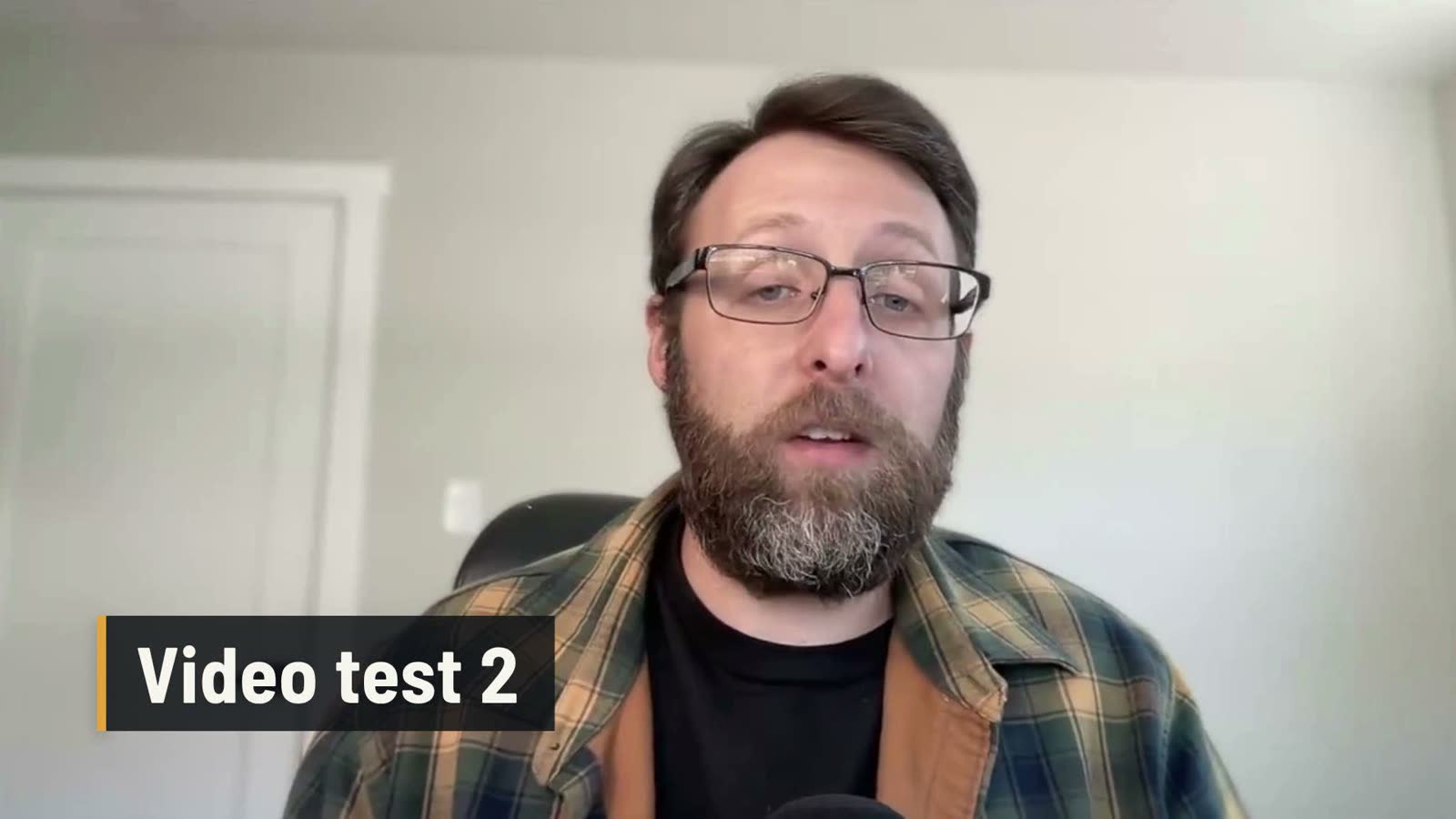
Tool: Claude Motion
make the MP4 with my voiceGet the Claude Code system
The prompts above are the Claude Motion side, plus the plain prompts I gave both tools. The other half is the Claude Code system I use to edit full videos and short-form reels with my own face and voice. The starter kit for that video system is inside Claude Code Club.
Common questions
Which is better, Claude Motion or Claude Code?
It is a tie. Claude Motion is better for quick graphics like title cards, explainers and promos. A Claude Code system is better for full videos with your own face and voice, because Claude Motion plays clips with no sound.
Can I use Claude Motion on a Pro or Max plan?
Not yet. Claude Motion currently only works on Team and Enterprise plans, so on Pro or Max you will not see it.
Do I need to write the Claude Motion prompt myself?
No. Open a normal Claude chat, say what you want to make, and ask Claude to write the full Motion prompt. For the best result, attach a screenshot of a style you like and say what to copy from it.
Can I change a finished Claude Motion video?
Yes. You can edit the words in the Tweaks panel, leave comments on anything in the video, or ask for bigger changes in the chat.
Keep going
- Three Levels Of Motion Graphics With Claude DesignVideo walkthroughs · 14 min
- The Claude Update Playbook: 10 Releases, What To Try And What To SkipVideo walkthroughs · 14 min
- How To Build A $10,000 Mobile Microsite With Claude CodeVideo walkthroughs · 14 min
- How To Start A Faceless YouTube Channel With AIVideo walkthroughs · 13 min
Want the starter kit for the Claude Code video system?
Get 650+ plug-and-play skills, MCPs & prompts, plus 8,000+ members - $9/mo, cancel anytime.
Join the Club