
What Should I Build First With Claude Code?
Build a one-page website about you or your business, and keep it on your own computer. It is the best first project because you can see the whole result in your browser in one sitting, and you already know the content because it is about you.
I've never written a line of code by hand in my life, and the way I work with Claude Code is the same every time: know what you want, ask for it, then make it better. A one-page site is the smallest project where you can practice all three of those moves and see each one pay off within minutes. The rest of this post gives you the steps in order.
Why a One-Page Website Beats Other First Projects
Most beginners pick something big, like an app or a tool that connects to five other accounts, and stall on the setup before they see anything work. A first project should pass four tests: you can finish it today, you can tell whether it worked just by looking, you need no extra accounts, and a mistake costs you nothing.
How common first projects compare on those four tests
| First project | Finishes in one sitting? | Judged by looking? | Needs other accounts? |
|---|---|---|---|
| One-page website about you or your business | Yes | Yes, open it in your browser | No |
| Automation that connects two apps | Often not, because of logins and permissions | Not really, you have to wait for it to run | Yes |
| A mobile app | No | Only after extra setup | Often |
| A tool that calls an outside service | Not usually | Sometimes | Yes |
Those later projects are all worth building. They just make a better second, third or fourth project, once you've felt the loop of asking, checking and fixing.
What You Need Before You Start
Claude Code installed and working, either the desktop app (the Code tab) or the version you open from a terminal, which is the window where you type instructions instead of clicking. If you haven't done that yet, start with Can I use Claude Code if I'm not a coder? and come back.
Then spend two minutes jotting down five facts in any notes app: what you do, who you do it for, the three things you offer, how someone should contact you, and the feel you want (calm, bold, playful). You'll hand these to Claude Code in step 2. If you don't have a business yet, build the page about yourself: a personal profile with who you are, what you're good at, and how to reach you.
Step 1: Make an Empty Folder and Open It in Claude Code
A folder is where Claude Code keeps everything it creates, so give this project its own empty one.
- Right-click your Desktop. On a Mac choose New Folder, on Windows choose New, then Folder. Name it first-site.
- In the desktop app: open the Code tab, choose "This computer", click the folder button and pick first-site.
- In the terminal instead: type cd ~/Desktop/first-site and press Enter, then type claude and press Enter.
- In the terminal, press Shift + Tab until the status line says manual mode on. In the desktop app, choose Manual in the permission mode picker under the prompt box. For your first week, I'd keep it on that setting, so you see every change before it happens.
Anthropic's docs say new terminal and VS Code sessions start in a mode where a separate checker reviews risky actions and routine ones run without asking. That's fine later. While you're learning what Claude Code does, seeing each request is worth the extra clicks.
Step 2: Let Claude Code Interview You
Don't write the perfect request. Anthropic's best practices page has a move for exactly the moment when you don't know what you want yet: ask Claude to interview you, and have it write down the answers as a spec, which is a short written description of what you're building.
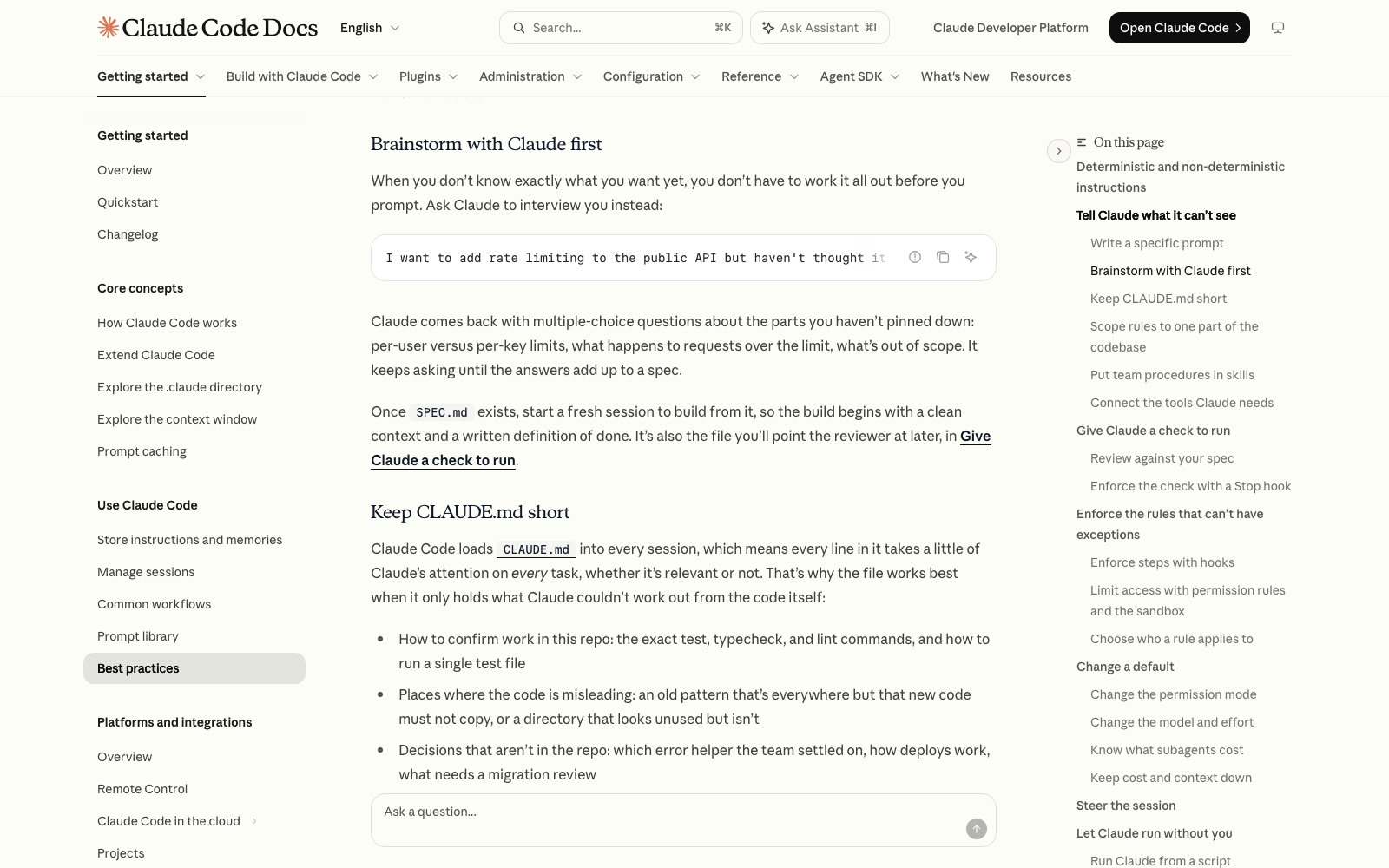
Paste this in, with your own details where the brackets are:
- I want a one-page website for [my business or me]. I haven't thought it through yet. Here's what I know: I [what you do] for [who you do it for], I offer [your three things], people should contact me by [how], and I want it to feel [the vibe]. Interview me until you could write the spec, then write it to SPEC.md.
Claude Code comes back with questions, usually multiple choice: which sections the page should have, what the headline should say, what to put on the contact button. Answer them in plain words. If you don't know, say so and ask what it recommends. When it's done it creates a file called SPEC.md in your folder, and it will ask your permission first.
Step 3: Read the Spec and Fix It
Open SPEC.md (double-click it, or ask Claude Code to show it to you) and read it like you'd read a quote from a freelancer. It's a plain text file, so there's nothing to decode. Look for anything wrong, anything missing, and anything you wouldn't say yourself.
Fix it by talking, not editing: type something like change the headline to [your words] and remove the pricing section, then ask Claude Code to update SPEC.md. This is the cheapest place in the whole project to change your mind, so spend five minutes here.
Step 4: Build From a Fresh Start
Anthropic's docs recommend starting a fresh session once the spec exists, so the build begins with a clean slate and a written definition of done. Type /clear, which the quickstart lists as the command that clears the conversation history, or start a new session. Your SPEC.md file stays in the folder.
Then ask for the build. The docs point out that Claude tends to read a request conservatively and build the smallest thing that fits, and that the phrase be ambitious tells it you want the fuller version.
- Read SPEC.md and build the one-page website it describes as a single index.html file I can open in my browser. Be ambitious: make it look polished, make it work on a phone, and write real copy instead of placeholder text.
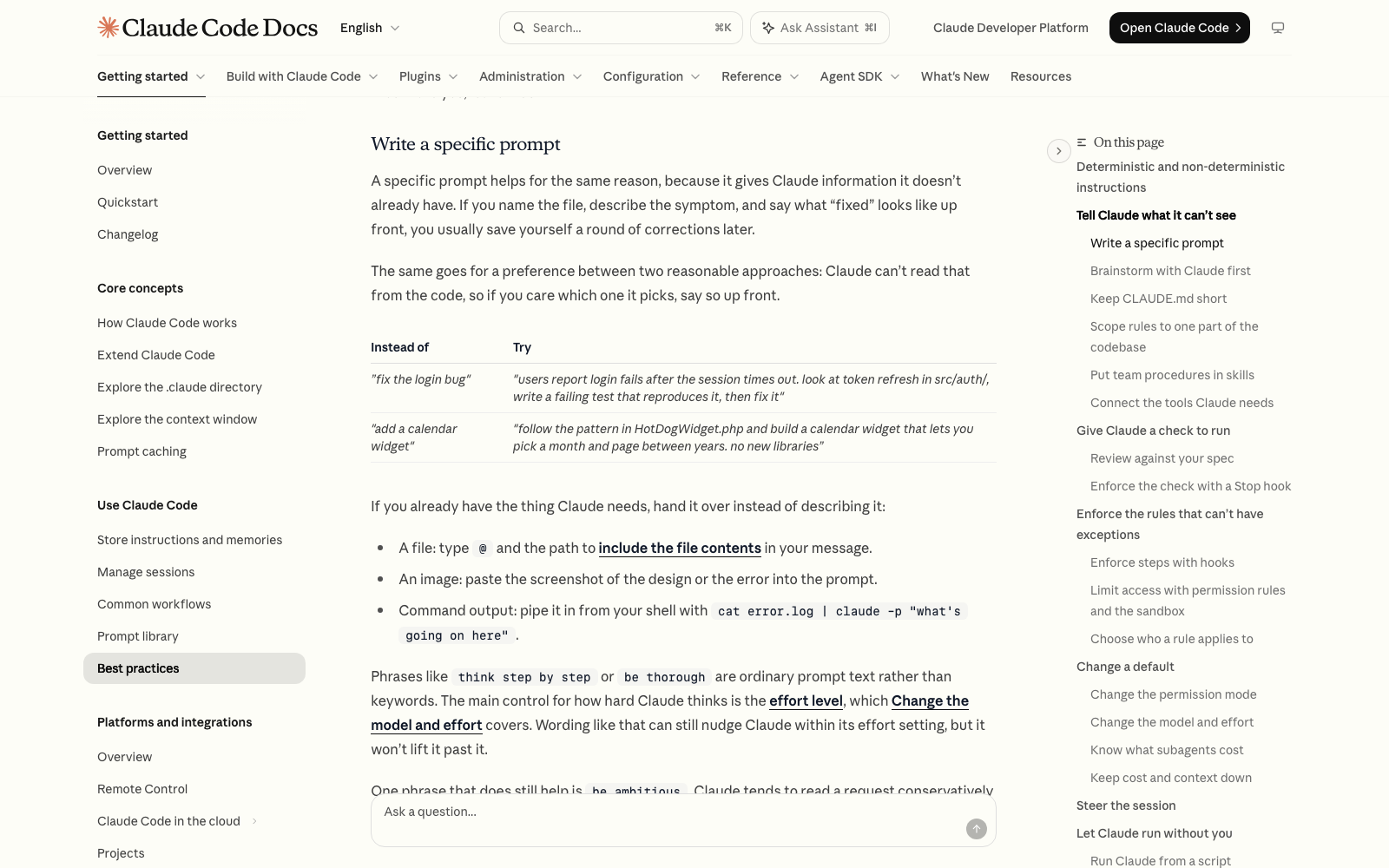
Claude Code will ask permission before it creates files. Approve them. Watch the first minute: if it starts doing something you didn't ask for, press Esc, which stops it without losing what it already did.
Step 5: Check the Page Against the Spec
Double-click index.html in your folder and it opens in your browser. That's your finished first result. If you can't find the file, ask Claude Code: where did you save the website?
Now do what Anthropic's docs call giving Claude a check to run. Claude stops when the work looks done, so ask it to prove it: go through SPEC.md item by item and tell me where each one is on the page, and flag anything you left out. The docs say to ask for evidence instead of accepting a bare 'it's done,' and this is the beginner version of that.
Step 6: Make Three Changes, One at a Time
This is where beginners learn the skill that matters most. Pick three changes you'd actually want and ask for them one per message, refreshing the browser after each one. For example: make the headline shorter, change the main color to match my logo, move the contact button to the top.
- Esc stops Claude Code mid-action and keeps everything up to that point.
- /rewind, or pressing Esc twice on an empty prompt, opens a menu where you can roll the files, the conversation, or both back to an earlier prompt, so trying a bold change is low-risk.
- If you've corrected the same thing twice and it's still wrong, Anthropic's advice is to run /clear and write one better request instead of a third correction.
One caveat from the docs: the rewind menu restores files Claude edited with its own file tools, but not files that were changed by a command it ran.
What You Have at the End
A real, finished thing: a one-page website that opens in your browser, a SPEC.md that says what it's supposed to be, and a folder you can reopen any day. You also practiced the whole loop (describe, build, check, change) on a project small enough to finish. One member put it this way: 'I pretty much did nothing besides tell it exactly what I wanted.' That sentence is the entire skill.
Putting the page on the internet, so other people can visit it, is a separate step. Can Claude Code build a website I can sell to clients? covers where this goes next.
Common Problems
- The page looks generic: your answers in the interview were short. Open SPEC.md, add concrete details (real offers, real wording, a color you like), and rebuild from it.
- Claude Code built a different page than you pictured: that's a spec problem, not a you problem. Tell it what you pictured, as specifically as you can, and ask it to update SPEC.md before it changes the page.
- You can't find index.html: ask Claude Code where it saved the website, or open the first-site folder on your Desktop and double-click the file ending in .html.
- It says it's done but something is missing: ask it to go through SPEC.md item by item and show where each one is on the page.
- Changes make things worse: use /rewind to roll back to before the change, then ask again with a clearer request.
Where to Go Next
Once your first page works, the habit that saves the most time is writing down what Claude Code keeps getting wrong, which is what What should I put in CLAUDE.md, and how do I organize it? covers. And if you'd rather have your first few builds laid out in order with someone to ask, Claude Code Club is $9/month, and that's where I walk members through them.
Short, practical drops on skills, MCP, agents, prompts, and more. No spam, unsubscribe anytime.
Frequently asked questions
What is the best first project for a beginner using Claude Code?
A one-page website about you or your business, kept on your own computer. It needs no extra accounts, you can see the finished result in your browser in one sitting, and you can judge it by looking at it. Make an empty folder, have Claude Code interview you and write a SPEC.md file, start a fresh session, build from that file, then change three things one at a time.
How long does a first Claude Code project take?
Plan on one sitting for a one-page site: a few minutes to make the folder and answer the interview, some time to read and fix the spec, then the build and a few rounds of changes. How long it takes you depends on how clear your answers are and how many changes you want, so treat the first run as practice, not a race.
Do I need to know how to code to build a website with Claude Code?
No. You describe what you want in plain English and Claude Code writes the files. Your job is to answer its questions, read the spec, check the result in your browser and ask for changes. Anthropic's terminal guide says outright that you don't need to know how to code.
What if I don't have a business to build a website for?
Build a personal profile page: who you are, what you're good at, three things people can ask you for, and how to reach you. The point of the first project is to practice describing, checking and changing something, and your own profile is content you already know.
Last reviewed by Duncan Rogoff on November 9, 2026