
Why Does Claude Code Forget Everything Between Sessions?
Claude Code forgets because each session starts with a fresh context window, which is the working memory Claude holds for one conversation, and it begins empty. Anthropic's docs describe two things that carry knowledge into the next session: a CLAUDE.md file you write, and auto memory, which is notes Claude writes for itself.
So the forgetting is not a bug you can switch off. It is how a session works, and the fix is to put what you want remembered somewhere Claude reads at the start of every session. I do exactly that, and this post shows you how: what each kind of memory does, what gets lost in a long conversation, and the five-minute habit that stops you from repeating yourself.
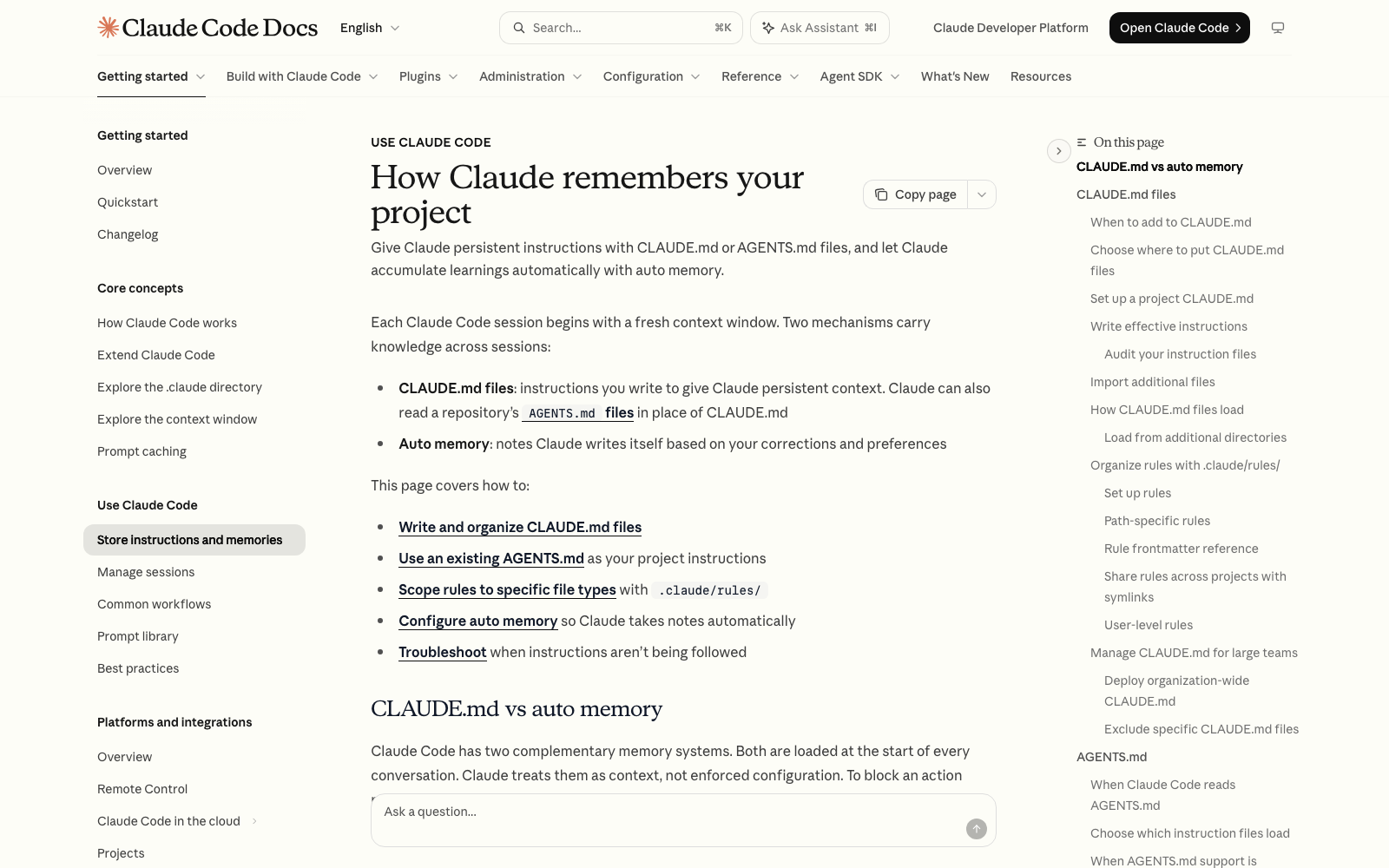
What a Session and a Context Window Actually Are
A session is one conversation with Claude Code, saved against the folder you opened it in. The context window is everything Claude can see during that conversation: your instructions, the messages you've sent, the files it has read, and its own replies. When you start a new session, that window starts over.
Think of it like a coworker who does great work all day, then has the whole day wiped by the next morning. A sticky note on their monitor that says 'we always write in plain words, never use the word synergy' survives, and the conversation from yesterday does not. CLAUDE.md is the sticky note.
The docs say the context window fills as the session goes, and that Claude Code compacts the conversation into a summary when you get close to the limit. That has a side effect that surprises people, which I get to below.
Memory Type 1: CLAUDE.md, the Notes You Write
CLAUDE.md is a plain text file of instructions. You write it, and Claude reads it at the start of every session. Because it is a file on your computer, it is still there tomorrow, next week, and after you close the app.
I keep one of these myself, in the folder Claude Code uses for all my projects. Mine tells Claude how I talk to it: that I dictate with voice-to-text, so it should work out what I mean instead of tripping over a misheard word, and that I want one direct recommendation instead of a list of options. I wrote it once, and I haven't had to say either thing again.
There are three places a CLAUDE.md can live, and the docs list them from widest to narrowest:
- Your personal file, at ~/.claude/CLAUDE.md, which applies to every project on your computer. The ~ symbol is shorthand for your home folder.
- A project file, named CLAUDE.md, inside the folder you work in. Claude Code reads it when you open that folder.
- A private project file, named CLAUDE.local.md, for notes that are only for you in that one folder.
The next post in this series, What should I put in CLAUDE.md?, covers what to write in it. For now, the important part is how it loads. Claude Code reads the CLAUDE.md files in the folder you started in and in the folders above it, and picks up files in subfolders as it works with them.
One honest limit from the docs: Claude treats CLAUDE.md as context, not as enforced rules. The more specific and short your instructions are, the more consistently Claude follows them, but there is no guarantee of strict compliance.
Memory Type 2: Auto Memory, the Notes Claude Writes
Auto memory is the second system, and it is on by default in local sessions. As Claude works, it saves notes for itself based on your corrections and preferences. The docs say it saves four kinds: who you are and how you like to work, corrections you've given it, ongoing project decisions that aren't visible in your files, and where to find things outside the project.
Claude does not save something every session. It decides what would be useful in a future conversation. You will sometimes see a line like 'Saved 2 memories' or 'Recalled 2 memories' in the window, which means Claude just wrote to or read from its memory folder.
The notes are plain markdown files in a folder under ~/.claude/projects/ on your computer, with an index file called MEMORY.md. Two facts matter here. First, only the first 200 lines or 25KB of that index (whichever comes first) load at the start of a session, and the detailed notes behind it are read when Claude needs them. Second, auto memory is local to your machine. It does not follow you to another computer.
You can read, edit, or delete any of it. Type /memory in a session to open the memory screen, which lists your CLAUDE.md files, lets you turn auto memory on or off, and opens the auto memory folder.
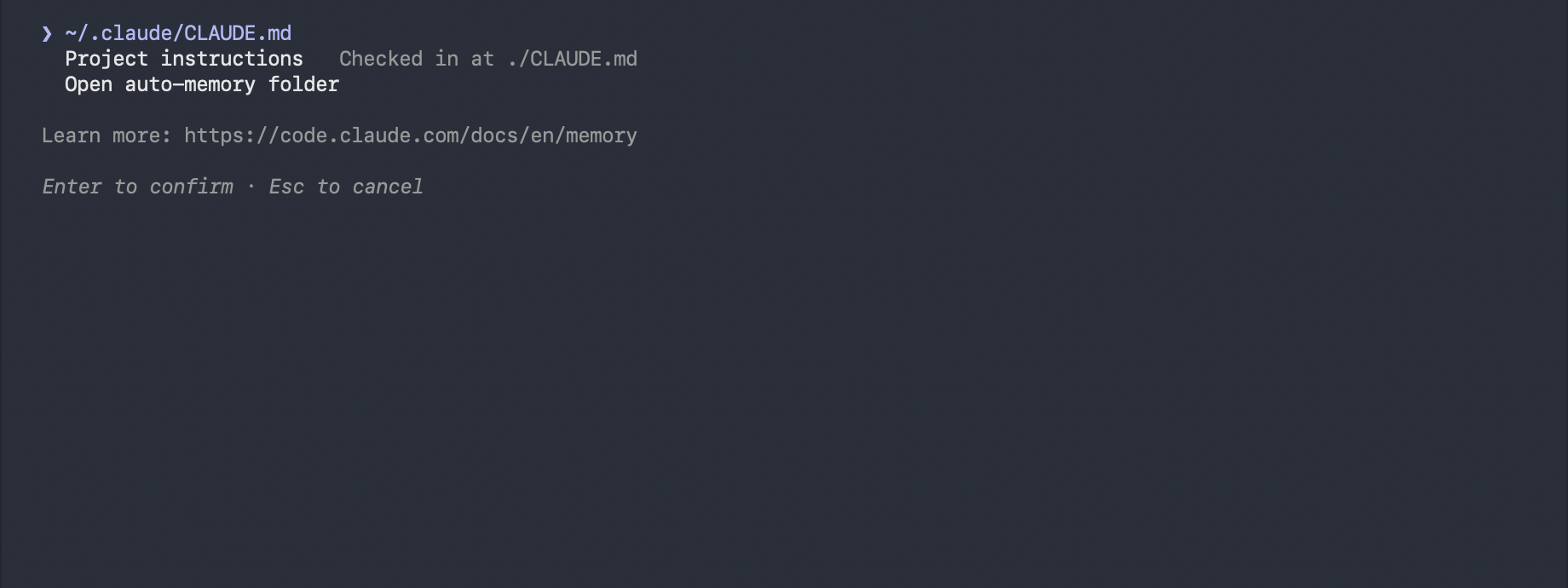
You can also direct which system a note goes into. When you say 'remember that I always want plain words,' Claude saves it to auto memory. When you say 'add this to CLAUDE.md,' it goes into the file you control.
CLAUDE.md vs Auto Memory: Which One Does What
The two ways Claude Code carries knowledge across sessions
| CLAUDE.md | Auto memory | |
|---|---|---|
| Who writes it | You | Claude |
| What it holds | Instructions and rules | What Claude learned from your corrections and preferences |
| Loaded when | Every session | Every session (first 200 lines or 25KB of the index) |
| Best for | Rules you want followed every time | Corrections you'd rather not have to write down |
My rule: anything I'd be annoyed to repeat goes into CLAUDE.md, because I can see it, edit it, and trust it is there. Auto memory is a bonus layer that fills in the gaps as I work.
Why Instructions Vanish Mid-Session: Compaction
There is a second kind of forgetting that happens inside one long session. When the conversation gets close to the context limit, Claude Code compacts it, which means it replaces the history with a summary. The docs say the summary keeps your requests and key code snippets, but detailed instructions from early in the conversation may be lost.
That is the part that catches beginners. You explain a rule at the start of a long session, hours later Claude drifts from it, and it feels like Claude stopped listening. Often the rule only ever lived in the chat, and the summary dropped it.
The docs are specific about what survives. The CLAUDE.md in your project folder and your auto memory are read again from disk after compaction, and so is the plan Claude wrote in plan mode. Instructions you gave only in conversation are not guaranteed.
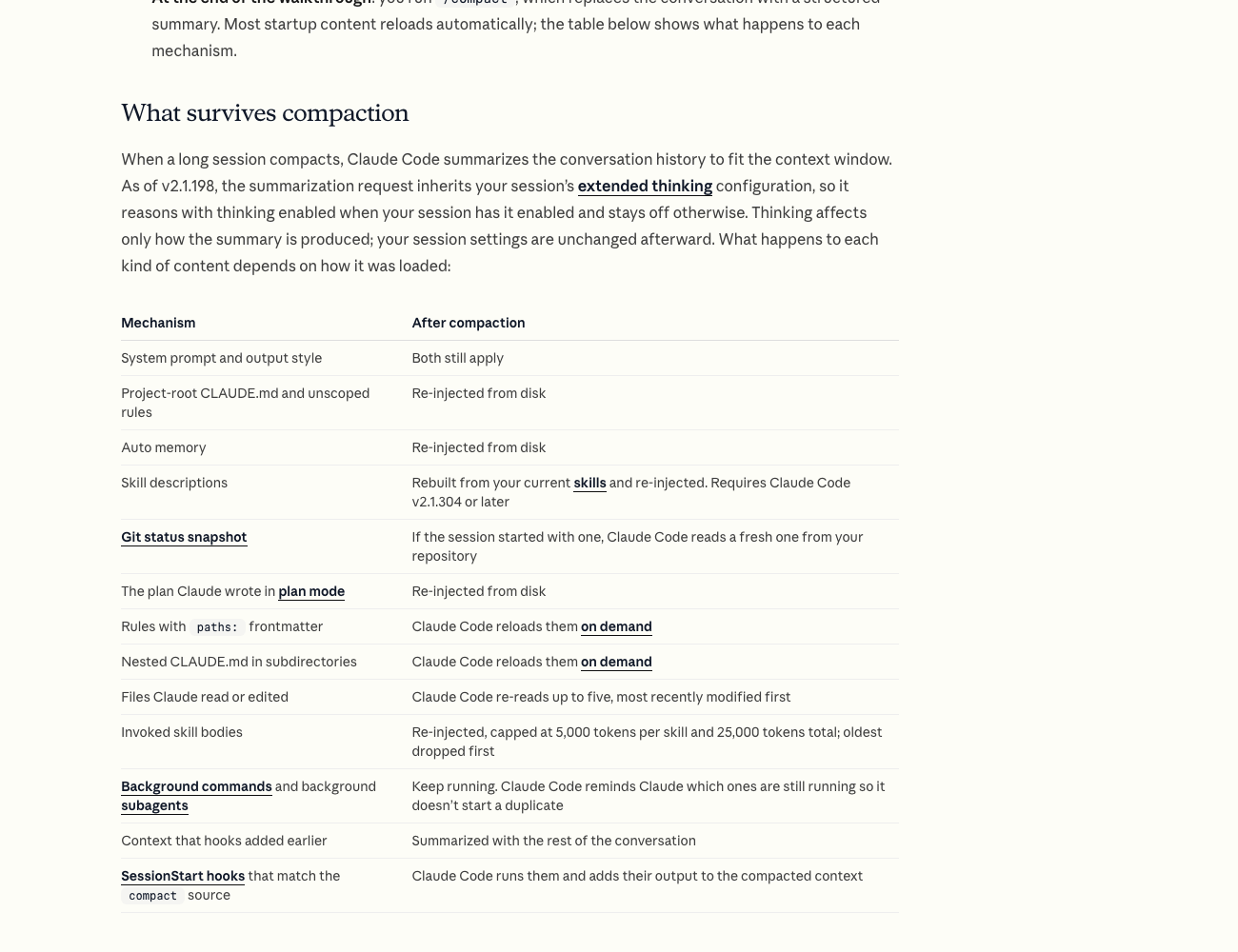
Two commands help. /compact summarizes the conversation on demand, and you can add a focus, like /compact keep the brand rules and the file names, so the summary keeps what you choose. /context shows what is filling the window and which memory files loaded.
How to Pick Up Where You Left Off
Sometimes you don't want a fresh start. You want yesterday's conversation back. Claude Code saves sessions as you work, so you can return to one after closing it.
- In the terminal version, run claude --continue to reopen the most recent session in the folder you're in.
- Run claude --resume to pick from a list, or type /resume inside a running session to switch to an earlier one.
- In the desktop app, your past sessions are listed in the app. The docs say it keeps its own session list.
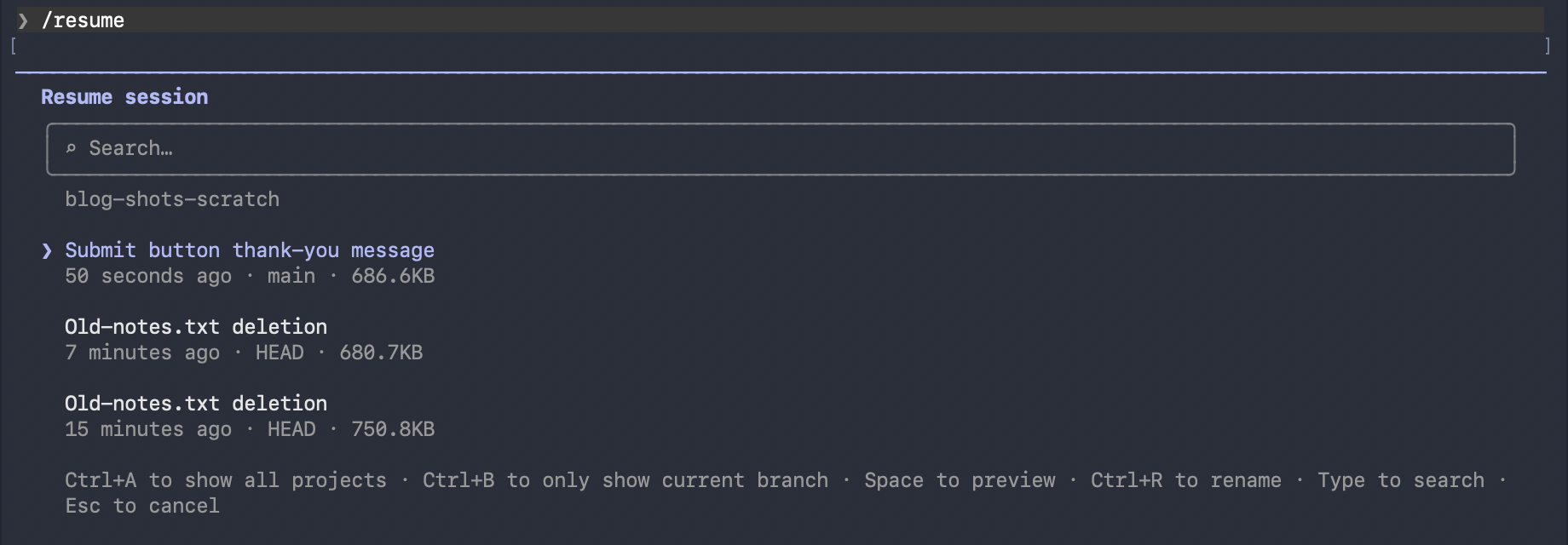
Resuming brings back the conversation. A brand new session brings back only CLAUDE.md and memory. That difference is why the sticky note approach matters: it is the part that is there no matter which session you open. When you switch to unrelated work, type /clear, which starts a new conversation but keeps your project memory.
Common Problems
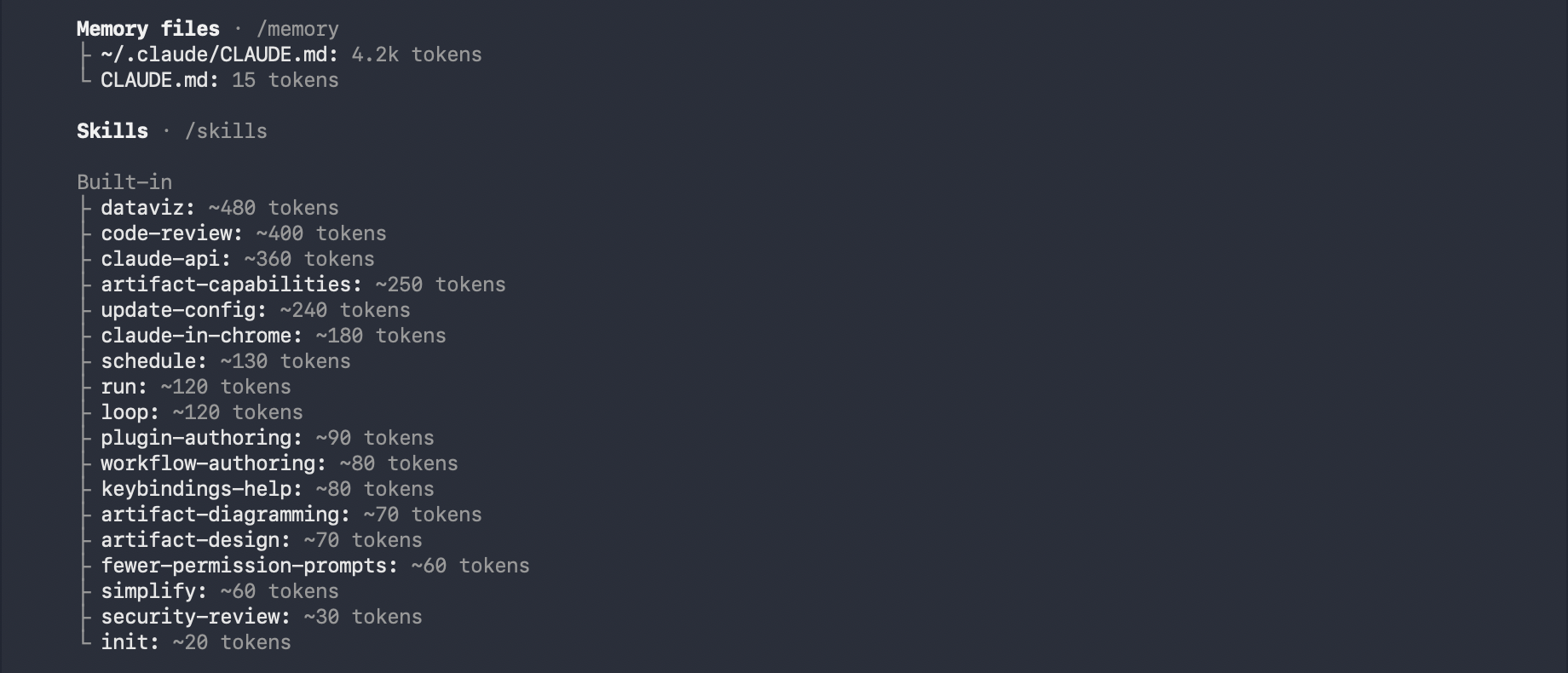
- Claude ignores a line in my CLAUDE.md: type /context all and look under Memory files. If the file isn't listed, Claude can't see it, usually because it is in a different folder than the one you opened. The docs say Claude reads CLAUDE.md from the folder you start in and the folders above it.
- Claude follows the file some of the time: the docs say instructions that are vague, long (over about 200 lines), or that contradict each other get followed less reliably. Make each line specific, and delete lines that disagree.
- Claude forgot a rule halfway through a long session: the rule probably lived only in the chat and got summarized away. Add it to CLAUDE.md.
- Memory isn't saving anything: open /memory and check the auto memory toggle. The docs say it is on by default in local sessions, and that it can be turned off in settings.
- Claude 'remembers' something wrong: open /memory, open the auto memory folder, and edit or delete the note. They are plain files.
Where to Go Next
Once you know the two kinds of memory, the next step is writing a CLAUDE.md worth loading. What should I put in CLAUDE.md, and how do I organize it? gives you a starter you can copy. And if long sessions are where things fall apart for you, What is plan mode, and what is a good step-by-step workflow? shows how to break big jobs into pieces that survive. If you'd like your first builds laid out in order, Claude Code Club is $9/month, and that's where I walk members through them.
Short, practical drops on skills, MCP, agents, prompts, and more. No spam, unsubscribe anytime.
Frequently asked questions
Does Claude Code remember previous conversations?
Not by default. Each session starts with a fresh context window. What carries over is your CLAUDE.md files and auto memory, which Claude saves for itself, and you can also reopen an earlier conversation with claude --continue, claude --resume, or /resume.
What is the difference between CLAUDE.md and auto memory?
CLAUDE.md is a file of instructions that you write and control. Auto memory is a set of notes Claude writes for itself from your corrections and preferences. Both load at the start of every session, and you can view and edit both with /memory.
How do I make Claude Code remember something permanently?
Tell Claude to add it to CLAUDE.md, or open /memory and edit the file yourself. The file sits on your computer and loads every session. It also comes back after a long conversation gets compacted.
Why did Claude Code forget my instructions in a long session?
When a conversation nears the limit, Claude Code summarizes it, and Anthropic's docs say detailed instructions from early in the conversation may be lost. CLAUDE.md and auto memory are re-read from disk afterward, so rules stored there stay.
Does /clear erase Claude Code's memory?
No. /clear starts a new conversation with an empty context, but your CLAUDE.md files and auto memory stay. You can bring the cleared conversation back with /resume.
Last reviewed by Duncan Rogoff on November 9, 2026