
Fire Sorcerer (Seedance 1.0 Pro)
The exact Seedance 1.0 Pro prompt behind the video on this page, word for word. Copy it, follow the steps below, and make your own version.
The prompt
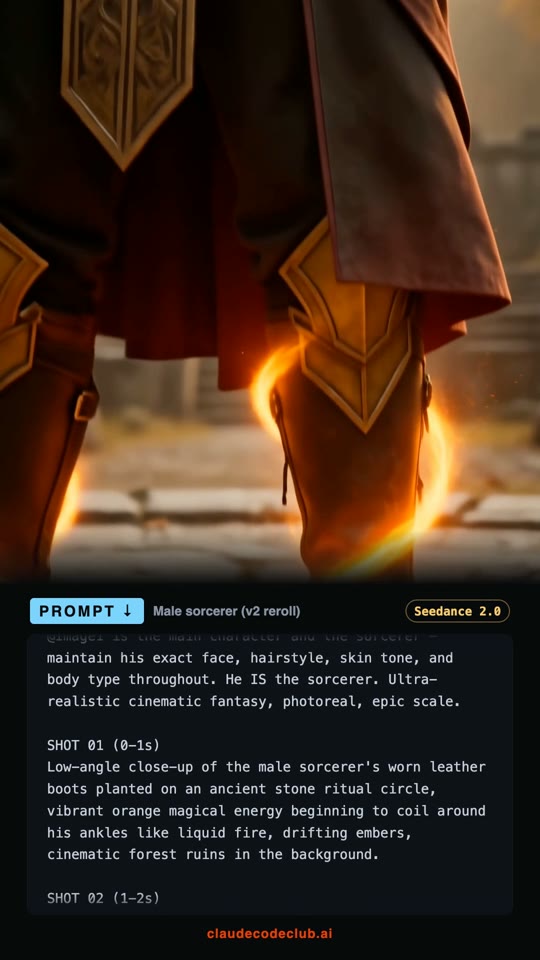
A cinematic fantasy sequence of a powerful male sorcerer, his face consistent and recognizable throughout. SHOT 01 (0-2s): medium shot, the sorcerer in dark-red and gold robes on an ancient stone ritual circle, orange magical energy swirling violently around his torso, fabric fluttering in supernatural wind, floating debris, drifting embers, cinematic bokeh. SHOT 02 (2-4s): close-up of the sorcerer's face, eyes closed in deep concentration, warm orange sidelight from magical sparks illuminating his features, dark hair blowing back, ancient ruins and autumn trees soft-focus background. SHOT 03 (4-6s): medium shot, the sorcerer opens his eyes and extends his open palm, a blinding orb of concentrated orange solar energy manifesting in his hand casting long shadows, lens flare, intense crackling energy, high-contrast lighting. SHOT 04 (6-8s): action shot, the sorcerer thrusts his hand forward and fires a continuous massive beam of orange solar fire toward an unseen enemy, the force shaking the stone ground, dynamic pose, ancient circular stone arena, smoke and dust clouds, epic fantasy battle style. SHOT 05 (8-10s): wide tracking shot, the fire beam tears through the arena leaving scorched marks, the sorcerer standing his ground amidst swirling embers, ancient stone ruins under dark trees, volumetric lighting, intense orange glow. Keep his face identical and recognizable in every shot.
How to use this prompt
- 1
Copy the prompt
Hit Copy prompt. You get the full text exactly as it was used to make the video on this page.
- 2
Open Seedance 1.0 Pro
Start a new Seedance 1.0 Pro video in the generator you already use. Pick vertical 9:16 for Reels, TikTok and Shorts, or 16:9 for YouTube.
- 3
No photo needed
This one is pure text to video. You can still add a reference image if you want a specific face or style.
- 4
Paste, match the length, generate
Paste the prompt and set the clip length to match the timestamps in it. Swap names, outfits, cars or places to make it yours, but keep the shot by shot timing, because that structure is what makes it look cinematic.
- 5
Run a few takes
Generate 2 or 3 takes and keep the best one. Small wording changes give very different results, so tweak one detail at a time.
More prompts
Want the whole system?
Join Claude Code Club for the full playbook: 650+ skills, MCPs and prompts, the workflows behind these videos, and 8,000+ builders shipping every day. $9/mo, cancel anytime.