
How to Run Your Own Head-to-Head Test of Two AI Models
TL;DR
Pick 10 different tasks, run both models at the same effort level with no skills or prebuilt assets, judge the results without knowing which model made which, then score cost, time and quality. In my run Sonnet 5.5 won 9 of 10 with one tie, but GPT-6.1 Terra cost 68 cents in total against $13.36. Price per token is not price per task, so test the whole task.
The full guide is right here on this page. The download is the same guide as a single offline file you can keep.
Download the guideWhen a new model drops, everyone has an opinion and almost nobody has a test. I ran GPT-6.1 Terra against Sonnet 5.5 on 10 real tasks so I could answer one question with evidence: which one should I reach for, and when? This guide is the method, so you can run the same kind of test on any two models with your own work.
Know what you are measuring before you start
A head-to-head only helps if you decide up front what counts. I used three measures and nothing else: the cost to finish a task, the time it takes, and the quality of what comes out. Quality is the one that needs a person. Cost and time are numbers you read off a screen.
The setup matters as much as the measures. Both models ran at the same effort level, which was high, so neither one got an easier job. In my run Terra was about half the per-token price of Sonnet 5.5, and that fact is exactly why the test is worth running. A lower price sounds like a win until you see what the finished task costs and what you get for it.
Pick 10 tasks that cover different skills
One task tells you almost nothing. A model can be great at a landing page and poor at a bug fix. So spread your tasks across different kinds of work. Here is the spread I used, and you can swap in your own:
- A creative build: invent a brand and build a landing page that stops a scroll.
- An interactive build: a 3D browser game from start screen to game over.
- A creative range test: one page holding five very different visual worlds.
- An interactive 3D explainer that teaches how something works.
- A pitch deck: an invented startup and a 10 slide investor deck in the browser.
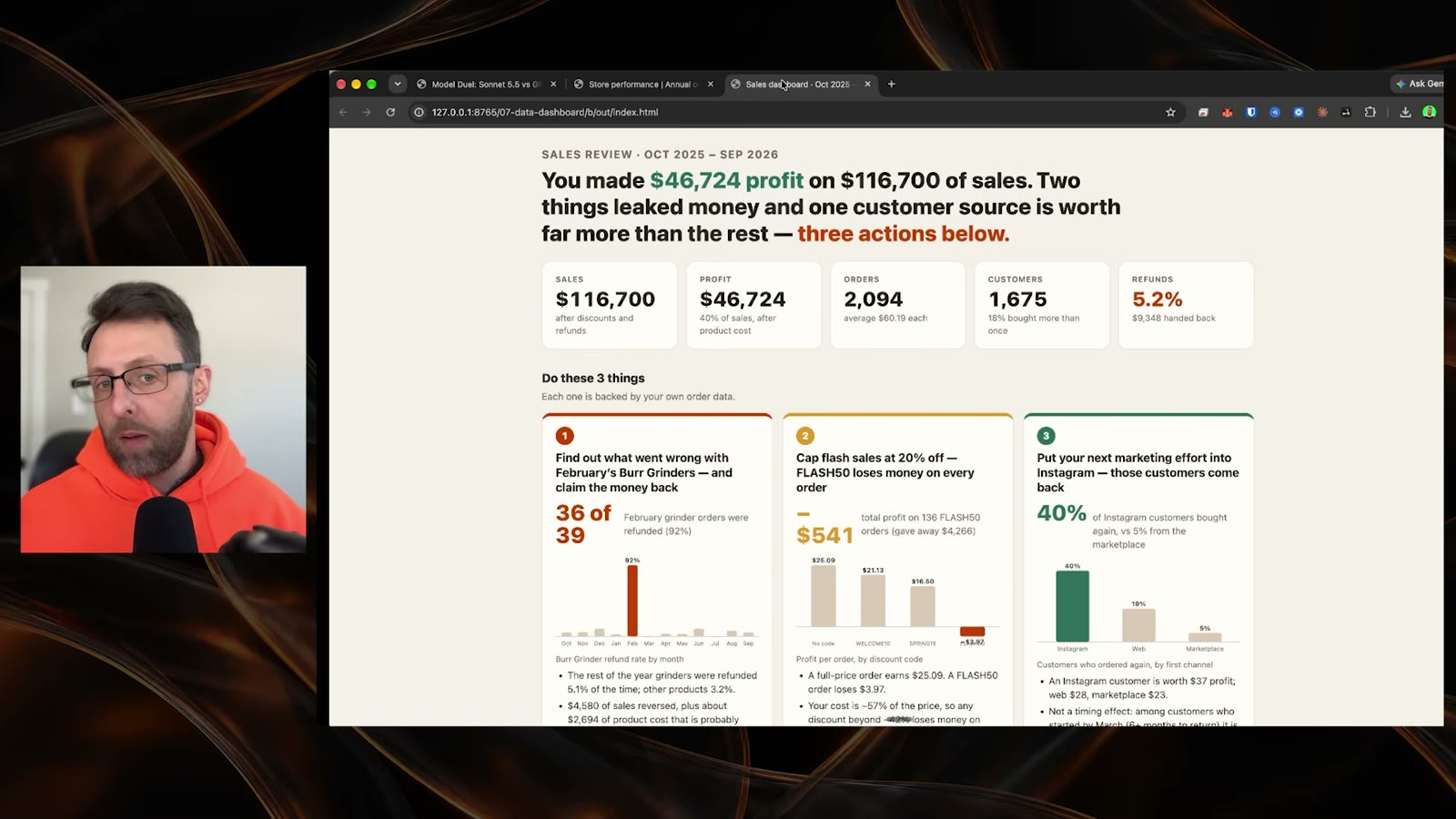
- Messy data to dashboard: clean a sales spreadsheet and turn it into a page the owner can read quickly.
- A bug hunt in a small invoicing app that gives wrong numbers.
- Transcripts to guide: turn coaching call transcripts into a resource page members will use.
- Motion graphics: a 15 second launch sizzle reel that follows a brand guide.
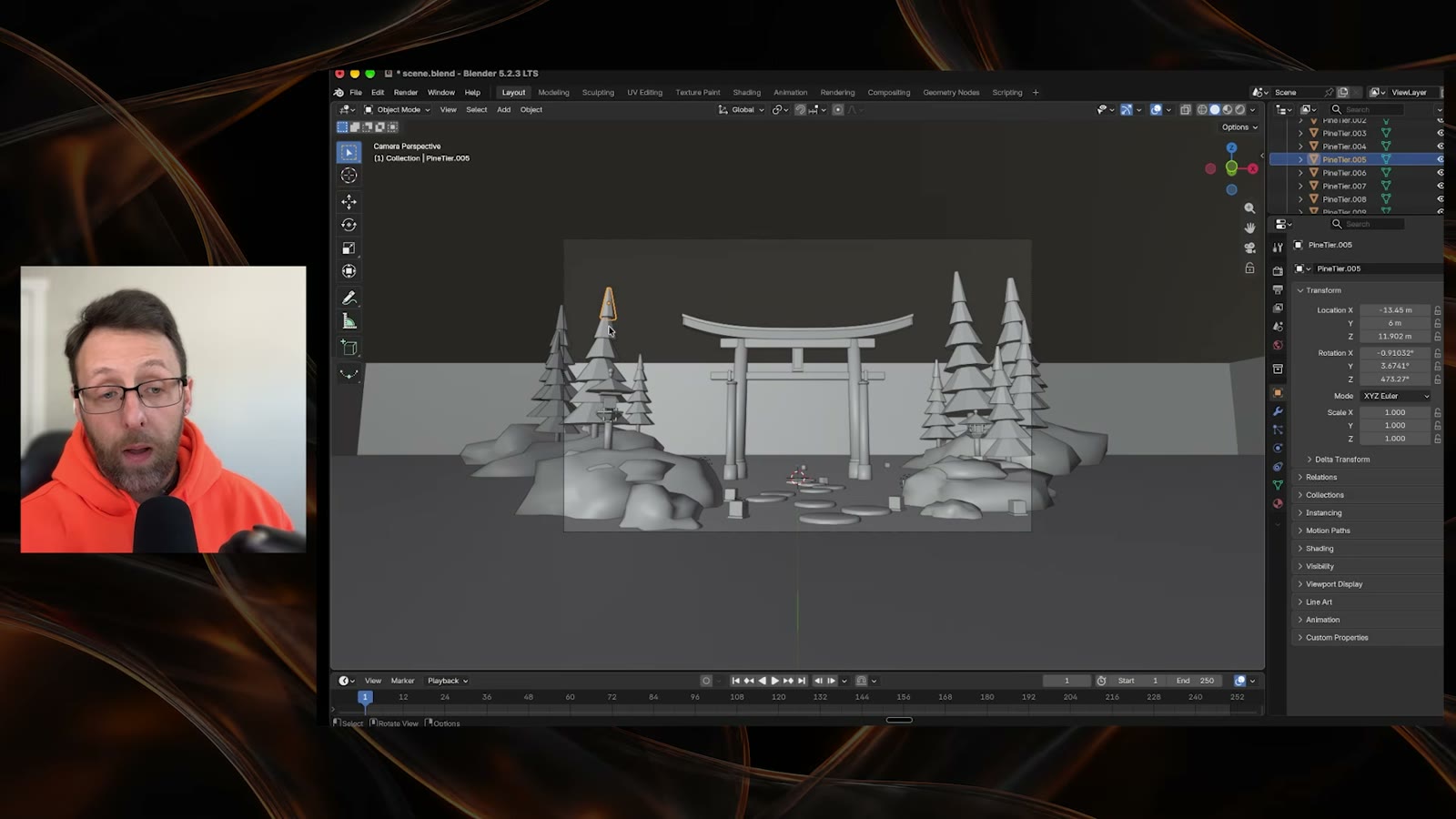
- A Blender scene built entirely from a Python script.
Notice the mix. Some tasks reward taste, some reward accuracy, some reward following a long set of rules. If you only test what you already do all day, you miss the places where a model surprises you. Pick at least two tasks outside your comfort zone.
Write prompts that are specific, short and fair
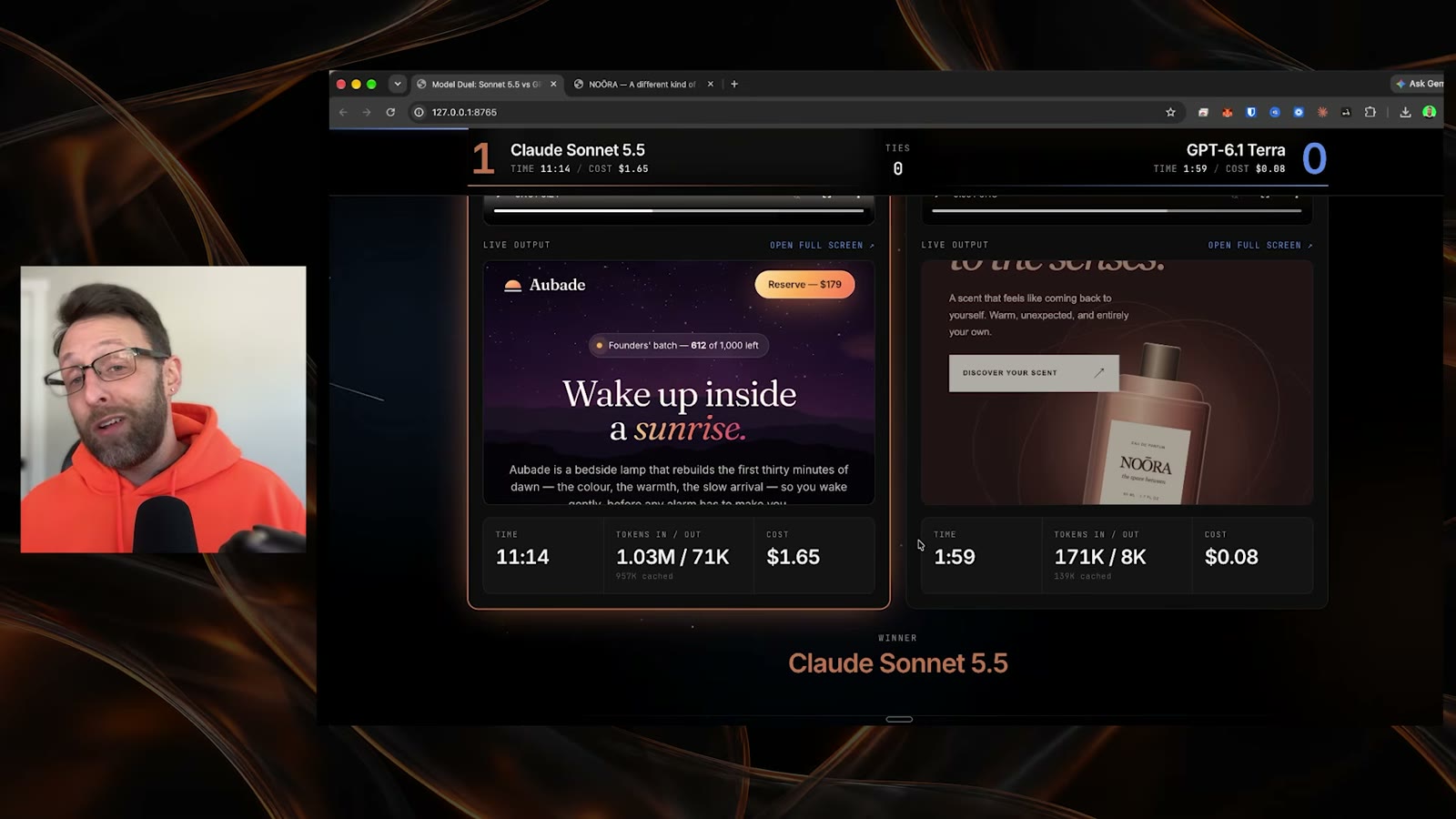
A fair prompt asks for a clear result and leaves the method open. For the landing page I asked for an invented brand, real convincing copy, a clear offer and a call to action, and I said motion, depth and craft mattered. That is a lot of freedom and a clear finish line. Both models got the same words, so any gap in the result came from the model and not from my wording.
The bug hunt showed the other side. My prompt told the models to find and fix every bug and to list what they found in a notes file. That was too vague to score well. The two models caught different bugs, and with no list of what I wanted found, I could not say which one had really done better. Specific, concrete prompts beat vague ones, and that held in every task where the result had a right answer.
I saw the same problem in the pitch deck and the transcript guide. Models often write copy that sounds nice and says little. I could not tell what one startup was actually selling. When you write your prompt, name the thing you want to see in the output, such as a product, a number, or a step. Then you can judge it.
Give both models a clean slate
I did not give either model skills, plugins or prebuilt assets. Every task started from nothing, so I was testing the models and not my setup. If one model gets a helpful skill and the other does not, you are comparing the skill.
That is also a limit on what you learn. A model that looks weak with no help might do fine once you give it a good skill, and the reverse can happen too. A clean-slate test tells you what each model does on its own. Once you pick a model, run a second round with your real setup.
Judge blind, then look at the numbers
I did not know which model made which result when I reviewed them. The results were labelled A and B. I picked the winner first, and only then looked at the scoreboard. This one habit changes how honest you are. If you know the cheap model made the page, you start looking for reasons to forgive it.
You will not stay blind forever. By the middle of my run I could guess which one was which, because the styles were so consistent. That is fine. Judge each task fresh, write down your pick before you reveal anything, and do not change it afterward.
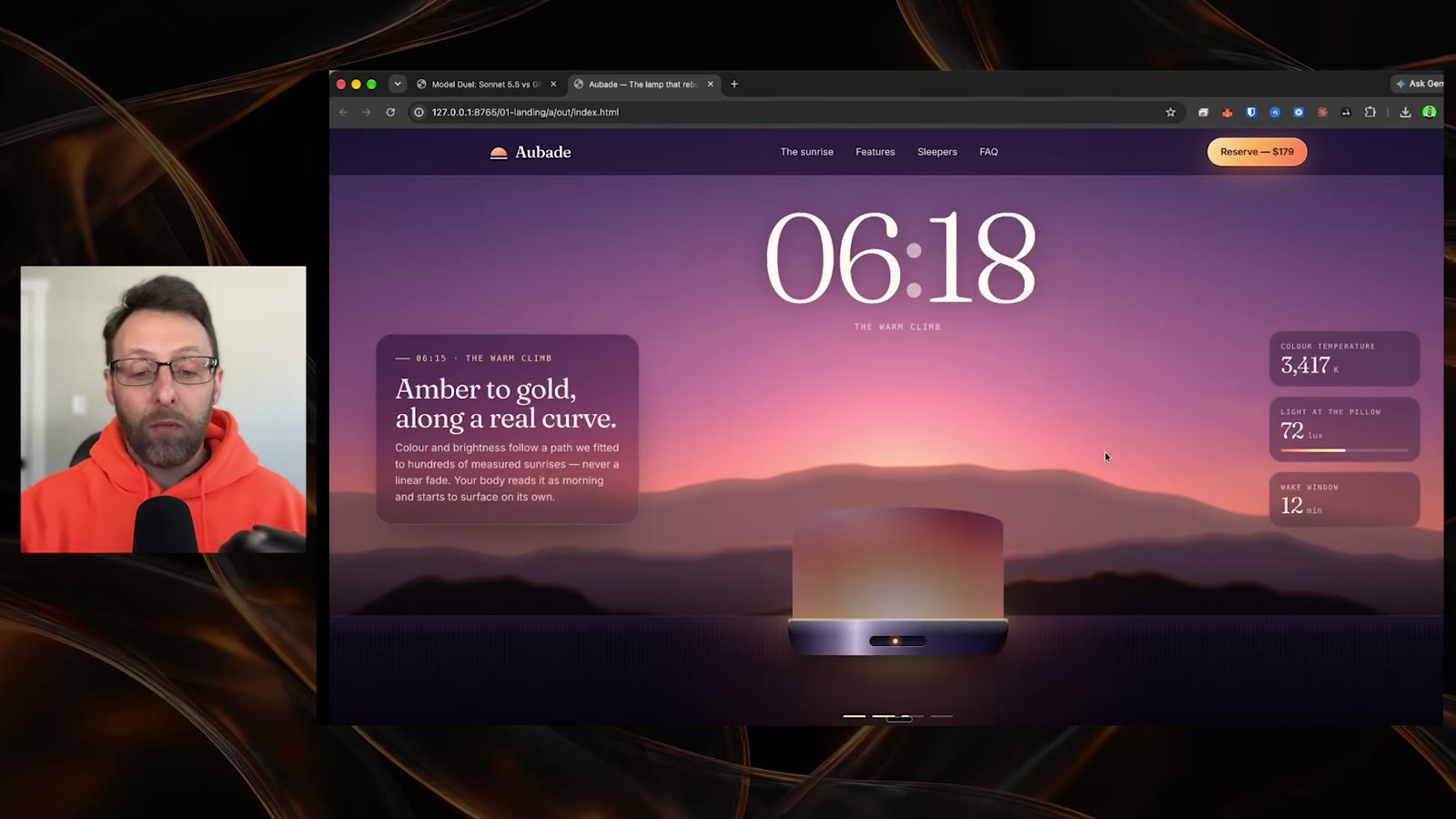
Here is how I judged the landing page. I scrolled the whole thing. I noted what I liked, which was the color shift as you scroll and the interactive lamp, and what I did not, which was a few buttons that read as generic and some copy that was confusing. Then I called it. Short notes while you look beat a score you invent afterward.
Log time, tokens and cost for every task
Write down three numbers per task: how long it took, how many tokens went in and out, and what it cost. Do it as you go. If you wait until the end, you will not remember which run produced which number.
I used a scoreboard page that showed all three next to each result. You can do the same thing in a spreadsheet with one row per task and two sets of columns. Add a column for who won, and one for a short note on why. After 10 tasks you will see patterns that no single run shows.
- 1Start a timer when you send the prompt and stop it when the model says it is done.
- 2Copy the token counts and the cost from your tool's usage view right after each run.
- 3Open both results, judge them without looking at which model made which, and write your pick.
- 4Reveal the labels, then fill in the time, tokens and cost for each side.
- 5Add one line on what made the winner better.
Do not trust a single number alone. A fast run that produces something unusable is not cheap. The log is there so you can see all three measures together.
Read the results as a trade, not a verdict
Here is what I found. Sonnet 5.5 won 9 of 10 tasks, with one tie on the pitch deck. Across all 10 tests Sonnet took about 95 minutes and cost $13.36. Terra took about 16 minutes and cost 68 cents. On the landing page alone, Sonnet took about 11 minutes and Terra about 2.
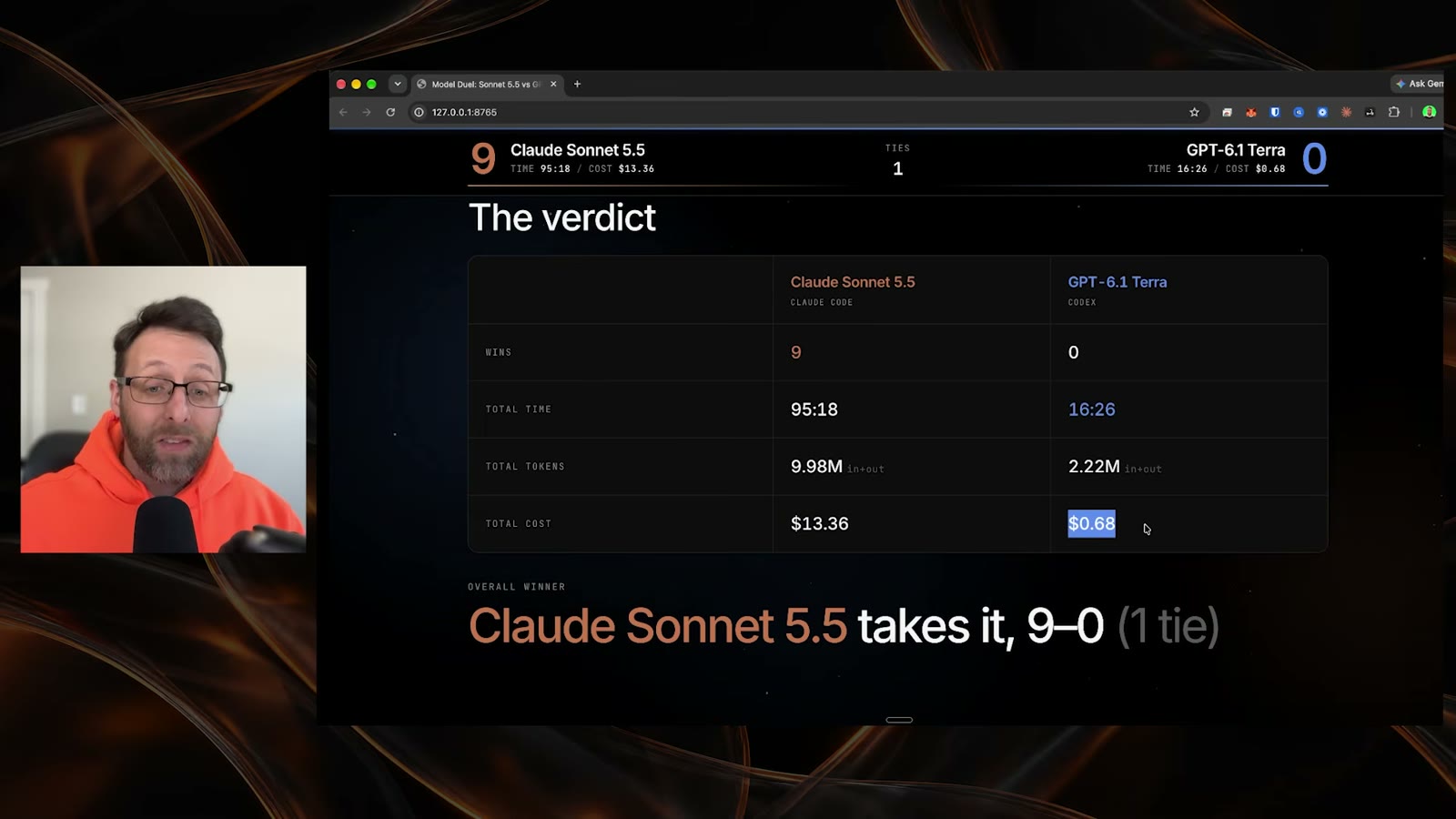
Those numbers are a trade. The model that won most of the tests took roughly six times as long and cost far more. Whether that is worth it depends on the task, and that is the real decision. You are not picking a better model. You are deciding what a result is worth to you.
Price per token is not price per task
This is the idea I would take from the whole test. Terra costs about half as much per token. That sounds like a fixed discount, but it is not what you pay for a finished task. A task costs the tokens used, times the price, over however many tries it takes to get something you will use.
The two models used very different amounts of work. One spent minutes planning, building and checking. The other finished in a couple of minutes. The cheaper one spent much less on every task, far more than the price gap alone would explain. And the better results came from the one that spent more.
On the 3D game, Terra finished in under two minutes. Sonnet took about 12 minutes and cost far more. I could not tell you if giving Terra that extra time would close the gap. Run that follow-up yourself. It is the cheapest experiment in the whole test, and it is the one that tells you how to use the cheap model well.
Decide when to pick the cheap model and when to spend more
After 10 tasks you will see where each model belongs. Here are the forks I used, and the tell for each one:
- Pick the cheaper model when the result will be checked by you anyway, when you will iterate several times, or when a rough first pass is enough. The tell: a wrong answer costs you a minute, not a day.
- Spend more when you want to walk away and trust the result. In my tests the stronger model planned better and understood the core idea behind the task, such as the motion graphics reel and the guide built from calls.
- Write a sharper prompt before you spend more. In the bug hunt the results were close, and I would try the cheaper model again with a list of exactly what to look for.
For creative and long, multi-part tasks I would pay for the stronger model. For small, well-defined work I would start with the cheap one and only move up if the result falls short. That is a routing rule, and your own scoreboard will tell you where to draw the line.
Know the failure modes before they cost you
Four things went wrong in my run, and each one will show up in yours.
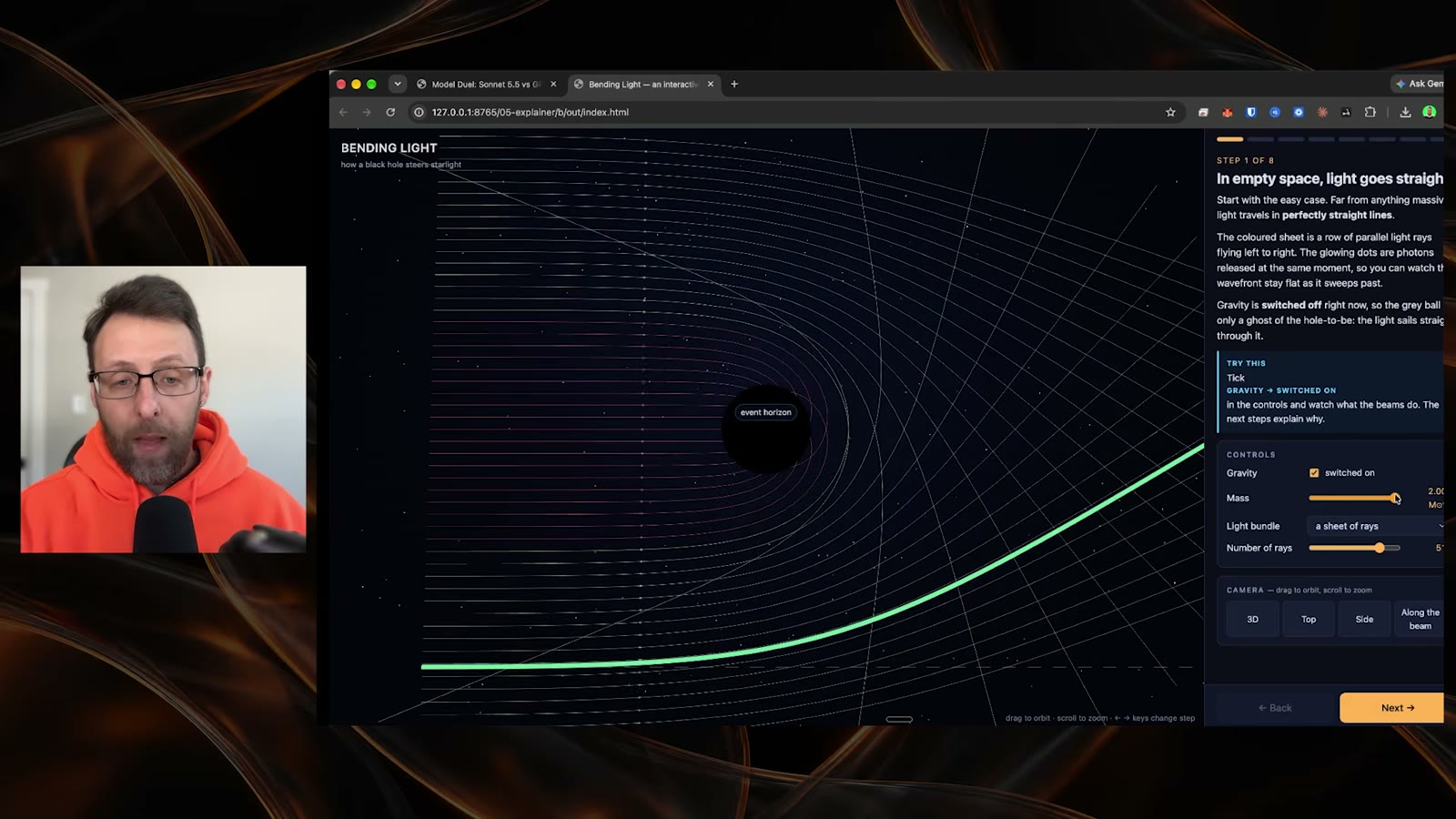
Nothing usable came out. The jet engine explainer opened with no engine in it. The page loaded, the text was there, and the 3D scene was missing. That counts as a failed test, and a failed test still costs you the time and the tokens. Check that the main thing exists before you judge the details.
The model used an outdated tool interface. For the Blender scene, one model called an old attribute that the newer version of Blender no longer had. The script crashed during the render, and the model never noticed its own mistake. The other model built a full scene with trees, rocks, fog and lighting. If your task uses a tool that changes often, expect this and check for it.
The prompt was too vague to score. I covered this in the bug hunt. When you cannot say what a correct answer looks like, you cannot say which model won.
The two models disagreed on the numbers. On the dashboard task each model reported a different sales total from the same spreadsheet, and different order and customer counts. I could not tell which was right by looking. When the task involves real data, open the file and check the totals yourself before you trust either result.
Keep the limits of your test in mind
My finding holds for this prompt style. These were short prompts with a clear goal and a lot of freedom, no skills, no assets, one run each. A different style could change the result. Longer prompts with step-by-step rules, a model fitted with strong skills, or a task that is mostly accuracy could all favor the other side.
One run per task is also thin. If a result is close, run it again. And the models change. A comparison from this month is a snapshot, so keep your scoreboard and rerun it when a new version ships.
Do it in one sitting
- 1Pick the two models you want to compare and set both to the same effort level.
- 2Write down 10 tasks that cover different skills, including at least two you do not usually try.
- 3Write one short prompt per task: a clear goal, the pieces the result must contain, and no instructions about the method.
- 4Open a spreadsheet with one row per task and columns for time, tokens, cost, winner and a note.
- 5Run every task on both models with no skills and no prebuilt assets, and label the results A and B.
- 6Judge each pair blind. Write your pick before you look at the numbers.
- 7Reveal the labels, fill in time, tokens and cost, and add one line on why the winner won.
- 8Check any real numbers in the results against your source file yourself.
- 9Total the three measures and decide where each model belongs.
- 10Pick one task the cheap model lost and rerun it with the time and budget the expensive model used.
That is a few hours at most, and by the end you have a routing rule built on your own work instead of someone else's opinion. You can also reuse the same tasks every time a new model ships.
Common questions
How many tasks do I need?
I used 10 because it was enough to see patterns across different skills. If you only have time for five, keep a mix of creative, practical and data work so you still see where each model is strong.
Why test at the same effort level?
It keeps the comparison fair. If one model runs at a higher effort level than the other, you are comparing settings and not models. I ran both at high effort.
Why should I judge without knowing which model made which?
Because knowing changes how you judge. If you see which one is cheaper, you tend to excuse its flaws. Labelling results A and B and revealing them after you pick keeps you honest.
Does this mean Sonnet 5.5 is always better than GPT-6.1 Terra?
No. Sonnet won 9 of 10 and tied the pitch deck, but it also took far longer and cost far more. The result holds for this prompt style only. For small, well-defined tasks the cheaper model may be the better pick.
What should I do if the two models give different numbers for the same data?
Check the numbers yourself in the source file. In my dashboard test the two models reported different totals from the same spreadsheet, and I could not tell which was right by looking at the page.
Where do I get the exact prompts?
They are inside the Claude Code Club at https://www.skool.com/claudecodeclub/about. This guide gives you the framework and the shape of each prompt so you can write your own.
Keep going
Want the exact test prompts I used?
Get 650+ plug-and-play skills, MCPs & prompts, plus 8,000+ members - $9/mo, cancel anytime.
Join the Club