
Make Short Films in Claude Code With Lemo Opuscar, No Video Model
TL;DR
Lemo Opuscar is a free, open source add-on for Claude Code that makes whole short films with pictures, music and narration. Claude writes the code that draws each frame, so there is no AI video generator and no stock footage. You pick one of 51 film styles, tell Claude your story, and wait about 30 to 60 minutes.
👉 https://www.skool.com/claudecodeclub
Lemo Opuscar: a free Claude Code add-on that makes short films
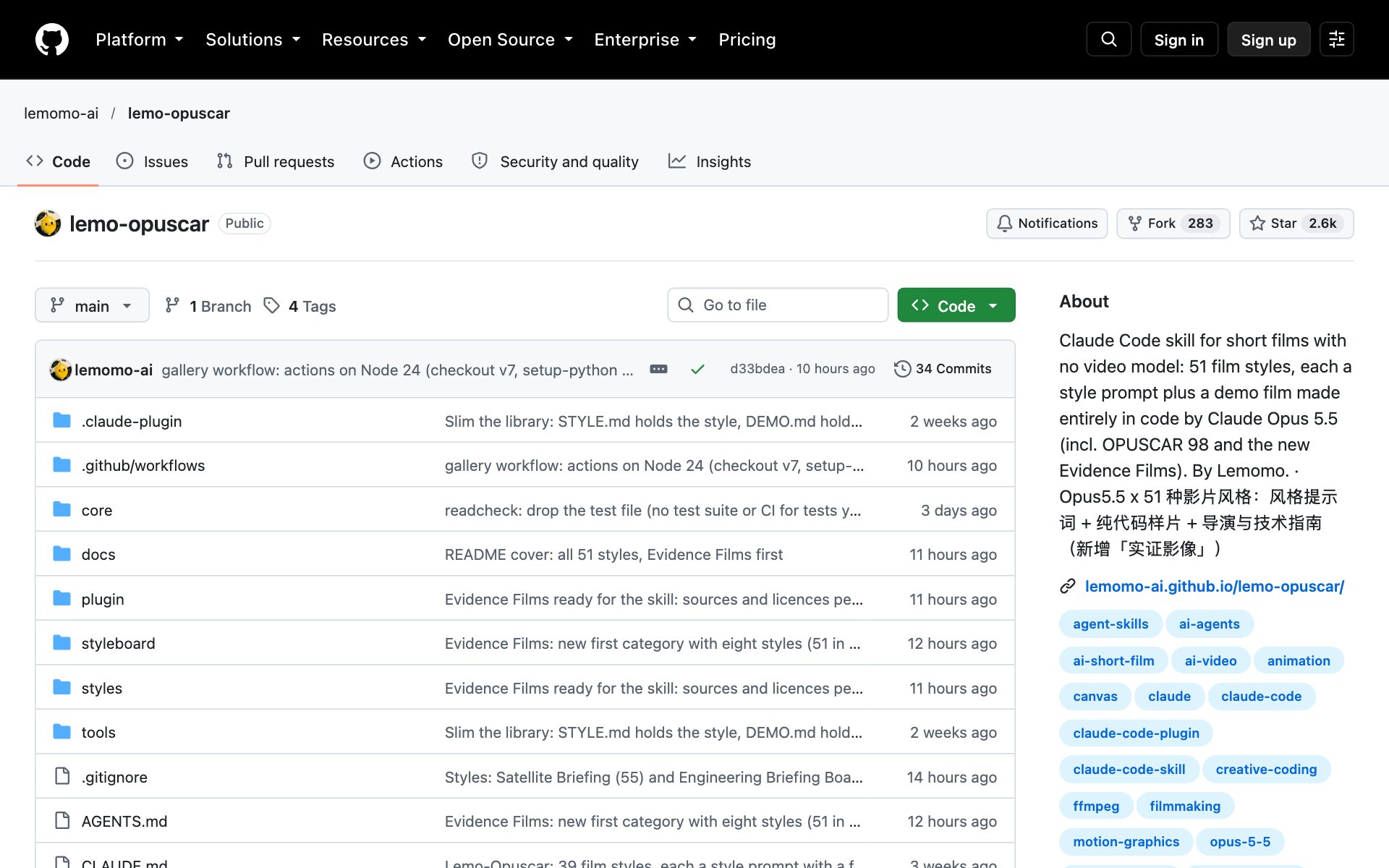
Lemo Opuscar is a free, open source (MIT) project by Lemomo. You pick a film style, tell Claude Code your story, and Claude Code directs, draws, scores and mixes a finished film. Every frame is a web page that Claude Code writes in code and renders one frame at a time, so Lemo Opuscar needs no AI video generator. The music comes from free sample libraries and the narrator is text-to-speech.
See what Lemo Opuscar already made
OPUSCAR 98: the biggest demo is a 6 minute 31 second film about all 98 Best Picture winners, from 1927 to 2025. One pixel mascot, Clawd, walks through every winner, and each film is redrawn in a style that fits it. Claude Opus 5.5 wrote every frame, every note and every cut in code.

The 51 styles: they run from watercolor, ink wash and risograph to pixel RPG, stained glass and a 1920s silent film. Each style has its own demo film in the gallery, so you can watch a style before you pick it. A newer group called Evidence Films has 8 styles that film real material, like satellite images, laser scans and microscope slides, and every number on screen is measured or sourced.
Reusable looks: all 98 styles from OPUSCAR 98 are public too. Each one comes with a style prompt you can reuse on your own topic.
Install Lemo Opuscar with Claude Code
How to install Lemo Opuscar: copy the repo URL below, paste it into Claude Code, and say: install this.
repo URLhttps://github.com/lemomo-ai/lemo-opuscarOr install Lemo Opuscar by hand with two commands in your terminal. You also need Node 20 or newer, ffmpeg and Python 3.11 or newer. Claude Code installs the rest.
bashclaude plugin marketplace add lemomo-ai/lemo-opuscar
claude plugin install lemo-opuscar@lemolab
Then use Lemo Opuscar from any folder. The first time, it downloads its guides, tools and style prompts to a folder called lemo-opuscar in your home folder. Each film's project goes in the folder you started from.
Make your first film with Lemo Opuscar
Lemo Opuscar asks you once, up front, about anything it can't decide on its own: your topic, whether you have your own voice, music or other material, and whether you want to see a storyboard first. Say yes to the storyboard and it stops once to show you the key shots in the real style. Otherwise it goes straight to the finished film.
Best practices for Lemo Opuscar:
- Start short. A 30 to 45 second film is a good first try, because a film takes Claude Code about 30 to 60 minutes and a fair amount of tokens.
- Name the style in your first message. Watch that style's demo film in the gallery first so you know what you will get.
- Pick a story you know well, like your family's business or your own town. Claude Code does a better job when your details are real.
- Say yes to the storyboard the first time. You see the key shots in the real style before Claude Code spends 30 minutes on the whole film.
- Use Claude Opus 5.5 when you can. The author tuned the styles for it, and other models may not reproduce them.
Prompts to try with Lemo Opuscar:
promptMake a 45-second film in the watercolor style about [my story, like the coffee farm my family runs]. Warm [female or male] narrator. Show me a storyboard first.promptMake a 40-second LiDAR Survey film about [a place near me, like the old quarry in the hills behind our town], from public laser-scan data. Tell me which data you used.Where to start with Lemo Opuscar
- Open the gallery and watch three demo films in styles that fit your story.
- Install Lemo Opuscar and ask for a 30 to 45 second film in your favorite of the three, with the storyboard first.
- Once the first film looks right, ask for a longer one, or try a style from the Evidence Films group if you have real data.
👉 https://www.skool.com/claudecodeclub
Common questions
Is Lemo Opuscar really free?
Yes. Lemo Opuscar is open source under the MIT license, so you can use it for free. Claude Code itself still needs your Claude plan, and a film uses a fair amount of tokens.
Does Lemo Opuscar use an AI video generator?
No. Claude Code writes code that draws each frame on a web page and renders it frame by frame. The music comes from free sample libraries and the narrator is text-to-speech, so there is no video model and no stock footage.
How long does a film take to make?
About 30 to 60 minutes for Claude Code to finish one film, according to the Lemo Opuscar README. The output is 1920 by 1080 at 24 frames per second unless you ask for another size.
What do I need on my computer?
Node 20 or newer, ffmpeg and Python 3.11 or newer (or uv). Claude Code installs the rest when you ask it to.
Will Lemo Opuscar work with models other than Claude Opus 5.5?
Maybe, but not as well. The author made every demo film with Claude Opus 5.5 and tuned the styles for it, and says other models may not reproduce them.
Keep going
Get the free Lemo Opuscar film-making guide
Get 650+ plug-and-play skills, MCPs & prompts, plus 8,000+ members - $9/mo, cancel anytime.
Join the Club