
Make ChatGPT's Images Inside Claude (Without a Second Chatbot)
TL;DR
Claude doesn't have its own image model, and ChatGPT does. You don't have to switch. Connect Higgsfield to Claude as a custom connector, and Claude can make images with GPT Image models, plus videos and audio, right inside the chat you already use. It takes about two minutes, and Higgsfield needs a paid plan.
👉 https://www.skool.com/claudecodeclub
Where ChatGPT still beats Claude
Two things stand out. First, ChatGPT keeps every scheduled task on one Scheduled page in its sidebar. Claude spreads scheduled work across separate places: Claude Code routines, Cowork scheduled tasks and more.
Second, ChatGPT makes images with its own model, GPT Image 2.5. Claude has no image model of its own, so on its own it can't make a picture. It can write SVG code, which draws simple shapes, but that is not a picture model.
Step 1: Connect Higgsfield to Claude
Higgsfield is a tool that runs image, video and audio models, including GPT Image models. It works with Claude through a custom connector, which is a plug that lets Claude use another tool. You need a paid Higgsfield plan and a Claude account (claude.ai or Claude Desktop). No API key is needed. Get Higgsfield here: https://higgsfield.ai?fpr=duncan26
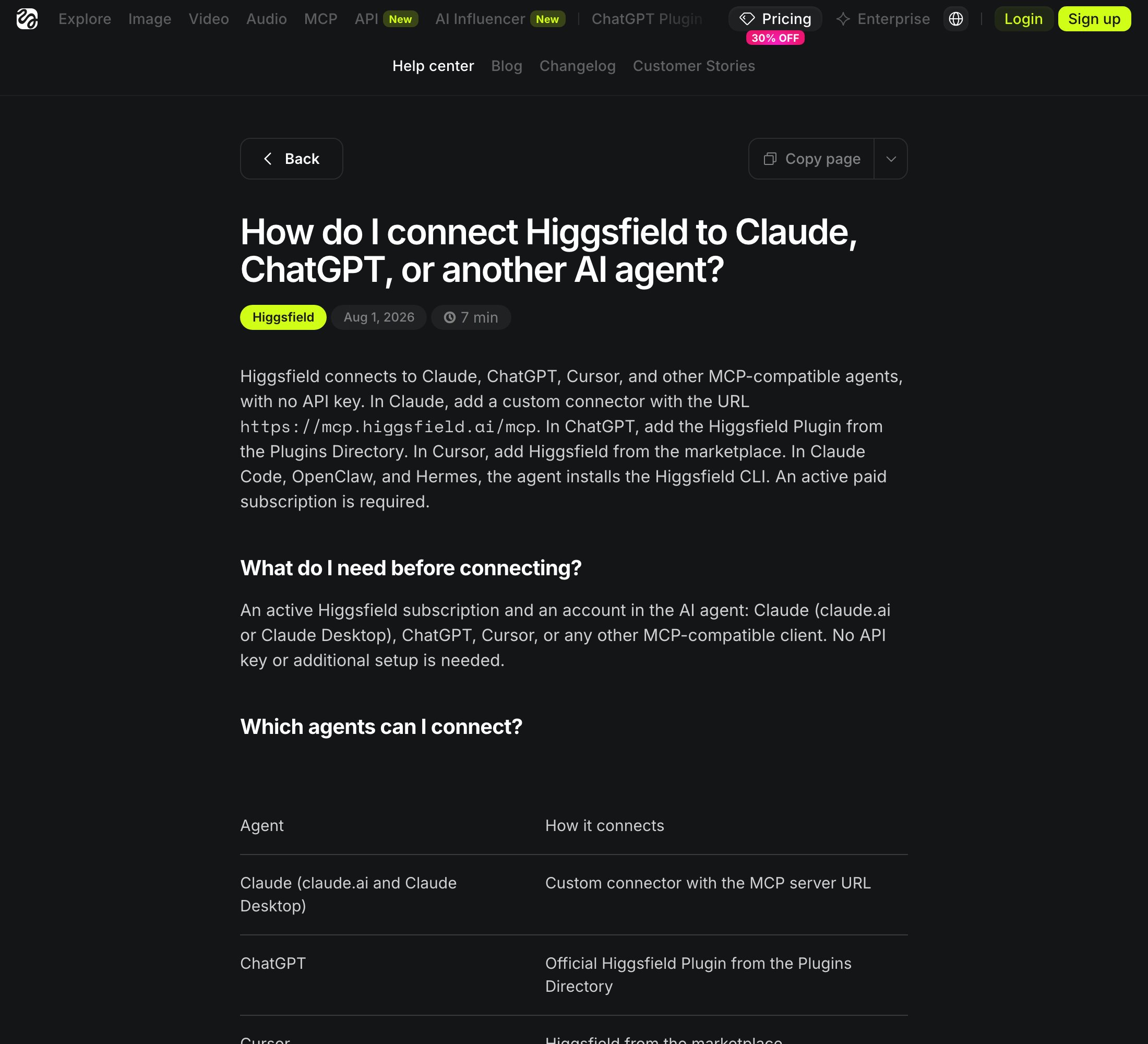
How to connect it: open Claude, go to Settings, then Connectors, and click Add custom connector. Name it Higgsfield and paste the address below. Click Connect, sign in to your Higgsfield account, and approve it. Then go back to Claude, where Higgsfield now shows in your connectors list.
connector URLhttps://mcp.higgsfield.ai/mcpStep 2: Make your first ChatGPT-style image in Claude
Ask Claude for the picture in plain words, and name the model so Claude picks GPT Image. Say what the picture is for, what is in it, and what words it should show.
promptUse Higgsfield to make an image with the GPT Image model. Make a square Instagram post for [my business]: [what is in the picture]. Put the words "[my headline]" on it in big, clean letters. Show me the result.promptMake 3 different versions of the image I just made, with a different color feel for each. Tell me which one you would post, and why.Step 3: Use the same connector for videos and audio
The same connector makes videos and audio too. Ask Claude to turn your best image into a short video, or to make a voiceover for it. Audio works in Claude, but it is not available when you connect Higgsfield to ChatGPT, which is one more reason to stay in Claude.
promptUse Higgsfield to turn my favorite image into a 5 second video with a slow zoom in. Then tell me what you would add for sound.Best practices for images in Claude:
- Say what the picture is for first (a post, a thumbnail, an ad), then what is in it.
- Put any words you want on the image in quotes, and keep them short.
- Ask for 3 versions at once, so you pick instead of redo.
- Check every word on the image before you post it.
What about the scheduling gap?
- Claude Code routines run on a schedule on Anthropic's cloud, so they keep going when your laptop is closed.
- Cowork scheduled tasks live in Cowork, a different place from routines.
- Pick one place for each job and write it down, so you never wonder where a task lives.
👉 https://www.skool.com/claudecodeclub
Common questions
Can Claude make images on its own?
No. Claude has no built-in image model. It can write SVG code for simple drawings, but for real pictures it needs a connected tool like Higgsfield.
Do I need a ChatGPT subscription for this?
No. You connect Higgsfield to Claude, so you only need Claude and a paid Higgsfield plan. You never open ChatGPT.
Does the Higgsfield connector cost money?
Yes. Higgsfield says an active paid subscription is required to connect it. Check Higgsfield's pricing page for the current plans.
Do I need an API key?
No. Higgsfield says no API key or extra setup is needed. You paste one address into Claude and sign in.
Can I use Higgsfield with ChatGPT too?
Yes, through the Higgsfield plugin in ChatGPT's Plugins Directory. Audio generation is not available there, so use Claude or Higgsfield's own site for audio.
Keep going
Want the skills that make Claude worth every minute?
Get 650+ plug-and-play skills, MCPs & prompts, plus 8,000+ members - $9/mo, cancel anytime.
Join the Club