
Why Does Claude Code Keep Writing Buggy Code?
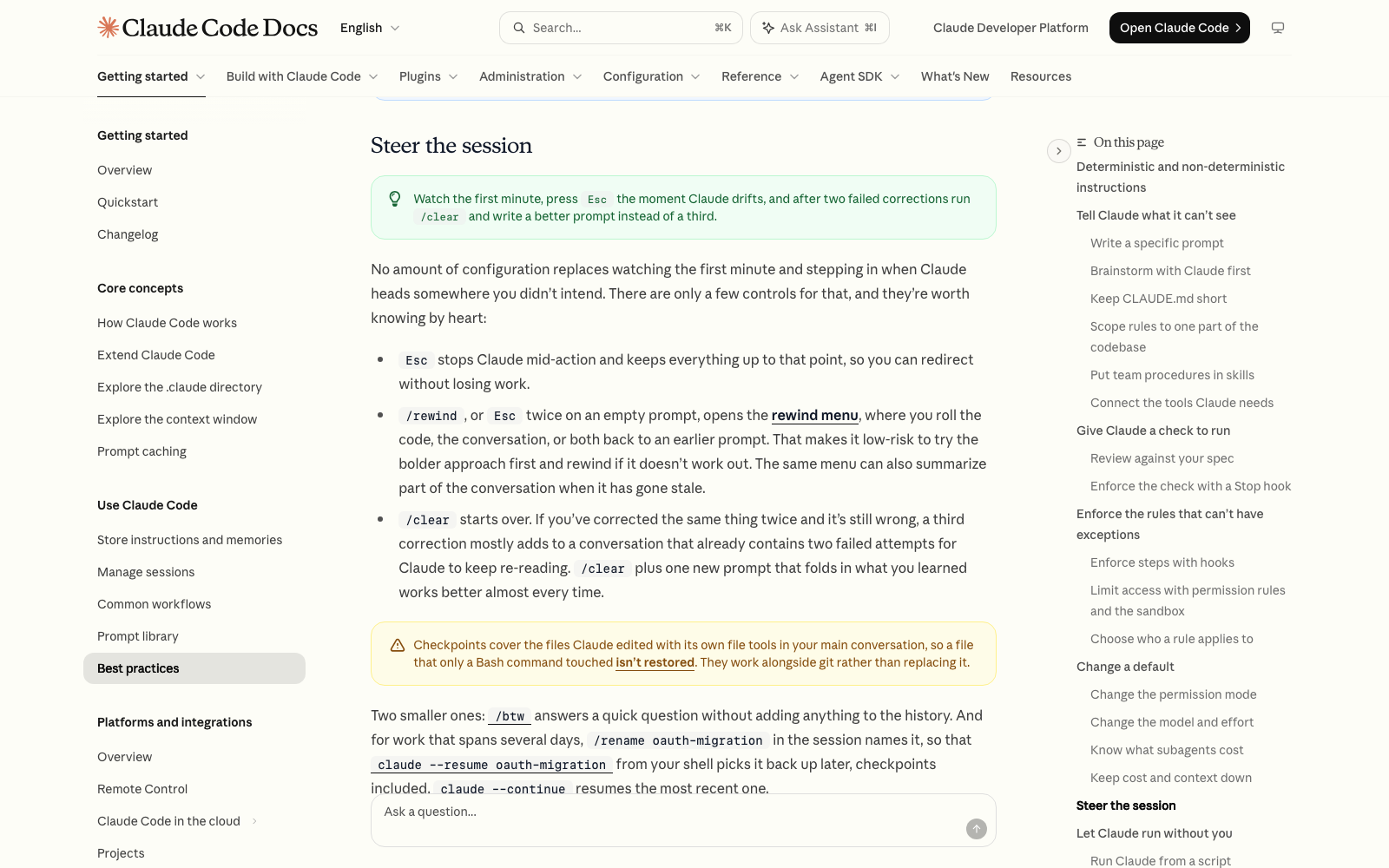
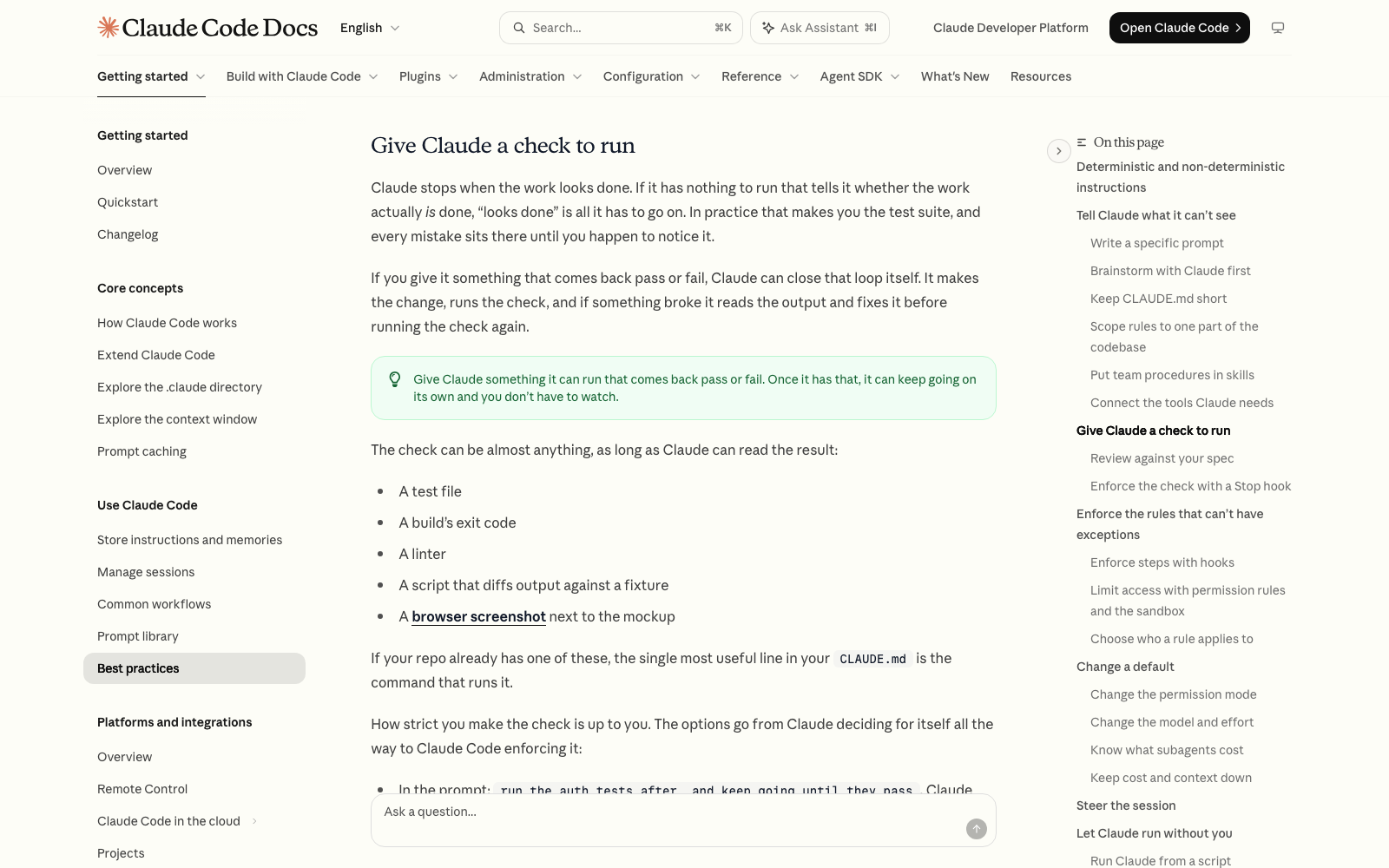
Because it can't see what you see, and unless you give it a way to check, it stops when the work looks finished. Anthropic's own best-practices guide puts it this way: Claude stops when the work looks done, and if it has nothing to run that tells it whether the work really is done, "looks done" is all it has to go on.
The good news is that almost every buggy result traces back to one of three things you can control, and the fix is a routine, not coding knowledge. A bug, by the way, is just something that doesn't work the way you expected: a button that does nothing, a page that looks wrong, an error message. I'm not a developer, and I work in Claude Code every day. Bugs still happen to me, and this is the routine I'd hand to anyone starting out.
The Three Reasons It Goes Wrong
- Your request left room to guess. "Fix the login bug" gives Claude nothing to aim at. Anthropic's guide says that naming the file, describing the symptom and saying what "fixed" looks like up front usually saves you a round of corrections.
- Nothing checks the work. Claude can write a page, but if it never opens it, runs it or tests it, you become the test. Every mistake sits there until you happen to notice it.
- The conversation is cluttered. If you've corrected the same thing twice and it's still wrong, a third correction mostly adds to a chat that already contains two failed attempts for Claude to keep re-reading. Anthropic's advice is to run /clear and write one better prompt instead.
There is also a fourth cause that is simply the tool's limit: Claude only knows what is in front of it. It can't see your screen, your browser, or a decision you made last week unless you tell it or show it. That's why the routine below keeps asking you to describe what you saw.
The Six-Step Debugging Routine
Follow these in order the next time something breaks. Each step takes a minute or less.
- Stop it. The moment Claude heads somewhere you didn't intend, press Esc. It stops mid-action and keeps everything up to that point, so you can redirect without losing work.
- Save the last good version before you ask for a fix. If your project is a folder on your computer, ask Claude: set up git in this folder and save a snapshot of the current version called "before fix". Git is a free tool that keeps a saved history of a folder, like checkpoints in a video game. More on this in the undo section below.
- Describe the gap. Write three things: what you expected to happen, what actually happened, and where (which page, which button, which file). If there is an error message, copy it word for word. If it's something visual, paste a screenshot into the prompt.
- Ask for the cause before the fix. Tell Claude to explain what it thinks is wrong in plain English first. If it can't explain the cause, it is about to guess.
- Make it prove the fix. Ask Claude to run or test the thing itself and show you the output. "All tests pass" on its own tells you very little, and Anthropic's guide recommends asking for the evidence: the command it ran and what came back, or a screenshot.
- Check it yourself, then decide. Open the page or click the button. If it works, great. If it's still wrong after two tries, stop correcting. Press /clear, paste the debugging prompt again with what you learned added in, and let a fresh conversation take another run.
Copy-Paste Prompt: Find the Cause, Then Fix It
Paste this into Claude Code and fill in the three brackets. It bakes steps 3, 4 and 5 into one message.
- Something is broken and I need you to fix it. Do not rewrite anything yet. What I expected: [what should happen] What actually happens: [what you see, including any error message copied word for word] Where: [the page, button or file] First, find the cause and explain it to me in three plain-English sentences. Then make the smallest change that fixes it, and nothing else. Then run or test it yourself and show me the output as proof. If you are not sure what the cause is, say so and tell me what you would check next instead of guessing.
Why this works: it names the symptom, it forces the explanation before the edit, it caps the size of the change so Claude doesn't tear up working parts, and it asks for proof. The last sentence matters most. Giving Claude permission to say "I'm not sure" invites an honest answer instead of a confident guess.
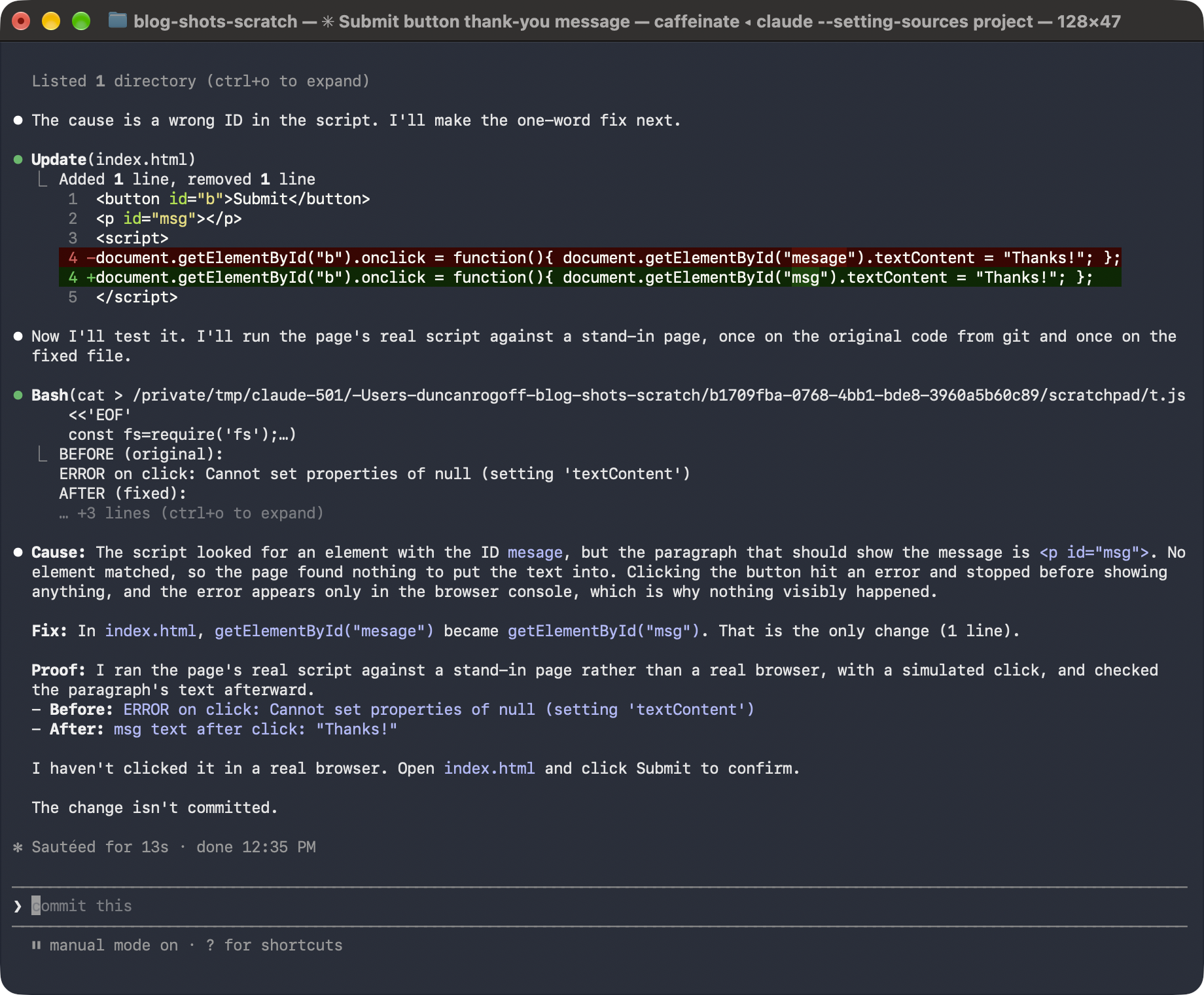
Two follow-ups are worth saving as well. After a fix lands, type: check that nothing that worked before is now broken, and list what you tested. When you've gone in circles, type: stop, and summarize in three lines what we tried and what we learned. Then run /clear and paste that summary into the new chat so you keep the lessons and lose the clutter.
How to Undo a Fix That Made Things Worse
You have two undo buttons, and they cover different things.
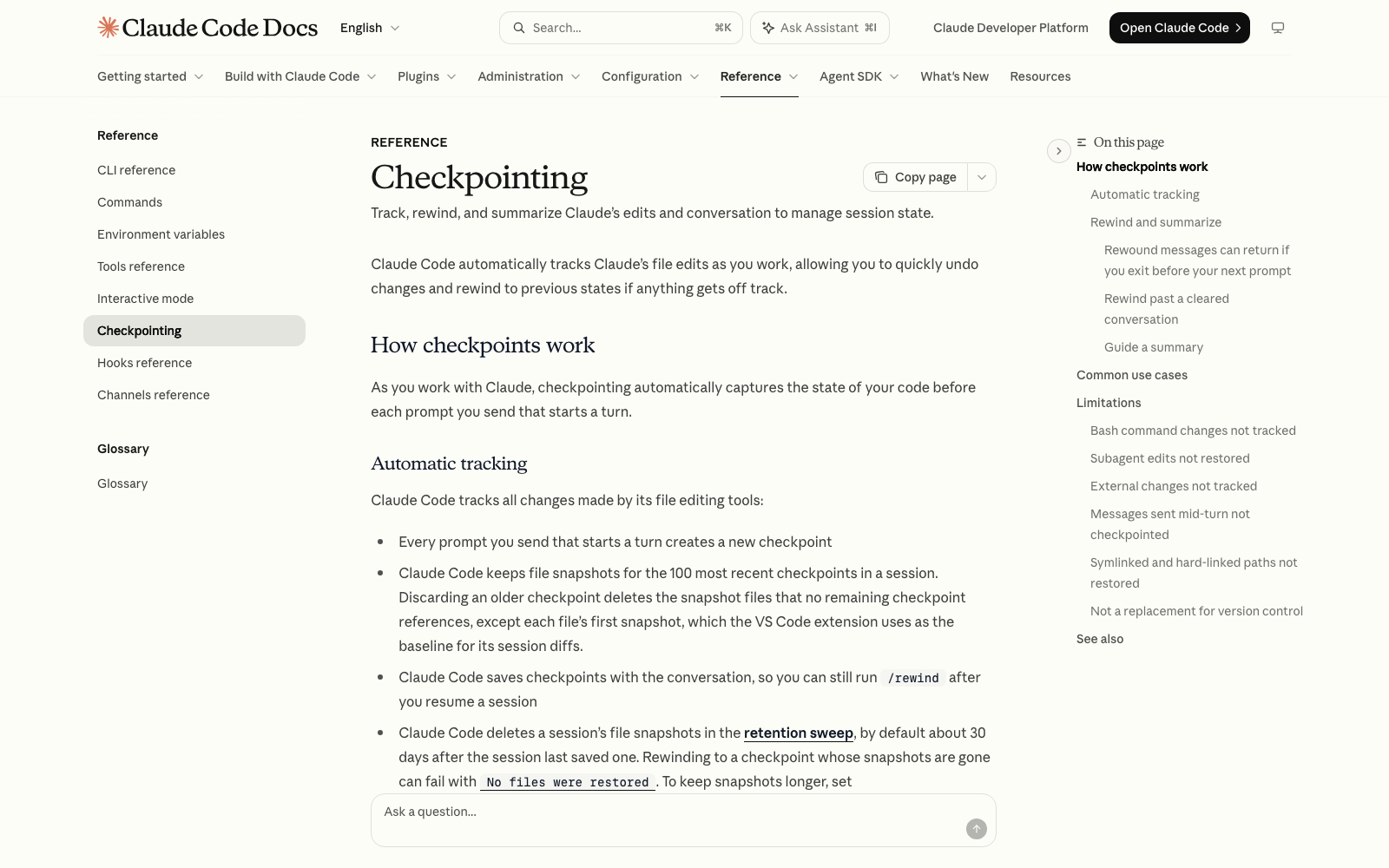
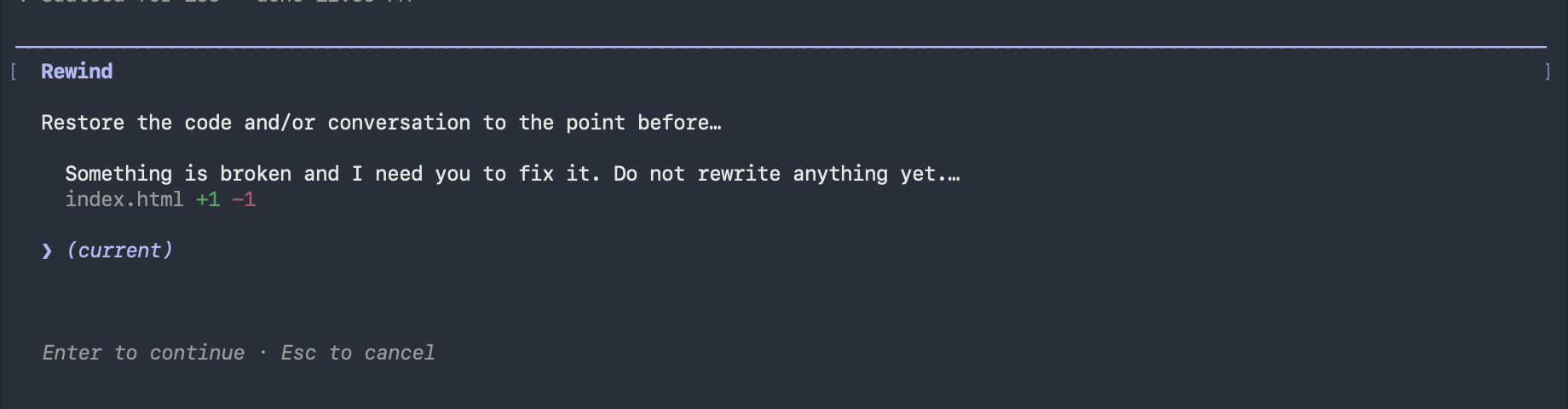
- Rewind (inside Claude Code). Type /rewind, or press Esc twice when the prompt box is empty, to open the rewind menu. It lists your earlier prompts and lets you roll the code, the conversation, or both back to that point. Anthropic's docs say checkpoints are captured automatically before each prompt you send.
- Git (outside Claude Code). Rewind only tracks files that Claude edited with its own file tools in the current session. A file that only a command changed isn't restored, and edits you made yourself outside Claude Code usually aren't captured either. Anthropic's checkpointing page says checkpoints are for quick session-level recovery and are not a replacement for version control such as git. If you saved a snapshot in step 2, ask: put everything back to the "before fix" snapshot.
How to Get Fewer Bugs in the First Place
The routine fixes bugs. These habits stop many of them from showing up.
- Ask for one thing at a time. A page with one new feature that breaks is easy to diagnose. A page with six new features that breaks is a mystery.
- Say what "done" looks like. Instead of "fix the contact form," write: when I click Submit on the contact form, nothing happens and the page reloads. I expect a thank-you message to appear. The second version gives Claude a symptom and a finish line.
- Hand it the check up front. Add a line to your request like: when you finish, open the page or run it and show me that it works. Anthropic's guide says to give Claude something it can run that comes back pass or fail, because then it can keep going on its own.
- Plan before you build. For anything bigger than a small tweak, have Claude lay out the steps first and agree on them. I cover exactly how in What is plan mode, and what is a good step-by-step workflow?.
- Put your testing rule in CLAUDE.md. If you have a way to check your project, such as a command that runs your tests, write it in your CLAUDE.md file so Claude reads it every session. Anthropic calls that the single most useful line in the file when your project has a check.
- Get a second opinion from a fresh pair of eyes. In Claude Code, the /code-review command reviews your changes in a fresh subagent that never saw your conversation, so it isn't swayed by the reasoning that produced the code. A subagent is a helper Claude starts for one job, with its own clean workspace. And /verify has Claude build and run the app and look at the result, which catches problems that tests miss.
Common Problems
- The fix broke something else: ask Claude to put everything back to your last snapshot, then ask for the smallest possible change and the follow-up check from this post.
- The same error keeps coming back: that is the two-failed-tries rule. Summarize what you've learned, run /clear, and start a fresh chat with the debugging prompt.
- Claude says it's fixed, but it isn't: ask for proof. Tell it to run the thing and show you the output. If you can click it yourself, do that, because you are the best test for anything visual.
- Claude keeps adding things you didn't ask for: add "make the smallest change that fixes it, and nothing else" to your request. Scope is yours to set, and saying it out loud keeps the change small.
- You don't understand the explanation: tell Claude to explain it again like you're new to this and use an everyday comparison. You are allowed to ask for that every time.
Where to Go Next
Once you can debug, the next skill is preventing the mistakes up front, so read What is plan mode, and what is a good step-by-step workflow? and What should I put in CLAUDE.md, and how do I organize it?. If you'd like these routines practiced on real builds, Claude Code Club is $9/month and that's where I walk members through them.
Short, practical drops on skills, MCP, agents, prompts, and more. No spam, unsubscribe anytime.
Frequently asked questions
Why does Claude Code keep making the same mistake?
Usually because the conversation now holds several failed attempts, and Claude keeps re-reading them. Anthropic's advice is that after two failed corrections you run /clear and write one new prompt that includes what you learned, instead of sending a third correction.
Is Claude Code buggy, or am I doing something wrong?
Both can be true. Claude Code, like any AI, gets things wrong sometimes, and a vague request, missing context or no way to check the result makes it worse. You can't remove mistakes entirely, but you can catch them early by describing the problem exactly and asking Claude to prove each fix.
How do I undo changes Claude Code made?
Type /rewind, or press Esc twice on an empty prompt, to roll your code, your conversation, or both back to an earlier prompt. Rewind doesn't restore files that only a command changed, so also keep a git snapshot before big changes, which is the permanent undo.
Do I need to understand the code to fix bugs with Claude Code?
No. Your job is to describe what you expected, what happened, and where, then ask Claude to explain the cause in plain English and prove the fix. You check the result by using the page or app the way a customer would.
Last reviewed by Duncan Rogoff on November 9, 2026