Video walkthroughs · Claude Code Club
The Closed Loop: How to Make an AI Judge Its Own Visuals and Fix Them
TL;DR
Most AI builds stop at the first attempt because nobody checks the output except you. A closed loop fixes that: the agent generates a high-quality target image, builds toward it, then a separate critic agent compares the live screenshot against the target and sends back notes. It repeats until the two match. In the walkthrough the loop produced a playable wave-survival game in 57 minutes with almost no manual work, and the same pattern works on landing pages, app screens, and slides.
Almost every AI build stops at the first attempt. You describe what you want, the model produces something, and then you are the one who has to look at it, decide it is not good enough, and say so. The model has no idea whether its own output is beautiful or broken, because nothing in the process ever looked at the result. A closed loop takes that job away from you. You give the build a picture of the finished thing, and you give a second agent the job of comparing the live result against that picture until the two match.
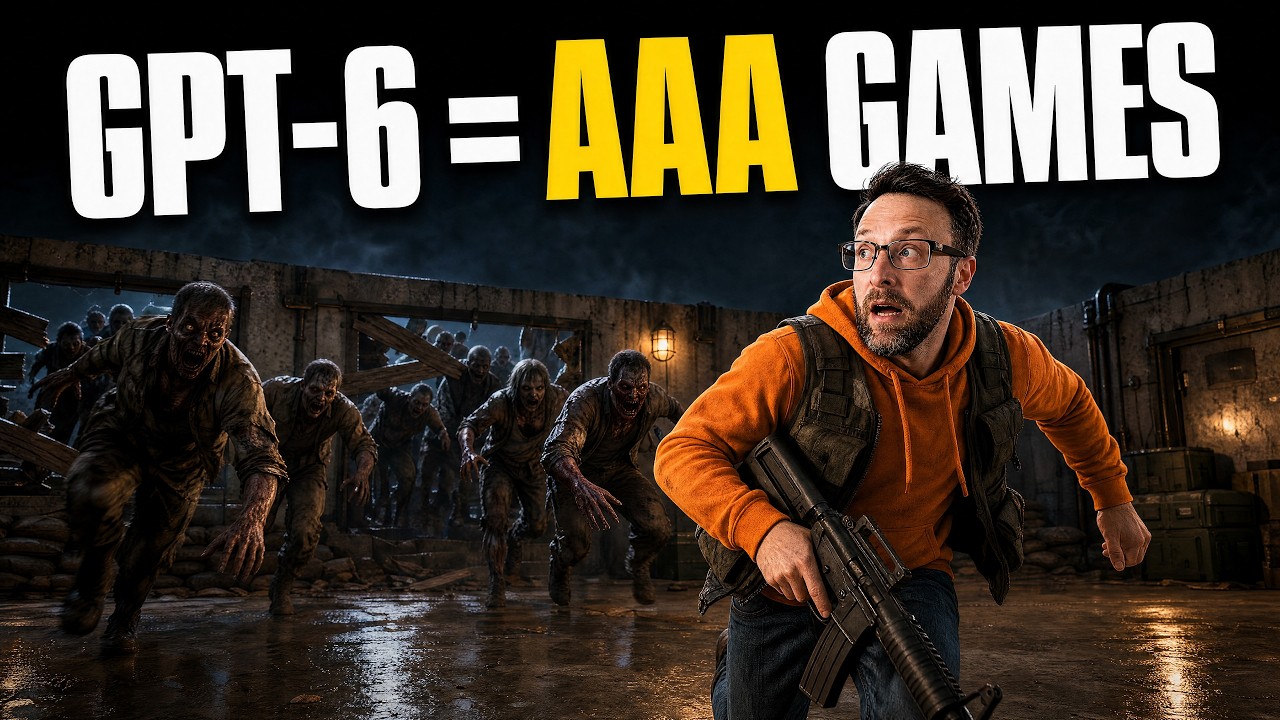
Watch the full build: a planning conversation, a target render, and a playable wave-survival game 57 minutes later.
Step 1: Understand the loop before you run it
Dream Loop is a free open-source agent skill by Anshu Chimala. It does one thing, and the thing is a shape rather than a feature. The shape has four moves that repeat.
- Dream. The agent uses image generation to produce a target screenshot of what the finished build should look like, at a quality far above what it could code on the first try.
- Build. The agent writes the actual scene, game, or interface with that target sitting in front of it as the goal.
- Critique. A separate agent takes a live screenshot of the working build and compares it against the target, then writes down what is wrong with composition, lighting, materials, and detail.
- Refine. The builder reads those notes and goes back to building. The cycle repeats until the critic is satisfied or the run hits its limit.
There is a fifth optional move where the agent dreams up an even better target once the current one is met, and the loop restarts against the higher bar. The whole trick is that step three is a different agent, and it sees only the two images. It never saw the plan, the code, or the reasons a corner got cut, so it has nothing to defend.
Step 2: Check that your agent can actually close the loop
The loop needs three capabilities, and it fails quietly if any one is missing. The build in the video ran on GPT-6 Astra inside the ChatGPT app at a high effort setting, but the skill's own notes say other strong models can run it too, so treat the model as swappable and the capabilities as fixed.
- Image generation, so the agent can produce the target render. This is the piece most setups are missing. In ChatGPT with Codex it is built in. In Claude Code you need image generation wired in through an MCP server or an API call the agent can reach.
- Vision, so the critic can actually look at the screenshot. An agent that cannot read images can only guess, and a guessing critic will happily approve a broken scene.
- Subagents, so the critic can run in its own context. This is technically optional and practically load-bearing, because a critic that shares the builder's context inherits the builder's blind spots.
Run the capability check before you plan anything. Ask your agent, in plain words, whether it can generate an image, read an image, and spawn a subagent. If the answer to the first one is no, fix that before you go further, because a loop with no target is just a normal prompt with extra steps.
Step 3: Install the skill by handing your agent the link
Installing an agent skill is far less technical than it sounds. In the walkthrough the whole install was pasting the GitHub link into the chat and asking the model to install the skill. It read the repository, put the files where they belong, and confirmed. That works for almost any skill you find, and it is worth remembering as a general habit rather than a one-off.
The open-source agent skill: target image generation, a building stage, and a subagent critic that scores the live screenshot against the target.
Then do the step most people skip. Ask the skill how it works before you ask it to build anything. In the walkthrough, asking how Dream Loop works and how to ideate a game returned the full stage list, the kinds of project it suits, and a starting formula. That is two minutes that saves an hour of guessing at what the thing expects.
Step 4: Design the first thirty seconds, not the whole game
The advice the skill gave in the video is the single most useful sentence in the whole run: start with one satisfying action in one beautiful location, and design the first thirty seconds of play before you imagine the whole game. Scope is what kills these builds. A loop pointed at an entire game has no clear target to render, so the critic has nothing crisp to compare against and the run drifts.
The formula it offers has five slots, and filling them in one sentence forces the scope down to something a loop can finish.
- Who you are. The character or role the player occupies.
- What you want. The single goal that defines winning.
- What you keep doing. The one repeated action that is the actual game.
- What gets in the way. The pressure that makes the repeated action interesting.
- How it feels. The mood of the world, which is the part the target render has to capture.
Step 5: Let the planning conversation attack your idea
The hour of planning in the video is what made the hour of building work, and the useful part was not the model agreeing. The starting idea was a marine fending off waves of zombies with power-ups. The model pointed out a real design hole: there was no reason to ever leave safety, so the winning strategy would collapse into standing in a corner and shooting.
That is a critic doing its job one stage earlier than usual. The fix it proposed was structural rather than cosmetic: a short window between waves to grab supplies, upgrades that drop where the danger is, enemies that change tactics, an arena that forces different decisions, and a finish line to push toward. Ask your agent what would make your idea worse, not just better, and the holes come out early enough to be cheap.
In the walkthrough the plan kept growing through that conversation until it had a real shape: enter a room, prepare, survive the wave, salvage an upgrade, push toward extraction. Only then did the build start. If you spend the extra twenty minutes here, you can hand the whole thing off and walk away.
Step 6: Approve the target render before anything gets built
The first thing the loop produces is the target image, and it is the only stage where your judgment is genuinely required. Everything downstream is measured against this picture, so an approved render that is not what you wanted means the loop will spend an hour converging perfectly on the wrong result.
Look at three things and nothing else. Does the mood match the sentence you wrote in step four? Is the composition something a real camera in a real game could see, rather than a poster? And is the detail level something the build could plausibly reach, because a render full of film-grade effects sets a bar the live scene will never clear and the critic will loop against forever.
Step 7: Start the loop and leave it alone
Once the target is approved, the run is genuinely hands-off, and interrupting it is worse than waiting. The loop works by accumulating critic notes across passes, so a mid-run correction from you resets the thread of feedback it was building on. The run in the video took 57 minutes and 4 seconds of continuous work, and the honest description of the human contribution during that window is walking the dog.
What it did in that time is worth knowing, because it tells you what the loop is spending its passes on. It built the environments, the characters, the movement, the zombie behaviour, and the wave mechanics, and it took its own screenshots and recordings along the way to verify that the thing both looked right and played right.
The loop has two stop conditions, not one: a visual score and a frame rate. A scene that matches the target render but runs at twelve frames per second has not passed, and the loop will keep working on it. There is also an iteration limit, so a run that cannot converge stops rather than burning your quota forever.
Step 8: Decide whether Blender belongs in your build
Blender is the free 3D tool the loop can drive, and whether you need it is a real fork with a clear tell. Skip it if your build is a browser game, an interface, or a scene where the generated models are good enough as they are. Add it if you need to inspect, fix, or hand-author specific models, because that is work the loop cannot do for you from the outside.
The tell is simple. If after the first full pass you are unhappy with one specific object rather than with the overall look, open Blender. If you are unhappy with the overall look, give the critic another pass instead, because that is exactly what the loop is for.
Connecting it took three small steps in the walkthrough: install Blender from its site, drag the MCP server add-on file into Blender and allow it access, then point the agent at the setup instructions. The build wrote its game into a project folder with all its models and textures, so the marine character could be imported straight into Blender and inspected in the shading view. The skill's own notes prefer the MCP connection over having the agent click around the Blender interface, and that preference is worth respecting.
Step 9: Read the worked example end to end
Here is the whole run with its real specifics, because the shape is easier to copy than to describe. The starting sentence was a marine surviving increasingly difficult zombie waves with power-ups. The planning conversation killed the corner-camping problem and added the between-wave prep window. It then grew a progression layer: clear a wave, unlock a new room, use materials in the room to board up windows and doors, push on toward an extraction point.
The loop generated a target render that looked like a real game, built for 57 minutes, and produced something playable. You move on the arrow keys, hold E to gather supplies, and click and hold to shoot. You get ten seconds to prepare between rounds, then you press E again to spend those supplies boarding up a window. You pick an upgrade between waves.
The honest gap is worth stating: the textures and materials in the live game were not as good as the target render, and the death animations read as slightly retro. For a first pass with no manual asset work, that gap is small. Expecting it to be zero is the wrong expectation to bring, and it is also the reason the critic exists rather than a human sign-off.
Step 10: Know where the loop breaks
The failures here are consistent enough to list, and every one of them is cheap to avoid if you know it is coming.
- No image generation. The loop has nothing to aim at, so it degrades into an ordinary prompt and you will not be told.
- A critic sharing the builder's context. It approves work it helped produce. Give it its own subagent or expect flattery.
- An unreachable target. A render full of effects the live build cannot produce means the critic never signs off and the run burns to its iteration limit.
- Scope creep in the plan. A whole game instead of one location and one mechanic gives the critic a blurry target and the passes stop converging.
- Interrupting the run. Mid-loop corrections cut the chain of critic feedback and the run restarts its progress in practice.
- Watching the score and forgetting the frame rate. A scene can match the target beautifully and be unplayable, which is a pass on one gate and a failure on the other.
Step 11: Point the same loop at pages, decks, and ads
This is the part that outlives the game. Nothing in the pattern is about games, and nothing in it is about one model. What the loop actually solves is that a generating model cannot see its own output, so it stops at its first attempt and hands you the job of judging. Every visual thing you build with AI has that exact problem.
So run the same four moves somewhere else. Generate a target image of the landing page you want, build the page, screenshot the live page, and have a separate agent compare the two and list the differences. Do it for an app screen, a slide, an ad. The target gives the build something concrete to converge on, and the critic gives it a reason to keep going.
A generated target plus a blind critic turns a one-shot generator into something that can improve its own work, and neither piece does anything on its own. A target with no critic is a mood board nobody checks against. A critic with no target has only its own taste, which is the vaguest possible instruction. The pair is the system, and the model underneath is swappable.
Step 12: Run your first closed-loop build in one sitting
The shortest honest path from reading this to having something playable on your screen, in one sitting, is below. Budget about two hours, of which most is the loop running without you.
- Confirm your agent can generate an image, read an image, and run a subagent. Fix the image generation first if it is missing.
- Install the Dream Loop skill by pasting the repository link into your agent and asking it to install the skill.
- Ask the skill how it works and what it is good for, and read the answer properly before you plan.
- Write your idea as one sentence covering who you are, what you want, the action you repeat, what stops you, and the mood.
- Have your agent argue with the idea. Ask what would make it fall apart, then fix the hole it finds.
- Let it generate the target render. Check mood, composition, and whether the detail is reachable, then approve it.
- Start the loop and leave. Do not correct it mid-run.
- Play the result, then note whether your complaint is about one object or about the whole look.
- If it is one object, connect Blender and fix it there. If it is the whole look, send it back for another loop pass.
- Then run the same four moves on something that is not a game, so the pattern moves from a demo into a habit.
The build in the video is a first pass by someone who spent the hour planning rather than coding, and it is playable. That is the point of the loop. You stop being the thing that checks the work, and you go back to being the thing that decides what the work is.
Common questions
Do I need GPT-6 Astra for this, or will Claude Code work?
The loop is a pattern, not a product. The skill was tested with GPT-6 Astra in Codex, and its own notes say other strong models can likely run it too. What matters is that your agent has image generation, vision, and subagents. In Claude Code, image generation is the piece you usually have to wire in, through an MCP server or an API call the agent can reach.
Why can't the builder just check its own screenshot?
Because it agrees with itself. The builder already decided its choices were right, and the same context that produced the shortcut also produces the justification for it. The critic works precisely because it is a separate agent that sees only the target image and the live screenshot, with no knowledge of why anything was built the way it was.
How long does a run take and how much quota does it use?
The run in the walkthrough took 57 minutes and 4 seconds on a single scoped game with one location and one core mechanic. The skill's author reported roughly 2% of a weekly quota for his own demo build, and the walkthrough did not publish a quota figure of its own. A wider scope means more passes, because the critic has a blurrier target and takes longer to converge. That is the main reason to scope hard before you start.
Do I have to install Blender?
No. It is optional, and you can skip it for browser games, interfaces, and scenes where the generated models are good enough. Add it when your complaint after the first pass is about one specific object rather than the overall look, because hand-fixing a single model is the one thing the loop cannot do from outside.
Will the finished build look as good as the target render?
Not exactly, and expecting that is the wrong bar. In the walkthrough the live game looked a lot like the render, but the textures and materials were weaker and some animations read as retro. The loop closes most of the gap without you, which is a very different proposition from closing all of it.
What is the single most common reason this fails?
A missing or shared critic. Either image generation is not available so there is no target at all, or the critic runs in the builder's own context and approves work it helped create. Both failures look like a normal successful run, which is what makes them expensive.
Want the planning prompts that set the visual target?
The loop itself is free and open source, and this guide teaches the whole pattern. The exact ideation prompts and the setup that goes with them live inside the club for $9 a month.
Join the Club — $9/mo